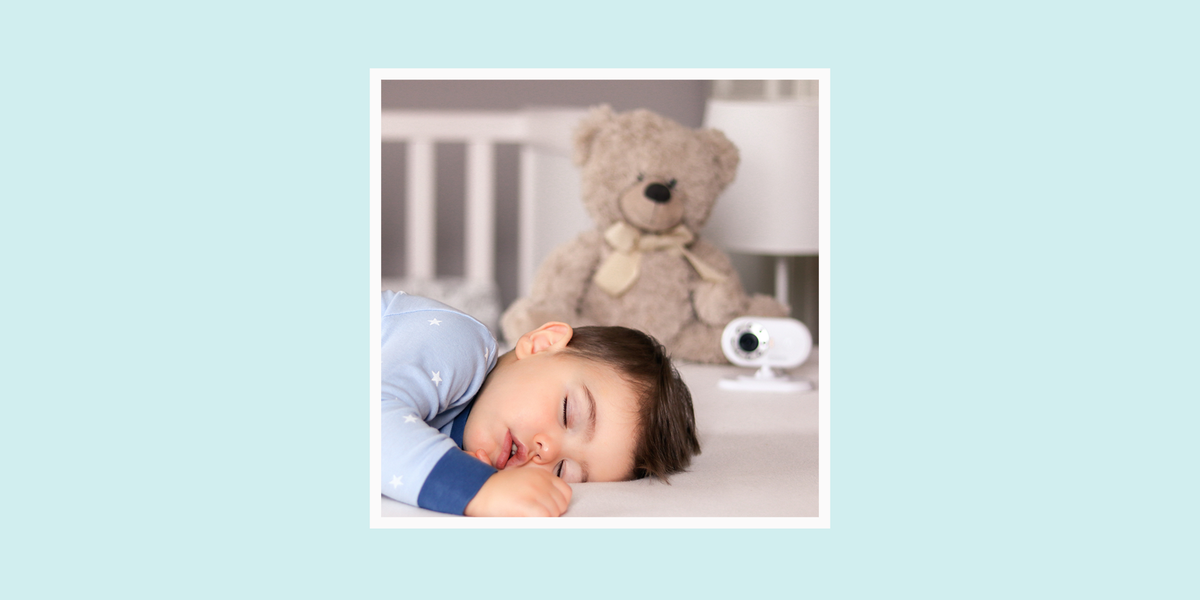

Choosing the best baby monitor is a little like choosing a co-pilot for the sleep-deprived airline known as New Parenthood Airways. You want clear video, dependable audio, a signal that does not vanish when you walk to the kitchen, and alerts that help instead of turning your phone into a tiny panic machine. The good news? Today’s baby monitors are better than ever, with crisp night vision, two-way talk, temperature sensors, split-screen viewing, Wi-Fi access, no-Wi-Fi privacy options, and even wearable health-tracking add-ons.
The not-so-good news? There are so many choices that shopping can feel like trying to decode baby cries at 3:07 a.m. Is a Wi-Fi baby monitor worth it? Do you need sleep analytics? Is a non-Wi-Fi monitor more private? Should you pay for a subscription? And why does every product description include at least four words that sound like they escaped from a spaceship manual?
This guide breaks down nine of the best baby monitors for different families, budgets, homes, and parenting styles. The picks below are based on current product information, expert testing trends, parent feedback patterns, safety guidance, and practical day-to-day usefulness. Whether you want a simple video baby monitor, a smart baby monitor with app access, a travel-friendly option, or a split-screen system for multiple kids, there is a monitor here that can help you keep an eye on your little one without turning your nursery into mission control.
How to Choose the Best Baby Monitor
Before jumping into the top picks, it helps to know what actually matters. A baby monitor should make parenting easier, not add one more gadget to argue with while the bottle warmer beeps in the background.
Wi-Fi vs. Non-Wi-Fi Baby Monitors
A Wi-Fi baby monitor connects to an app, usually giving you remote viewing from outside the home. This is helpful for working parents, travel, grandparents, babysitters, and anyone who wants to check the nursery from a phone. The trade-off is that you need a stable internet connection, strong passwords, and app updates.
A non-Wi-Fi baby monitor uses a dedicated parent unit. It usually offers easier setup, lower privacy risk, and fewer distractions. You cannot check it from the grocery store, but sometimes that is a feature, not a flaw. The monitor stays a monitor instead of becoming another reason to unlock your phone.
Key Features Worth Paying For
The most useful baby monitor features include clear night vision, reliable audio, a long-lasting parent-unit battery, two-way talk, room temperature alerts, remote pan and tilt, and secure connection options. Smart extras like cry detection, sleep tracking, breathing motion monitoring, and cloud video history can be helpful, but they are not essential for every family.
A Quick Safety Reminder
A baby monitor is helpful, but it is not a replacement for safe sleep practices or direct caregiver supervision. Keep cords at least several feet away from the crib, bassinet, or play yard. Do not place a camera, cord, or monitor inside the crib. Wearable monitors and wellness trackers may provide useful information, but parents should not rely on them to prevent SIDS or replace pediatric guidance.
Quick Comparison: 9 Best Baby Monitors
| Baby Monitor | Best For | Connection Type | Standout Feature |
|---|---|---|---|
| Infant Optics DXR-8 PRO | Best overall non-Wi-Fi monitor | Non-Wi-Fi | Active noise reduction and interchangeable lenses |
| Nanit Pro Smart Baby Monitor | Best smart Wi-Fi monitor | Wi-Fi | Sleep insights, breathing motion monitoring, app access |
| eufy Baby Monitor E21 | Best hybrid monitor | Wi-Fi optional | 4K camera, app plus parent unit |
| Momcozy 1080P Video Baby Monitor BM01 | Best value video monitor | Non-Wi-Fi | Large screen, clear video, strong range |
| CuboAi Smart Baby Monitor 3 | Best AI safety alerts | Wi-Fi | Covered-face, rollover, cough, and cry alerts |
| Owlet Dream Sock + Cam | Best wearable health-tracking bundle | Wi-Fi | Pulse and oxygen tracking with camera option |
| VTech VM819 | Best budget baby monitor | Non-Wi-Fi | Long battery life and simple setup |
| Babysense MaxView / PRO Split-Screen | Best for twins or multiple rooms | Non-Wi-Fi | Split-screen viewing with multiple cameras |
| HelloBaby HB6550 / HB Series | Best simple travel monitor | Non-Wi-Fi | Plug-and-play convenience at a friendly price |
1. Infant Optics DXR-8 PRO Best Overall Non-Wi-Fi Baby Monitor
The Infant Optics DXR-8 PRO is a favorite for parents who want a dependable video baby monitor without Wi-Fi, apps, cloud accounts, or yet another password to forget. It uses a dedicated parent unit and a closed-loop connection, making it a strong choice for families who prioritize privacy and simplicity.
Its 5-inch display is easy to read, and the 720p video is sharp enough for checking whether your baby is asleep, awake, sideways, or practicing mysterious crib yoga. The standout feature is Active Noise Reduction, which helps reduce background noise from fans, air conditioners, and other household sounds. Parents who sleep with a monitor next to the bed will appreciate anything that does not amplify every tiny room hum like a documentary about refrigerators.
The DXR-8 PRO also supports interchangeable lenses, remote pan and tilt, zoom, two-way talk, room temperature monitoring, and expandable camera support. It is not the flashiest monitor, but it is reliable, intuitive, and refreshingly focused on the basics.
Best for
Parents who want a privacy-friendly, no-Wi-Fi baby monitor with strong audio, clear video, and minimal setup.
Possible drawbacks
No app viewing, no cloud history, and no advanced sleep analytics. For many families, that is exactly the point.
2. Nanit Pro Smart Baby Monitor Best Smart Wi-Fi Baby Monitor
The Nanit Pro is one of the most polished smart baby monitors available. It delivers 1080p HD video, night vision, two-way audio, temperature and humidity readings, sound and motion alerts, and app-based viewing. For parents who love data, Nanit is basically the overachieving class president of nursery tech.
Its biggest strength is sleep tracking. With the right mount and compatible breathing wear, Nanit can provide sleep insights and breathing motion monitoring. Parents can review patterns, track wake-ups, and understand how naps and nighttime sleep are developing. This can be especially useful during the first year, when baby sleep can feel like a puzzle designed by a raccoon.
The Nanit app is sleek, and the video quality is excellent. It is especially good for families who want remote access, shared caregiver permissions, and a smart nursery ecosystem that can grow with the child.
Best for
Parents who want premium app-based monitoring, high-quality video, sleep insights, and smart alerts.
Possible drawbacks
Some advanced features require a subscription after the trial period. It also relies on your phone unless you buy a separate display option.
3. eufy Baby Monitor E21 Best Hybrid Baby Monitor
The eufy Baby Monitor E21 is ideal for parents who cannot decide between a Wi-Fi monitor and a non-Wi-Fi monitor because, honestly, both sides make good points. It offers a hybrid setup: use the dedicated parent unit at home or connect through the app when remote viewing is helpful.
The E21 stands out with a 4K UHD camera, strong zoom, pan-and-tilt control, night vision, and local recording options. The included monitor means you do not have to open your phone every time you hear a suspicious squeak. That matters, because checking the baby can quickly turn into checking messages, weather, news, and suddenly learning too much about celebrity kitchen renovations.
This model is especially useful for travel, multi-room homes, and families who want flexibility. If the Wi-Fi is flaky, the parent unit keeps things practical. If you are away from home and want to check in, the app gives you that option.
Best for
Parents who want the flexibility of app viewing plus the reliability of a dedicated screen.
Possible drawbacks
Hybrid monitors can take a little more setup than basic plug-and-play models. Parents should also review privacy settings and keep software updated.
4. Momcozy 1080P Video Baby Monitor BM01 Best Value Video Monitor
The Momcozy BM01 is a strong value pick for parents who want clear video, a large screen, and a no-Wi-Fi connection without paying premium smart-monitor prices. It has a 5-inch display, 1080p camera, night vision, two-way talk, temperature monitoring, lullabies, cry alerts, and remote pan and zoom features.
In everyday use, this is the kind of monitor that feels practical immediately. You plug it in, aim it at the crib, and get on with your life. No app account. No cloud storage decision. No subscription button lurking in the corner like a raccoon in a tiny business suit.
The Momcozy monitor is particularly appealing for apartments, townhomes, and average-size houses where parents want a dependable video feed without overcomplicating things. It can also be expanded with additional cameras, making it useful as your family or monitoring needs grow.
Best for
Families who want a clear, affordable, full-featured video baby monitor without Wi-Fi.
Possible drawbacks
The camera typically needs to stay plugged in, and it lacks remote viewing when you are outside the home.
5. CuboAi Smart Baby Monitor 3 Best AI Safety Alerts
The CuboAi Smart Baby Monitor 3 is designed for parents who want proactive alerts and a modern smart-monitor experience. Its AI features can detect covered-face situations, rollovers, crying, coughing, and other events depending on setup and settings. The bird-shaped camera is also cute enough to look intentional in a nursery, which is not always true of baby tech.
Video quality is crisp, and the app includes helpful tools such as sleep reports, temperature and humidity tracking, photo capture, and timeline features. It is especially useful for parents who like smart alerts but do not want a wearable sock on the baby.
CuboAi is best viewed as a helpful assistant, not a replacement for safe sleep. Alerts are useful, but parents should still follow pediatric sleep recommendations: back sleeping, firm mattress, fitted sheet, and no loose blankets, pillows, bumpers, or stuffed animals in the crib.
Best for
Parents who want smart alerts, strong video, and AI-powered nursery monitoring.
Possible drawbacks
Advanced smart features may create extra notifications, and some families may prefer a simpler monitor with fewer alerts.
6. Owlet Dream Sock + Cam Best Wearable Health-Tracking Bundle
The Owlet Dream Sock, often paired with an Owlet camera, is designed for parents who want more information about their baby’s sleep and wellness. The Dream Sock tracks pulse rate, oxygen level, and sleep patterns, while the camera adds video monitoring through the app.
This type of monitor is different from a standard video baby monitor. It gives health-related readings and notifications, which can be reassuring for some families. Owlet’s Dream Sock has received FDA clearance for specific infant monitoring functions, which distinguishes it from many general wellness devices. Still, parents should understand the limits: a wearable monitor is not a magic shield, and it should not replace safe sleep practices or pediatric medical advice.
For data-loving parents, the Owlet setup can feel comforting. For anxious parents, however, constant numbers may sometimes increase worry. The best fit is a family that wants health insights, understands what the alerts mean, and can use the data calmly.
Best for
Parents who want wearable health readings combined with app-based video monitoring.
Possible drawbacks
It is expensive, app-dependent, and may be more information than some families need. Discuss concerns with your pediatrician, especially if your baby has medical needs.
7. VTech VM819 Best Budget Baby Monitor
The VTech VM819 is proof that a baby monitor does not need to cost as much as a weekend getaway. This simple non-Wi-Fi video monitor offers a compact screen, night vision, two-way talk, temperature monitoring, lullabies, and excellent battery life for the parent unit.
It is not fancy, but it is dependable. That makes it a smart choice for grandparents’ houses, small apartments, travel backups, or parents who want basic nursery monitoring without smart features. The screen is smaller than premium models, but for quick checks, it does the job.
The VM819 is also a good reminder that not every family needs a smart baby monitor. If you mainly want to hear when the baby wakes and glance at the screen before walking down the hall, this budget-friendly monitor is more than enough.
Best for
Budget-conscious families who want a simple, reliable, non-Wi-Fi baby monitor.
Possible drawbacks
The display is small, and it does not offer advanced pan-and-tilt features found on more expensive models.
8. Babysense MaxView / PRO Split-Screen Best for Twins or Multiple Rooms
The Babysense MaxView and related Babysense split-screen models are excellent for families monitoring two sleeping spaces. Parents of twins, siblings, or a baby plus a toddler will appreciate the ability to view multiple cameras without constantly switching screens.
Features often include a large HD display, two cameras, split-screen viewing, night vision, two-way talk, temperature alerts, sound activation, lullabies or white noise, and expandable camera support. A non-Wi-Fi connection also keeps setup simple and private.
This is the monitor for parents who have entered the “two rooms, one brain cell left” phase of family life. Split-screen viewing means you can check whether the baby is asleep while also confirming the toddler has not removed pajamas, socks, or the laws of physics.
Best for
Families with twins, siblings, or multiple rooms to monitor.
Possible drawbacks
It is less useful if you only need one camera, and non-Wi-Fi viewing means no checking in from outside the home.
9. HelloBaby HB6550 / HB Series Best Simple Travel Monitor
The HelloBaby HB6550 and similar HelloBaby models are popular because they are straightforward, affordable, and easy to use. Many parents like HelloBaby monitors for travel, backup use, grandparents’ homes, and simple overnight monitoring.
The main appeal is plug-and-play convenience. You get a camera, a parent unit, night vision, two-way talk, temperature monitoring, lullabies, and enough range for many homes. There is no app to configure and no Wi-Fi network to join, which is wonderful when you are setting up a portable crib in a hotel room while your baby is loudly announcing that bedtime has been canceled.
HelloBaby is not the most premium choice, but it is one of the easiest to recommend for practical families. Sometimes the best baby monitor is the one everyone in the house can operate without a tutorial.
Best for
Travel, grandparents’ homes, backup monitoring, and parents who want simple video without smart features.
Possible drawbacks
Video quality and screen features may not match premium monitors, and there is no remote app access.
Baby Monitor Buying Tips Parents Should Not Skip
Prioritize Reliability Over Fancy Features
A baby monitor can have 47 features and still be annoying if the audio cuts out or the app loads slowly. Clear sound, stable connection, and dependable night vision matter more than a long list of extras.
Think About Your Home Layout
If your baby sleeps down the hall, a basic non-Wi-Fi monitor may be perfect. If the nursery is upstairs, your yard is large, or caregivers check in remotely, a Wi-Fi or hybrid monitor may make more sense.
Check Subscription Costs
Some smart baby monitors include free basic features but charge for sleep analytics, video history, extra users, or advanced alerts. Before buying, check what is included and what costs extra after the trial ends.
Secure Your Wi-Fi Monitor
For any Wi-Fi baby monitor, use a strong unique password, enable two-factor authentication if available, update the app and firmware, and avoid sharing account access casually. Your nursery camera deserves better security than “baby123.”
Mount It Safely
Place cameras and cords out of reach. Do not clip corded cameras to the crib rail unless the manufacturer provides a safe setup and all cords are fully secured away from the sleep space. When in doubt, mount higher and farther back.
Real-Life Experience: What Parents Learn After Actually Using Baby Monitors
After the first few nights with a baby monitor, many parents discover that the “best” monitor is not always the one with the longest feature list. It is the one that fits into real life when everyone is tired, the laundry is multiplying, and the pacifier has entered witness protection.
One common experience is that audio matters more than expected. New parents often shop for video quality first, imagining they will stare lovingly at the screen all night. In reality, most parents use the sound. They glance at the video only when something changes: a cry, a rustle, a suspicious silence, or the baby somehow rotating 180 degrees like a tiny sleep-powered compass. This is why clear audio, adjustable volume, and sound indicator lights are so useful.
Another lesson is that notifications can be both wonderful and exhausting. Smart monitors with cry detection, movement alerts, covered-face alerts, and sleep analytics can feel reassuring. They can also create notification overload if sensitivity is too high. Many parents eventually adjust settings after realizing that every wiggle does not require a breaking-news alert. The sweet spot is a monitor that tells you what matters without narrating every sigh.
Parents who use Wi-Fi monitors often love remote access. It can be comforting to check the nursery while a babysitter or grandparent is in charge. It is also helpful for travel, nap transitions, and working from another room. However, phone-based monitoring has a downside: your phone becomes part baby monitor, part distraction portal. A quick check on the baby can easily turn into checking email, scrolling social media, and wondering how it is already midnight. For this reason, hybrid monitors with a physical screen can be surprisingly practical.
Non-Wi-Fi monitors shine during travel and late-night use. There is something deeply satisfying about plugging in a monitor and having it work without pairing, updating, logging in, or remembering which email address you used. Grandparents and babysitters often prefer these simpler systems too. If multiple caregivers will use the monitor, simplicity is not a small benefitit is a gift.
Battery life becomes important fast. A parent unit that dies during nap time is not technically a tragedy, but it can feel like one when you are finally trying to drink hot coffee while it is still hot. Long battery life, sleep mode, and USB-C charging can make daily use much smoother.
Finally, many parents learn that a monitor should support confidence, not create fear. The goal is not to watch every breath or analyze every sleep twitch. The goal is to know when your child needs you and to give yourself permission to rest. A good baby monitor helps parents step away from the nursery while staying connected. It is a tool for peace of mind, not a substitute for safe sleep, common sense, or a pediatrician’s advice.
Final Verdict: Which Baby Monitor Should You Buy?
If you want the best no-Wi-Fi monitor for everyday reliability, choose the Infant Optics DXR-8 PRO. If you want the best smart Wi-Fi experience, the Nanit Pro is a premium pick with excellent video and sleep insights. If you want both app access and a dedicated screen, the eufy Baby Monitor E21 is the most flexible hybrid choice.
For value, the Momcozy BM01 offers a strong mix of video quality and practical features. For smart alerts, CuboAi is a standout. For wearable health tracking, Owlet Dream Sock + Cam is the most advanced option, with the important reminder that it should not replace safe sleep habits or medical advice. For budget buyers, the VTech VM819 and HelloBaby models keep things simple. For twins or multiple rooms, Babysense split-screen monitors are hard to beat.
The best baby monitor is the one that matches your home, your comfort level with technology, your privacy preferences, and your budget. Babies do not need the fanciest monitor. Parents need one that works when it matters, stays secure, and does not make bedtime feel like launching a satellite.
SEO Tags