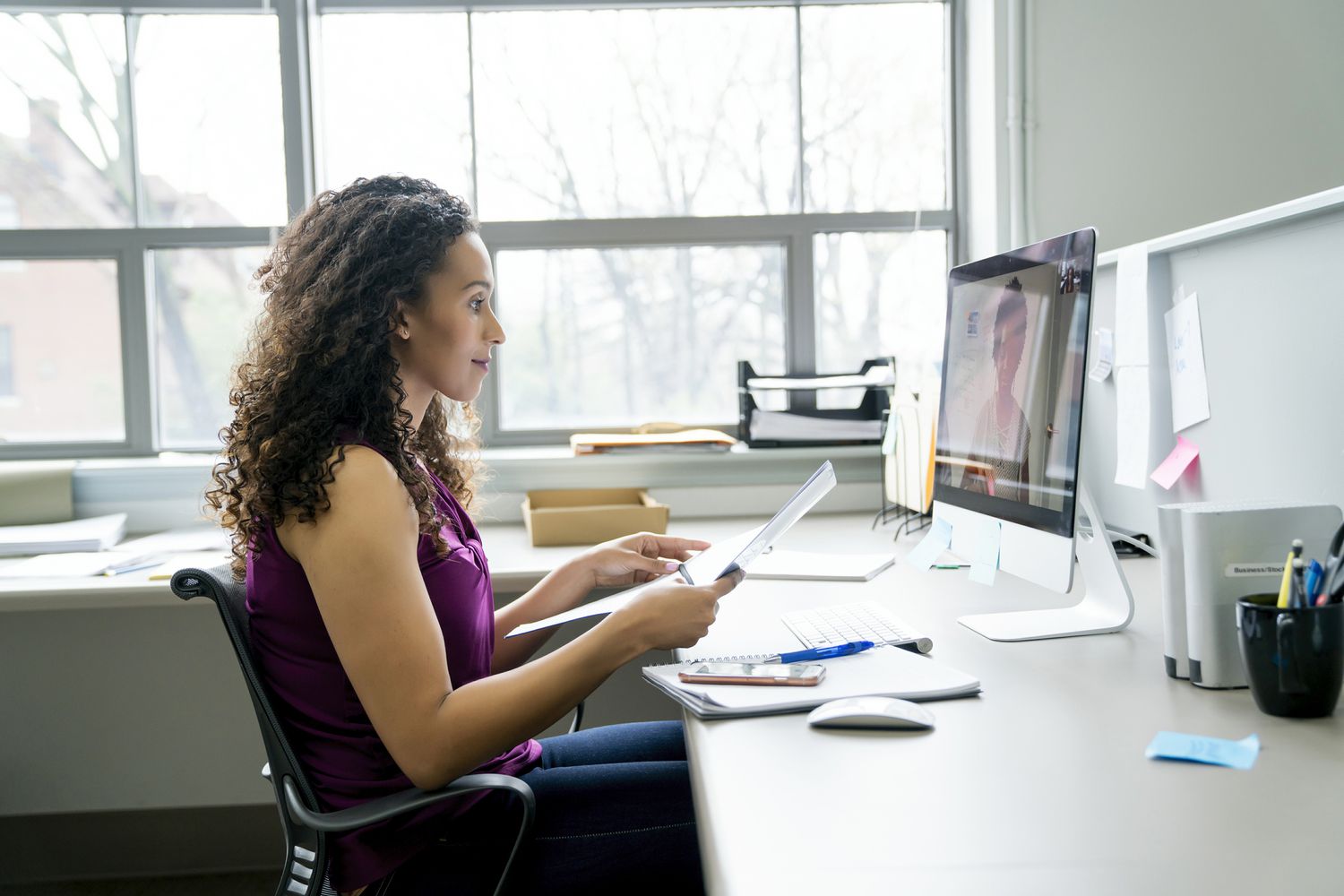

Video interviews have officially gone from “temporary workaround” to “normal Tuesday.” And while a Zoom interview can feel more relaxed than walking into a glass office tower with sweaty palms and a résumé folder, it comes with its own weird little traps. On camera, every delay, glance away, barking dog, and suspiciously over-rehearsed answer gets magnified. In other words, Zoom is convenient, but it is not forgiving.
If you are preparing for a virtual interview, the good news is that most common mistakes are preventable. The bad news? A lot of candidates still make them. From poor lighting and glitchy audio to robotic answers and frantic note-reading, these slipups can distract interviewers from what actually matters: your skills, judgment, and fit for the role.
This guide breaks down the biggest Zoom job interview mistakes to avoid, why they hurt your chances, and what to do instead. Whether you are interviewing for your first internship, a remote role, or a senior position, these tips will help you show up polished, calm, and credible on screen.
Why Zoom Interviews Require a Different Strategy
A virtual interview still evaluates the same core things as an in-person one: communication, preparation, professionalism, problem-solving, and cultural fit. But a Zoom interview adds a second layer of evaluation. Employers are also noticing how well you handle technology, whether you can communicate clearly on video, and how you present yourself in a remote setting.
That matters because many jobs now involve virtual collaboration. If you look flustered by the platform, talk over people because of lag, or seem unprepared for a simple video call, some interviewers may quietly wonder how you would handle online meetings with clients, managers, or cross-functional teams. Harsh? Maybe. Realistic? Also yes.
Top Zoom Job Interview Mistakes to Avoid
1. Waiting until the last minute to test your tech
Nothing spikes your heart rate quite like discovering, 90 seconds before the interview starts, that your microphone sounds like it is broadcasting from a submarine. One of the most common virtual interview mistakes is assuming Zoom will just work.
Test your camera, microphone, speakers, internet connection, and the Zoom app ahead of time. Update the software. Check your display name. Open the exact meeting link if possible. If you use headphones, test those too. Do a practice call with a friend and make sure your face is visible, your voice is clear, and your connection is stable.
Better move: Join five to ten minutes early with a glass of water nearby and your phone fully charged as a backup.
2. Choosing a messy, distracting, or noisy location
Your interviewer should remember your qualifications, not the pile of laundry behind you or the blender that suddenly kicks on in the kitchen. A cluttered or chaotic setting sends the message that you did not fully prepare.
Pick a quiet, clean, and neutral space. If you cannot find the perfect room, improve the one you have. Move distracting items out of frame. Tell other people in your home when the interview is happening. Silence pets if you can. Shut windows if street noise is a problem.
Better move: Aim for a simple background and minimal visual clutter. If needed, use a subtle background blur only after testing how it looks on your device.
3. Using bad lighting and a terrible camera angle
Interviewers do not need cinematic lighting, but they do need to see your face. Sitting with a bright window behind you can turn you into a mysterious silhouette. Positioning the laptop too low can create the legendary “up-the-nose” camera angle, which belongs in exactly zero professional settings.
Place a light source in front of you or slightly to the side. Natural light works well if it is consistent. Put your camera at eye level and frame yourself from roughly the shoulders up. This helps you look engaged and confident rather than slouched, shadowy, or vaguely trapped in a cave.
Better move: Stack your laptop on books if needed. The humble hardcover is still undefeated as a camera stand.
4. Dressing professionally only from the waist up
Yes, people joke about interview blazers with pajama bottoms. No, it is not a smart plan. You may need to stand up unexpectedly to fix lighting, grab a charger, or close a door. Also, dressing fully for the interview helps you get into the right mindset.
Wear the kind of outfit you would choose for an in-person interview at that company. When in doubt, slightly more polished is safer than too casual. Avoid tiny patterns that flicker on camera and anything that makes constant noise against your microphone.
Better move: Dress head to toe. Future-you will appreciate present-you.
5. Keeping notifications on and tabs everywhere
Nothing says “I am deeply focused on this opportunity” like a loud group chat ping followed by your eyes darting toward another screen. Employers notice when your attention shifts.
Before the interview, close irrelevant tabs, email windows, and messaging apps. Put your phone on silent. Turn off computer notifications. If your laptop struggles with too many applications open, simplifying your desktop can also improve performance and reduce lag.
Better move: Keep only what you need open: Zoom, your résumé, the job description, a few brief notes, and maybe the company website.
6. Reading from a script instead of speaking naturally
This is one of the sneakiest Zoom interview mistakes. Candidates often overprepare by writing full answers, then reading them like they are narrating a corporate audiobook. The result sounds stiff, rehearsed, and disconnected.
Interviewers do not expect perfect wording. They want thoughtful, relevant answers that sound human. Having bullet-point notes is fine. Gluing your eyes to a second monitor and reciting paragraphs is not.
Better move: Prepare story prompts, metrics, and examples instead of scripts. Think “three talking points,” not “mini TED Talk.”
7. Looking at yourself the whole time
Zoom’s self-view is a strange trap. You start the interview intending to focus, then suddenly spend 20 minutes wondering whether your eyebrows are doing something suspicious. Meanwhile, your eye contact disappears.
Strong eye contact on video means looking toward the camera regularly, especially when you are speaking. You do not need to stare into the lens like you are delivering a presidential address, but you should avoid constantly checking your own tile.
Better move: Minimize self-view if it distracts you. It is one of the easiest ways to improve your on-camera presence.
8. Talking too much because silence feels awkward
On Zoom, even a normal pause can feel dramatic. Some candidates respond by filling every quiet second with extra words, unnecessary backstory, or filler phrases. That usually weakens an otherwise strong answer.
If the interviewer pauses, they may be taking notes or dealing with slight lag. You do not need to keep talking just because the silence feels uncomfortable. Finish your point, stop, and let the conversation breathe.
Better move: Practice concise answers using the STAR method for behavioral questions: situation, task, action, result. Structure reduces rambling.
9. Interrupting because of audio delay
Virtual interviews have tiny timing issues that do not happen as often in person. A small lag can make people accidentally talk over each other. Interrupt once, and it is no big deal. Keep doing it, and you risk sounding impatient or unaware.
Speak slightly more slowly than usual, pause a beat before responding, and allow room for the interviewer to finish. If you do overlap, a quick “Sorry, please go ahead” fixes it gracefully.
Better move: Treat Zoom like a conversation with speed bumps. Smooth beats fast.
10. Forgetting to show energy and personality
Some candidates become so focused on avoiding mistakes that they flatten into a polite robot. Unfortunately, cameras can mute warmth if you are not intentional about it. A good answer on paper may feel cold on screen if your tone is monotone and your face says “I have not blinked since 2:15.”
Smile naturally when appropriate. Vary your tone. Nod to show engagement. Use specific examples that reveal how you think and work. Professional does not mean lifeless.
Better move: Let your enthusiasm show. Employers are hiring a person, not a perfectly ironed rectangle.
11. Failing to research the company because the interview is “just online”
The format may be virtual, but expectations are not. Interviewers still expect you to understand the role, company, and industry. Weak research shows up fast in vague answers, generic questions, and missed opportunities to connect your background to their needs.
Review the company’s website, products, mission, recent announcements, and the job description. Know why you want this role, not just any role with a salary and a login.
Better move: Prepare a few tailored reasons you are interested and two or three smart questions that show real curiosity.
12. Not preparing examples for behavioral questions
Many Zoom interviews include questions like “Tell me about a time you solved a problem” or “Describe a conflict you handled.” Candidates often know these are coming, yet still answer too generally.
Specific examples beat abstract claims every time. Saying “I am a strong communicator” is fine. Explaining how you aligned a delayed project across three teams and still hit the deadline is better. Concrete stories make you memorable.
Better move: Prepare five to seven flexible stories that can be adapted to different questions about leadership, teamwork, conflict, failure, problem-solving, and results.
13. Having no backup plan for technical failure
Even well-prepared candidates can run into problems. Internet goes down. Audio cuts out. The meeting link misbehaves. The mistake is not the glitch itself. The mistake is panicking or disappearing without communicating.
Keep the interviewer’s email handy. If the call drops, rejoin immediately. If that fails, send a brief message explaining the issue and offering to continue by phone or reconnect through a new link. Calm recovery shows professionalism.
Better move: Write a one-sentence backup email before the interview starts so you can send it fast if needed.
14. Skipping the follow-up
Some candidates treat virtual interviews as less formal and forget the thank-you note. That is a missed chance to reinforce interest, mention a strong discussion point, and leave a polished final impression.
Send a brief thank-you email within 24 hours. Keep it concise, personalized, and specific. Mention something you enjoyed discussing and reaffirm your interest in the role.
Better move: Think of the follow-up as the closing handshake Zoom forgot to provide.
What Interviewers Actually Notice on Zoom
Many candidates assume hiring managers are obsessing over tiny technical imperfections. Usually, they are not. Most interviewers will forgive a brief lag, a dog bark, or a momentary freeze. What they notice more is how you respond. Do you stay calm? Do you communicate clearly? Do you recover without spiraling?
They also notice whether you seem present. Are you listening carefully? Are your answers organized? Do you connect your experience to the role? Can you speak with both confidence and self-awareness? Those signals matter much more than whether your bookshelf looks magazine-worthy.
A Smart Pre-Interview Checklist
- Test Zoom, audio, video, and internet connection
- Charge your laptop and keep your phone ready as backup
- Choose a quiet, clean, well-lit space
- Dress professionally from head to toe
- Keep your résumé, job description, and short notes nearby
- Research the company and prepare tailored questions
- Practice your answers out loud, not just in your head
- Join early and breathe before the call starts
Final Thoughts on Zoom Job Interview Success
A great Zoom interview is not about looking flawless on camera. It is about removing distractions so your strengths can come through clearly. When you prepare your setup, practice your stories, manage your energy, and handle small hiccups with composure, you make it easier for the interviewer to picture you doing the job well.
The best candidates do not treat virtual interviews like casual video chats. They treat them like real professional conversations that happen to take place through a screen. That mindset makes all the difference.
So avoid the classic mistakes, keep your notes light, let your personality breathe, and remember: the goal is not to become a perfect Zoom performer. The goal is to make it easy for the employer to trust you, remember you, and want to talk to you again.
Experience-Based Lessons: What These Zoom Interview Mistakes Look Like in Real Life
One of the most useful ways to understand Zoom job interview mistakes to avoid is to picture how they play out in real situations. For example, imagine a candidate who has strong experience and a solid résumé but decides to “wing it” because the interview is online. They log in two minutes late, the camera is pointed up from the desk, and their internet freezes during the first answer. None of those issues alone has to ruin the interview, but together they create a first impression of poor preparation. The employer may never say, “We passed because your laptop angle was tragic,” yet the overall impression still lands.
Another common scenario happens when candidates overcorrect and become too rehearsed. They expect every question, write out beautiful answers, tape notes around the screen, and then spend the interview sounding like they are reading legal disclosures for a prescription commercial. The content is technically fine, but the delivery feels off. Interviewers start wondering whether the candidate can think on their feet, hold a conversation, or adapt in a real meeting. That is why natural delivery matters so much in a Zoom interview.
There are also candidates who do almost everything right but lose momentum because they forget the human side of the conversation. They answer accurately, but they do not smile, they do not show curiosity, and they do not build rapport. On video, this can make a candidate seem distant even when they are qualified. By contrast, someone with slightly less polished answers can sometimes leave a stronger impression simply by being warm, responsive, and easy to talk to.
A lot of job seekers have learned the hard way that small environment issues can have surprisingly large effects. A roommate walking through the background, a phone buzzing on the desk, or a loud neighborhood motorbike can break concentration at the worst possible moment. These things happen, of course, and employers understand that life is not filmed on a movie set. But experienced candidates reduce those risks in advance. They choose the quietest room, communicate with people in the house, and prepare a backup plan. Preparation does not guarantee perfection, but it dramatically improves control.
Perhaps the most encouraging lesson is this: interviewers usually remember recovery more than the mistake itself. If your screen freezes and you calmly rejoin, apologize briefly, and continue with confidence, you can still do very well. If you lose a word, pause, and collect your thought, that often reads as maturity, not weakness. Real interview success on Zoom is not about never slipping. It is about showing professionalism under ordinary pressure. That is a quality employers value in every setting, online or off.