
If you have ever gone shopping for a free website builder, you already know the routine: every platform promises stunning design, zero coding, effortless publishing, and a future where your website somehow becomes charming, profitable, and suspiciously well-moisturized. Then reality walks in wearing a name tag that says subdomain, branding, and upgrade to unlock the good stuff.
That is exactly why the topic still matters. Free website builders are not magic, but they are useful. They let creators, freelancers, nonprofits, side hustlers, and small businesses get online fast without hiring a developer or adopting a dramatic new personality called “I write CSS for fun.” In its comparison, Crazy Egg points readers toward five standout options: Wix, WordPress, Weebly, Strikingly, and SITE123. That shortlist still holds up remarkably well. But today’s market is wider, and newer free-plan contenders like HubSpot, Webflow, Square, Google Sites, and Canva deserve serious attention too.
This guide breaks down the best free website builders through the lens of Crazy Egg’s picks while also updating the conversation for the way people actually build websites now. Some want a portfolio. Some want a landing page. Some want a blog. Some want a tiny store that doesn’t immediately eat their budget alive. The right platform depends less on hype and more on what you need the site to do on day one and what you do not want it to do on day thirty.
Quick Answer: Which Free Website Builder Is Best?
If you want the fastest recommendation, here it is. Wix is still the best free website builder for most people because it balances ease of use, flexibility, and a polished visual editor better than almost anyone else. WordPress.com is a smart free choice for simple blogging. Weebly is still surprisingly good for small businesses that want basic store functionality without wrestling an octopus made of settings. Strikingly shines for one-page sites and landing pages. SITE123 is ideal for true beginners who want a guided setup rather than endless design decisions.
Beyond Crazy Egg’s original five, a few modern options stand out for specific use cases. HubSpot is excellent for marketers and lead generation. Webflow is strong for designers and prototype-heavy users. Google Sites is best for ultra-simple information hubs. Square is a smart free option for sellers who care more about commerce than visual drama. Canva works surprisingly well for stylish one-page websites, portfolios, and campaigns that need to look good quickly.
What Crazy Egg Gets Right About Free Website Builders
Crazy Egg’s comparison works because it does not treat “free” as a personality trait. A free website builder is not automatically good just because the monthly bill is zero. It is only good if the trade-offs match your goals. Most free plans ask you to compromise in familiar ways: platform branding, a branded subdomain, lighter storage or bandwidth, limited ecommerce, and fewer customization options. In other words, free is real, but it is rarely unlimited.
That is why Crazy Egg’s categories remain useful. “Best for most,” “best for blogging,” “best for landing pages,” and “best for beginners” are not fluffy labels. They reflect the biggest reasons people choose a builder in the first place. The smartest move is not hunting for the platform with the longest feature list. It is choosing the platform that makes your specific kind of website easiest to launch, maintain, and eventually grow.
Best Free Website Builders Compared
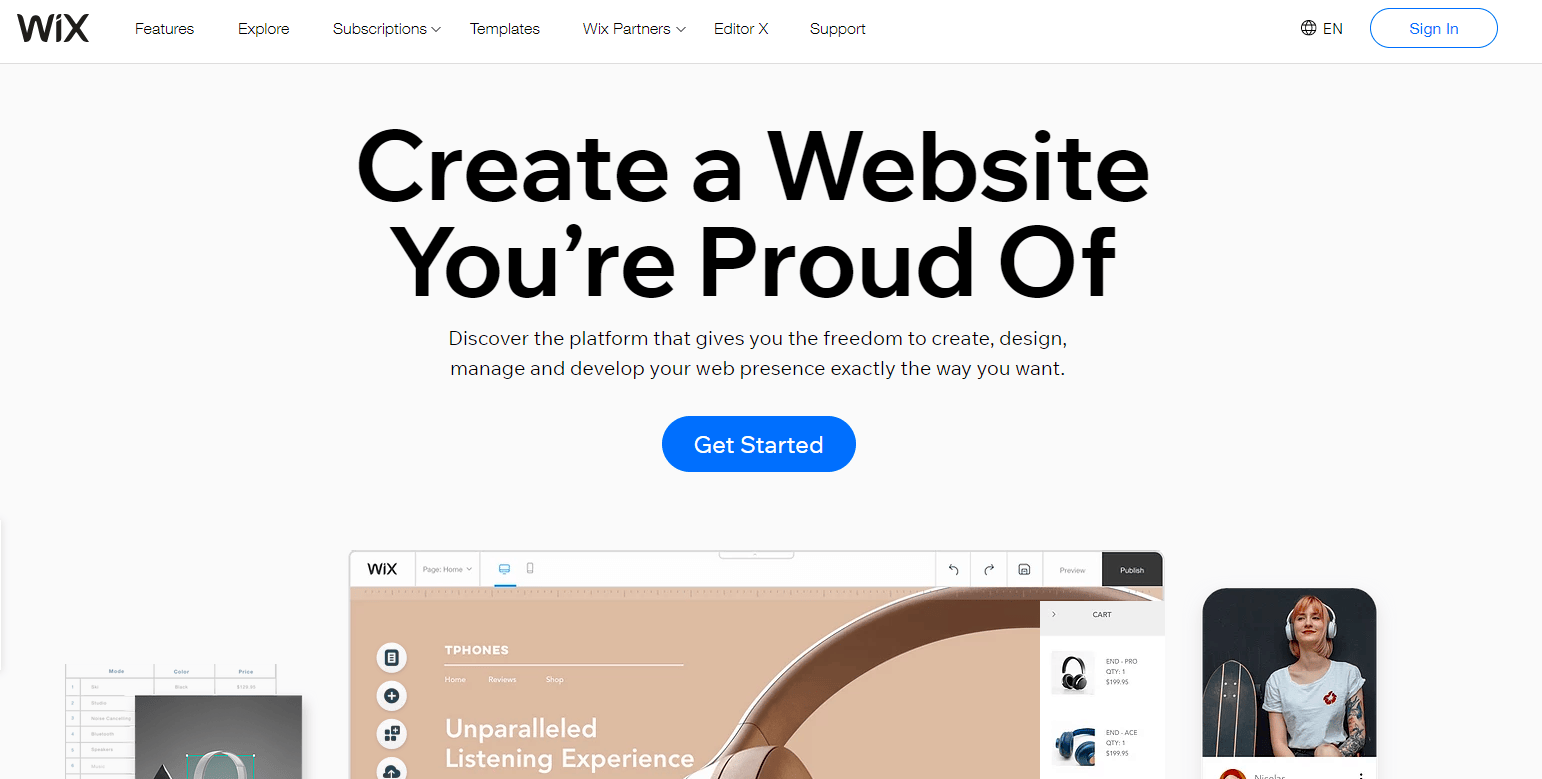
1. Wix: Best Free Website Builder for Most People
Wix earns the top spot because it feels like a real website builder even on the free plan. You can design visually, move elements around with confidence, and create something that looks intentionally built instead of accidentally assembled during a coffee shortage. For beginners, that matters. Wix gives you creative room without forcing you to learn technical skills first.
The free plan is enough to test an idea, build a portfolio, launch a basic business site, or publish a personal brand page. The catch is classic free-plan territory: you get a Wix-branded subdomain, platform branding, and limited resources. Still, for people who want a site that looks polished without spending money upfront, Wix remains the strongest all-around choice.
Best for: freelancers, personal brands, service businesses, portfolios, and anyone who wants drag-and-drop freedom without a headache.
2. WordPress.com: Best Free Website Builder for Blogging
WordPress.com is the best free pick for blogging because content is where it feels most natural. If your main goal is publishing articles, building topic authority, organizing categories, and creating a site that grows through writing, WordPress.com still has the right DNA. It is structured for posts, archives, tags, and regular content publishing in a way many visual builders only imitate.
Its free plan is not designed for total freedom, and that is the trade. You are using a hosted version of WordPress, not a fully self-directed build. But if you care more about writing than endlessly nudging a button two pixels to the left, WordPress.com is a practical and stable choice. It is the kind of platform that says, “Please stop rearranging the homepage and go write something useful.” Honestly, that is sometimes good advice.
Best for: bloggers, writers, niche publishers, newsletter-style content sites, and simple editorial projects.
3. Weebly: Best Free Website Builder for Small Business Owners
Weebly remains a very sensible small-business option. It may not be the trendiest builder in the room, but it quietly does useful work. The free plan includes meaningful site and store functionality, and the platform stays friendly to users who want to publish, edit, and sell without studying a 47-tab tutorial spiral at midnight.
One of Weebly’s biggest strengths is practicality. If you run a local shop, a service business, or a side hustle that needs a website and basic store tools in one place, Weebly makes that feel manageable. It is especially appealing for businesses that want simplicity over bells and whistles. Not everyone needs cinematic animations and a homepage that behaves like an art installation. Sometimes you just need people to find you, trust you, and buy the thing.
Best for: local retailers, restaurants, service businesses, and small operations that want website plus store basics in one dashboard.
4. Strikingly: Best Free Landing Page Builder
Strikingly knows what it is good at, and that self-awareness deserves applause. Rather than pretending to be everything for everyone, it leans into one-page websites and landing pages. That makes it fast, focused, and especially helpful for creators running campaigns, promoting an event, launching a product teaser, or collecting leads.
If your website is really one strong page with a clear call to action, Strikingly makes a lot of sense. It is quick to learn, simple to edit, and less likely to lure you into endless design tinkering. That said, it is not the best choice for large content-heavy websites. But for single-page conversion goals, it punches above its weight.
Best for: landing pages, campaign sites, bios, creator pages, event pages, and quick product launches.
5. SITE123: Best Free Website Builder for Beginners
SITE123 is for people who do not want to become “website people.” It guides you through the setup process instead of handing you a giant sandbox and wishing you luck. That means less design freedom, yes, but also fewer opportunities to accidentally build a homepage that looks like it was arranged during turbulence.
This is the platform for users who want a clean, functional site more than a custom visual masterpiece. It is approachable, direct, and forgiving. If you are nervous about starting from scratch, SITE123 removes a lot of friction. It is not the builder for obsessives. It is the builder for normal humans who have a business to run.
Best for: first-time site owners, simple business pages, contact pages, brochure sites, and basic informational websites.
6. HubSpot: Best Free Website Builder for Marketing and Lead Generation
HubSpot deserves more attention in free website builder conversations because it offers something many competitors do not: a stronger bridge between website building and marketing operations. If your site exists to collect leads, connect forms, track contacts, and support a broader customer journey, HubSpot is extremely compelling.
The standout advantage is not just the builder. It is the business context around the builder. A site made in HubSpot can fit neatly into CRM-driven workflows, lead capture, and content marketing efforts. For consultants, B2B companies, agencies, and growing businesses, that can matter more than having the most artistic homepage on the block. It is not the cheapest-looking free option. It is the most strategically useful one for serious marketers.
Best for: lead generation, B2B websites, marketing teams, agencies, and businesses planning to scale their funnel.
7. Webflow: Best Free Website Builder for Designers
Webflow is where many people go when a standard drag-and-drop editor starts to feel too basic. Its free Starter setup is better suited to building, experimenting, and prototyping than launching a full, permanent business website at scale. But for users who care deeply about layout, structure, and modern design control, it is a powerful option.
The downside is simple: Webflow has a bigger learning curve. If Wix feels like a friendly design studio, Webflow feels more like a design studio that also expects you to respect spacing systems and maybe drink something expensive out of a matte black mug. It is excellent, but it asks more from you. For designers, that is a feature. For beginners, that can feel like homework.
Best for: designers, creative professionals, prototypes, portfolio experiments, and users who want more control than beginner builders usually offer.
8. Google Sites: Best Free Builder for Internal, Educational, or Simple Info Hubs
Google Sites is not flashy, and that is exactly the point. It is one of the easiest ways to publish simple information online. If you need a resource hub, a team site, a class project, a volunteer portal, or a lightweight internal page, Google Sites gets the job done quickly and painlessly.
It is not the best option for advanced branding, sophisticated SEO, or high-conversion marketing pages. But if your goal is clarity, not cleverness, it is hard to beat. Think schedules, documents, announcements, FAQs, and internal pages. Google Sites is the sensible shoes of website builders. Not glamorous, very dependable.
Best for: schools, nonprofits, clubs, internal teams, documentation hubs, and ultra-simple public pages.
9. Square: Best Free Builder for Selling Online Without a Monthly Fee
Square is one of the most practical free commerce-focused options available. If your main goal is to sell products, sync inventory, and keep online and offline selling connected, Square makes more sense than many prettier builders. You are not paying a monthly subscription on the free tier, which is attractive for new sellers who want to get online before committing to a bigger platform cost.
Square’s strength is operational simplicity. It is especially helpful for merchants who already use Square in person or plan to. The site builder matters, but the real value is the connected business workflow behind it. For sellers, that can be more important than having a homepage that wins a design award from your cousin who discovered kerning last Tuesday.
Best for: online stores, local shops, food businesses, pop-up sellers, and merchants using Square’s broader ecosystem.
10. Canva: Best Free Website Builder for Beautiful Static Pages
Canva is not always the first name people think of for websites, but it has become a smart free option for stylish, lightweight, static web pages. If you already use Canva for graphics, presentations, social content, or brand assets, building a simple website there feels natural. The learning curve is tiny, and the results can look polished very quickly.
The limitation is equally clear: Canva is best when your website is mostly presentation, not deep functionality. It works wonderfully for portfolios, campaign pages, mini-sites, and one-page brand experiences. It is not where you should build a complex content machine or a serious online store. But for attractive, fast, no-fuss publishing, Canva is much better than many people expect.
Best for: portfolios, one-page business sites, event pages, campaign pages, creators, and design-forward static websites.
How to Choose the Right Free Website Builder
Choose based on the job, not the logo. A blog, a portfolio, a local store, and a lead-generation site are not the same project. Pick the builder that matches the site’s main job. If you need content publishing, lean WordPress.com. If you need visual flexibility, lean Wix. If you need sales, look hard at Weebly or Square.
Think one step past free. Free is where you start, not always where you stay. Ask yourself what happens when you want a custom domain, better analytics, more pages, more storage, fewer platform marks, or ecommerce tools. The best free builder is often the one that makes upgrading least painful later.
Be honest about your editing style. Some people love visual builders. Others want structure. Some want total control and will enjoy Webflow. Others want a guided path and will get more done with SITE123. The wrong editor can slow you down even if the feature sheet looks great.
Do not confuse “free” with “best long-term value.” A free plan is great for testing an idea, launching a small project, or validating demand. But once the website becomes central to your brand, leads, or sales, paying for the right platform often saves time, protects credibility, and improves performance.
Best Picks by Use Case
- Best overall: Wix
- Best for blogging: WordPress.com
- Best for small business: Weebly
- Best for landing pages: Strikingly
- Best for absolute beginners: SITE123
- Best for lead generation: HubSpot
- Best for designers: Webflow
- Best for simple information hubs: Google Sites
- Best for ecommerce on a free plan: Square
- Best for stylish static pages: Canva
Final Thoughts
Crazy Egg’s comparison still points in the right direction: Wix is the safest bet for most people, WordPress.com is still the smart blogging choice, Weebly remains useful for small businesses, Strikingly owns the one-page lane, and SITE123 is ideal for hesitant first-timers. But the broader market makes the decision more interesting now. HubSpot brings marketing muscle, Webflow adds designer control, Square makes commerce more practical, Google Sites keeps things simple, and Canva proves pretty pages do not need a big budget.
The real secret is this: the best free website builder is not the one with the loudest homepage. It is the one that helps you publish something useful today without trapping you in chaos tomorrow. Start with the clearest goal, choose the right kind of builder, and let the website do its job. No drama required. Though, naturally, a little drama in the hero headline is still allowed.
Real-World Experiences With Free Website Builders
In real-world use, free website builders usually create one of three experiences. The first is delight. A freelancer signs up for Wix or Canva, picks a template, swaps in their own photos, adjusts colors, writes a short bio, and suddenly has a site that looks far more professional than their old social media profile. That kind of fast win matters. It builds momentum. Instead of spending weeks thinking about a website, they publish one and move on to actual business.
The second experience is what I would call “free-plan realism.” This is when users discover that free is excellent for launching, but not always ideal for staying put forever. A blogger loves WordPress.com because writing and publishing are smooth, but after a few months they want more branding control. A small shop owner likes Weebly because getting products online is easy, but later wants a cleaner domain and stronger marketing tools. A designer enjoys Webflow’s precision, then realizes the free setup is best for testing rather than a full commercial launch. None of this means the free builder failed. It means the website grew up.
The third experience is mismatch. This happens when someone chooses a builder for the wrong reason. For example, they pick Google Sites because it is simple, then expect it to behave like a polished marketing platform. Or they choose Webflow because it looks impressive on comparison charts, then discover they really wanted something easier. Or they start in Strikingly, build a lovely one-page campaign, and later wonder why the platform feels cramped for a much larger content site. This is the moment when people blame the tool, even though the real issue was picking a hammer for a screwdriver problem.
What stands out across all these experiences is that success usually comes from clarity, not cleverness. Users who know exactly what they are building tend to be happiest. The local bakery that needs hours, menu highlights, and contact info often does great with a simple platform. The consultant who needs forms, lead capture, and nurture potential gets more value from HubSpot. The seller using Square in person often loves the convenience of keeping inventory and orders connected online. The creator who just wants a sleek portfolio can publish faster in Canva or Wix than in a heavier system.
There is also an emotional side people rarely mention. Free builders reduce hesitation. They make it easier to start before everything is perfect. That matters because many websites do not fail from bad technology. They fail because they never get published. A free plan lowers the stakes enough for people to move. And once something is live, even a small, imperfect site can start attracting visitors, leads, sales, signups, or credibility.
So the most honest experience-based advice is this: use a free website builder to get traction, not to win a purity contest. Launch the simple version. Learn what visitors actually care about. Then upgrade only when the business case is obvious. That approach is cheaper, faster, and usually a lot saner than spending months trying to engineer the “perfect” website before the internet even knows you exist.