
Internet providers love big numbers. “Gigabit!” they shout. “Two gigs!” “Five gigs!” At some point, it starts to sound less like home internet and more like a protein powder commercial. But here is the practical question: how much internet speed do you really need for your home, your job, your kids, your streaming habits, your doorbell camera, your game downloads, and that one smart fridge that insists on joining the Wi-Fi like it pays rent?
The honest answer is: most households need less speed than ads suggest, but more stability than they realize. A 1,000 Mbps plan sounds impressive, yet a poorly placed router can make it feel like dial-up wearing a fake mustache. On the other hand, a modest 300 Mbps fiber or cable plan can feel lightning-fast if the Wi-Fi is strong, the upload speed is decent, and your devices are not all fighting for bandwidth at the same time.
This guide breaks down internet speed in plain American English: what download speed means, why upload speed matters, how many Mbps different activities use, and when upgrading is actually worth it. No panic. No nerd fog. Just the numbers you need before you accidentally buy enough bandwidth to run a small space agency.
What Does Internet Speed Actually Mean?
Internet speed is usually measured in Mbps, short for megabits per second. Think of it as the size of the digital pipe coming into your home. A bigger pipe can move more data at once. That matters when several people are streaming, gaming, video calling, downloading files, and scrolling social media at the same time.
However, speed is not one single thing. Your internet plan usually includes several performance factors:
- Download speed: How fast your connection pulls data from the internet. This affects streaming, browsing, app downloads, software updates, and loading websites.
- Upload speed: How fast your connection sends data out. This affects video calls, livestreaming, cloud backups, sending large files, and posting videos.
- Latency: The delay between your device and the server. Low latency matters for gaming, video meetings, remote work, and anything interactive.
- Reliability: Whether your connection stays consistent during busy hours. A “fast” plan that collapses every evening is like a sports car with a flat tire.
- Wi-Fi quality: The speed your devices actually receive inside your home, which can be much lower than the speed coming into the modem.
In 2024, the FCC raised its fixed broadband benchmark to 100 Mbps download and 20 Mbps upload. That is a useful modern baseline, especially because homes now have more connected devices than ever. But a benchmark is not a personal prescription. Your ideal internet speed depends on how many people are online, what they do, and whether your Wi-Fi setup is doing its job or quietly crying behind the TV stand.
Quick Answer: Recommended Internet Speeds by Household
If you want the simple version, use this table as a starting point:
| Household Type | Recommended Download Speed | Recommended Upload Speed | Best For |
|---|---|---|---|
| 1 person, light use | 50–100 Mbps | 10–20 Mbps | Email, browsing, HD streaming, basic video calls |
| 1–2 people, normal use | 100–300 Mbps | 20–50 Mbps | Streaming, remote work, casual gaming, several devices |
| 3–4 people, busy home | 300–500 Mbps | 30–100 Mbps | Multiple 4K streams, schoolwork, video meetings, gaming |
| Large household or heavy users | 500 Mbps–1 Gbps | 50–250 Mbps | Frequent downloads, cloud backups, livestreaming, many smart devices |
| Power users and creators | 1 Gbps+ | 100 Mbps–1 Gbps | 4K uploads, serious content creation, home servers, advanced gaming setups |
For many American homes, 300 Mbps is the sweet spot: fast enough for multiple users, often cheaper than gigabit, and less likely to be overkill. If fiber is available, a symmetrical plan with similar download and upload speeds can feel better than a cable plan with a huge download number but tiny upload speed.
How Much Speed Do Common Online Activities Use?
The secret to choosing the right internet plan is not guessing your household’s “vibe.” It is adding up what people actually do online at the same time.
Web Browsing, Email, and Social Media
Basic browsing is light work. Checking email, reading articles, shopping online, or scrolling social media often needs only a few Mbps per device. A 50 Mbps connection can handle this easily for one or two people. The problem appears when “basic use” secretly includes autoplay videos, cloud photo syncing, thirty open tabs, and a laptop update the size of a small moon.
Streaming Video
Streaming is where speed needs rise. Standard definition video may only need a few Mbps. HD streaming often works well around 5–8 Mbps per stream. For 4K Ultra HD, plan around 25 Mbps per stream. That means one 4K movie does not require gigabit internet. Four 4K streams at once, plus a Zoom call and an Xbox update? Now the router is sweating.
Example: If two TVs are streaming in 4K, budget about 50 Mbps just for those streams. Add phones, laptops, smart speakers, security cameras, and background updates, and a 100 Mbps plan may start to feel tight. A 300 Mbps plan gives more breathing room.
Video Calls and Remote Work
Video conferencing usually needs less download speed than people think, but upload speed and stability matter a lot. A Zoom or Teams meeting may use only a few Mbps, but if two people are on HD calls while someone else uploads files to Google Drive, a weak upload connection can create frozen faces, robotic audio, and the classic “Sorry, I think you cut out” dance.
For remote workers, upload speed is especially important. If your job involves sending large files, presenting on video, using cloud apps, or attending back-to-back meetings, look for at least 20 Mbps upload. If two or more people work from home, 50 Mbps upload or more is much more comfortable. Fiber is excellent here because upload speeds are often much higher than traditional cable plans.
Online Gaming
Online gaming does not usually need massive download speed while you are actively playing. Many games can run on surprisingly modest bandwidth. What gaming really wants is low latency, low jitter, and a stable connection. In human language: when you press the button, your character should move before you have time to question your life choices.
For normal online gaming, 50–100 Mbps download is often enough if nobody else is hammering the network. But cloud gaming is different because the game is streamed like interactive video. Xbox Cloud Gaming, GeForce NOW, and similar services can require around 10–45 Mbps depending on resolution and quality. For cloud gaming, wired Ethernet or strong 5 GHz/6 GHz Wi-Fi can matter more than buying a bigger plan.
Downloading Games, Apps, and Large Files
This is where faster plans feel satisfying. A 100 GB game download is technically possible on a 100 Mbps plan, but it will take a while. On a 1 Gbps plan, it can finish much faster if the game server and your equipment can keep up. If your household regularly downloads giant games, 4K video files, design assets, or software builds, 500 Mbps to 1 Gbps may be worth it.
Smart Home Devices
Most smart home gadgets use little bandwidth. Smart bulbs, thermostats, plugs, and speakers are not the main issue. Security cameras and video doorbells use more, especially if they upload video to the cloud. One or two cameras are fine on most plans. A house full of cameras, plus cloud recording, plus remote work, plus streaming, can make upload speed more important.
Download Speed vs. Upload Speed: Don’t Ignore the Upload
Internet providers often advertise download speed in giant letters and upload speed in tiny print, possibly hidden under a fern. But upload speed is crucial for modern homes.
You need upload speed for:
- Video calls
- Livestreaming
- Uploading YouTube, TikTok, or Instagram videos
- Cloud backups
- Sending large work files
- Online teaching or tutoring
- Security camera cloud uploads
A cable plan might offer 500 Mbps download but only 10–20 Mbps upload. That may be fine for a streaming-focused household, but frustrating for creators or remote workers. A fiber plan with 300 Mbps download and 300 Mbps upload may feel smoother than a cable plan with a bigger download number but weak upload performance.
Is Gigabit Internet Worth It?
Gigabit internet means roughly 1,000 Mbps. It sounds powerful because it is. But the real question is not “Is gigabit fast?” Of course it is. The question is “Will I notice it?”
You may benefit from gigabit internet if:
- Your home has five or more heavy internet users.
- You download huge games or media files often.
- You work with large cloud files every day.
- You livestream or upload high-resolution video.
- You have fiber with strong upload speeds.
- The price difference between 500 Mbps and 1 Gbps is small.
You probably do not need gigabit if:
- You mostly browse, stream, and use email.
- Your household has one to three people.
- Your Wi-Fi equipment cannot deliver gigabit speeds anyway.
- Your current problems are dead zones, buffering, or weak signal rather than true lack of speed.
- You are upgrading mainly because the sales page made you feel emotionally inadequate.
For many households, 300–500 Mbps is the practical luxury zone. It gives plenty of capacity without paying for a giant number you rarely use.
Why Your Internet Feels Slow Even With a Fast Plan
This is where many people get tricked. They upgrade from 300 Mbps to 1 Gbps and still have buffering in the bedroom. Why? Because the problem was never the internet plan. It was the home network.
Your Router Is Too Old
An outdated router can bottleneck your connection. If your router is several years old, does not support modern Wi-Fi standards, or struggles with many devices, it may be time to upgrade. A better router or mesh system can make your existing plan feel brand-new.
Your Router Is in the Wrong Place
Routers dislike closets, cabinets, concrete walls, fish tanks, and being shoved behind the entertainment center like an embarrassing family secret. Place the router in a central, open location when possible. The fewer walls between your device and router, the better.
You Are Using Crowded Wi-Fi
Apartment buildings can be crowded with neighboring networks. If your Wi-Fi slows down during evening hours, interference may be part of the problem. Using the 5 GHz or 6 GHz band, adjusting channel settings, or upgrading to Wi-Fi 6 or Wi-Fi 6E can help.
Your Device Is the Bottleneck
Older laptops, phones, streaming sticks, and smart TVs may not support the fastest Wi-Fi speeds. A speed test on an old phone in the garage is not a fair trial for your entire internet plan.
Too Many Things Are Running at Once
Cloud backups, game updates, operating system downloads, and security camera uploads can quietly consume bandwidth. The internet may not be slow; it may just be busy doing chores nobody told you about.
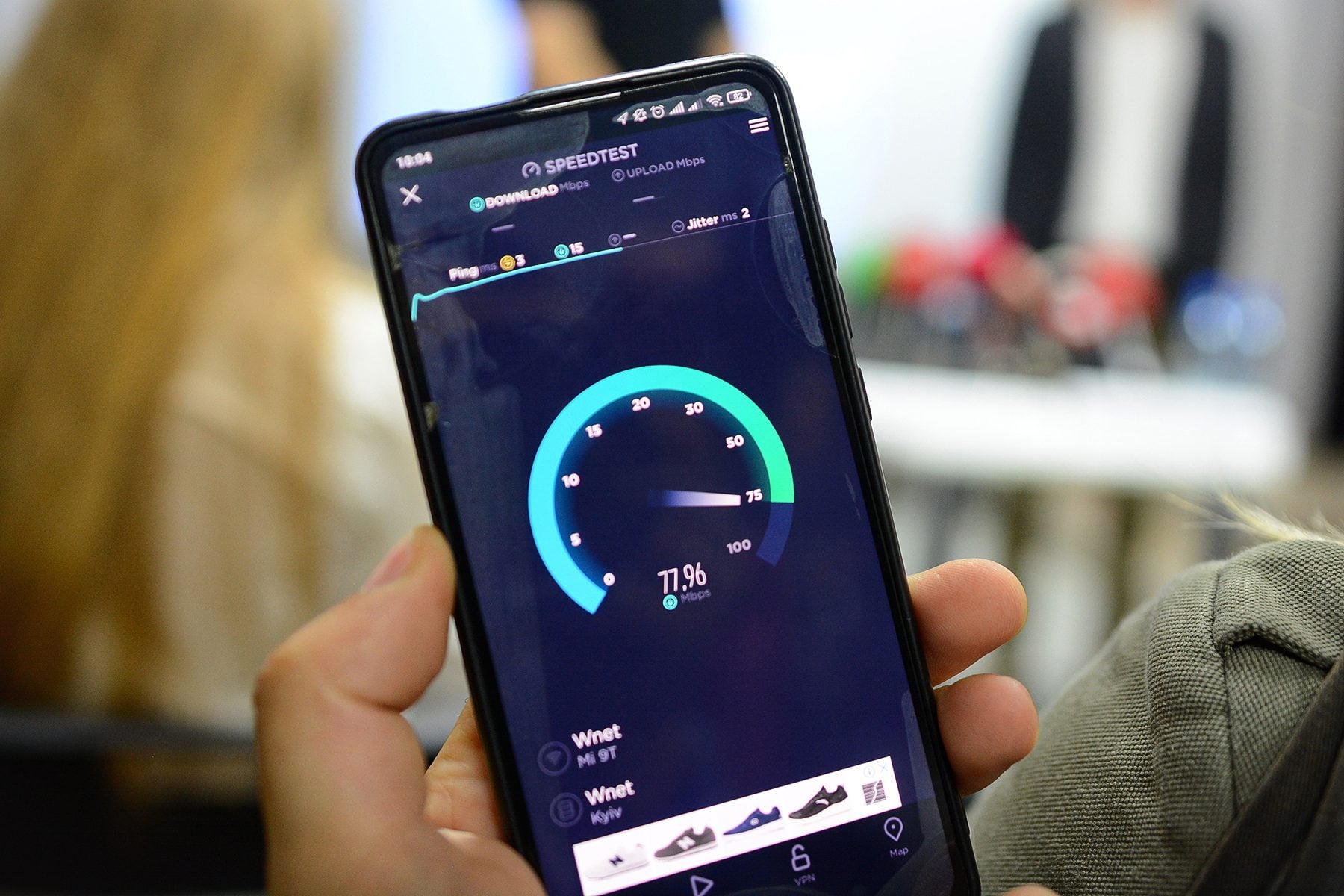
How to Test Your Internet Speed the Right Way
Before upgrading, test your connection. But do it properly, because a sloppy speed test can lie like a toddler near a cookie jar.
- Test with Ethernet first. Connect a laptop directly to the router or modem if possible. This shows what your internet service is actually delivering.
- Test Wi-Fi in multiple rooms. Compare the living room, bedroom, home office, and any trouble spots.
- Test at different times. Try morning, afternoon, and evening. Some networks slow during peak hours.
- Pause big downloads. Do not run a speed test while a console is downloading a 90 GB update.
- Compare results to your plan. If you pay for 500 Mbps but get 80 Mbps over Ethernet, contact your provider.
Also check the Broadband Facts label when comparing plans. These labels are designed to show pricing, fees, speeds, data caps, and plan details in a more standardized way. In other words, read the label before the promotional price turns into a pumpkin after 12 months.
How Much Internet Speed Do You Need for Working From Home?
For one remote worker, 100 Mbps download and 20 Mbps upload is a solid baseline. If your work is mostly email, documents, web apps, and occasional video calls, you may be perfectly comfortable. If your work involves large files, daily HD meetings, cloud storage, or creative production, 300 Mbps download with 50 Mbps or higher upload is better.
For two remote workers in the same home, aim for at least 300 Mbps download and 50 Mbps upload. If both people are on video calls at the same time while files sync in the background, stronger upload speed prevents the dreaded frozen-screen expression where you look like you just heard a ghost in the printer.
How Much Internet Speed Do You Need for Streaming?
If streaming is your main activity, count the number of screens used at the same time:
- One HD stream: 25–50 Mbps plan is usually enough.
- Two HD streams: 100 Mbps is comfortable.
- One or two 4K streams: 100–300 Mbps is better.
- Multiple 4K streams plus other devices: 300–500 Mbps is the safer range.
Remember, streaming services adjust quality automatically. If your connection dips, the movie may continue playing but look softer. That is why some people say, “My internet works, but the picture looks bad.” The stream may be surviving by quietly lowering resolution.
How Much Internet Speed Do You Need for a Family?
Families are where the math gets interesting. One person streams a show. Another plays Fortnite. Someone is on a school video call. A phone is backing up photos. The smart TV updates itself. The dog, somehow, has a GPS collar. Suddenly, “just 100 Mbps” starts looking a little thin.
For a family of three or four, 300–500 Mbps is a strong target. It allows multiple streams, video calls, gaming, browsing, and smart devices without constant micromanagement. For larger families or shared homes with five or more active users, 500 Mbps to 1 Gbps is more realistic.
When Should You Upgrade Your Internet Plan?
Upgrade when you have proven that speed is the actual problem. Good reasons include:
- Your Ethernet speed tests are consistently much lower than your household needs.
- Multiple people are frequently on video calls and streams at the same time.
- Game downloads or work uploads take too long and affect daily life.
- Your upload speed is too low for remote work, content creation, or cloud backups.
- A faster plan costs only slightly more and has better terms.
Do not upgrade yet if:
- Only one room has slow Wi-Fi.
- Your router is old or poorly placed.
- Your modem is outdated.
- You have not tested with Ethernet.
- Your provider is charging equipment fees for hardware that belongs in a museum.
Practical Examples: Which Plan Fits You?
The Solo Apartment Streamer
You live alone, stream Netflix, browse the web, use social media, and occasionally join video calls. A 100 Mbps plan is likely enough. If the price difference is small, 300 Mbps gives extra comfort, but gigabit is probably overkill.
The Remote Work Couple
Two adults work from home, often on video calls. You stream at night and use cloud storage. Choose 300 Mbps download or higher, and pay close attention to upload speed. Fiber with 300/300 Mbps may be excellent.
The Gaming Household
You have consoles, gaming PCs, Twitch streams, and frequent large downloads. Choose 500 Mbps or 1 Gbps if the budget allows. But also prioritize Ethernet for gaming devices and low latency over raw speed alone.
The Big Family With Everything Online
Multiple TVs, tablets, laptops, phones, cameras, school devices, and gaming systems all run at once. A 500 Mbps plan is a sensible minimum. Gigabit may be worth it if everyone is online heavily every day.
The Content Creator
You upload videos, backup large files, livestream, edit in cloud apps, and send media to clients. Upload speed is your best friend. Look for fiber or any plan with strong upload performance. A symmetrical 500/500 Mbps or 1 Gbps fiber plan can save real time.
My Real-World Experience: The Speed You Need Is Not Always the Speed You Buy
After helping people think through home internet plans, one pattern appears again and again: the fastest advertised plan is not always the plan that improves daily life. Many people upgrade because something feels slow, but the issue is often hiding inside the home rather than outside it.
For example, imagine a family paying for 1 Gbps internet. On paper, their connection is a rocket. In reality, the upstairs bedroom buffers during video calls. The first instinct is to blame the provider. Sometimes that is fair. But after testing, the modem may show strong speed downstairs while the upstairs laptop gets weak Wi-Fi through several walls. In that case, upgrading to 2 Gbps would be like buying a louder doorbell because you lost your keys. The better fix is a mesh Wi-Fi system, improved router placement, or Ethernet to the home office.
Another common experience involves upload speed. A household may have 400 Mbps download and still struggle with video meetings. Why? The upload speed might be only 10 Mbps. One person joins a Zoom call, another uploads work files, a security camera sends video to the cloud, and suddenly the connection acts like it had one cup of coffee too few. Switching to a plan with stronger upload speed can feel more dramatic than doubling download speed.
Streaming also teaches a useful lesson. A single 4K stream does not need gigabit internet. Many people are surprised by that. The trouble starts when multiple streams happen at once, especially with phones, tablets, and background updates joining the party. A 300 Mbps plan can often handle a normal family streaming setup beautifully. If buffering continues, the cause may be Wi-Fi signal, device performance, app settings, or congestion rather than the plan itself.
Gamers learn the same lesson in a different way. A higher Mbps number does not automatically mean better aim, fewer lag spikes, or victory over a 13-year-old with terrifying reflexes. Online gaming depends heavily on latency and stability. A wired connection on a 300 Mbps plan may beat a shaky Wi-Fi connection on a gigabit plan. Cloud gaming, however, does use more bandwidth because the game is being streamed in real time. That is where both speed and low latency matter.
My practical rule is simple: start by measuring, not guessing. Run speed tests over Ethernet and Wi-Fi. Test the rooms where people actually use the internet. Count simultaneous activities, not total devices. Then choose a plan that gives your household breathing room without paying for bragging rights. For many homes, 300–500 Mbps is the happy middle. For creators, large families, heavy downloaders, and fiber users with excellent pricing, gigabit can be worth it. For light users, 100 Mbps may still be perfectly fine.
The best internet plan is not the biggest number on the billboard. It is the plan that lets your home work, stream, play, call, upload, and relax without anyone yelling, “Who is using all the Wi-Fi?” across the hallway like a courtroom accusation.
Conclusion: So, How Much Internet Speed Do You Really Need?
Most homes do not need the fastest internet plan available. They need the right mix of download speed, upload speed, low latency, reliable service, and strong Wi-Fi coverage. A light user can often live happily with 100 Mbps. A typical household should look at 300 Mbps. Busy families and shared homes may want 500 Mbps. Gigabit is best for power users, heavy downloaders, creators, large families, and anyone who can get fiber at a fair price.
Before you upgrade, test your speed, check your router, compare upload speeds, and read the Broadband Facts label. The smartest internet plan is not the one with the flashiest number. It is the one that matches your real lifemessy, streaming-heavy, meeting-filled, game-downloading, snack-powered real life.