
Working from home with data entry sounds wonderfully simple: open a laptop, type some information, collect a paycheck, and avoid commuting beside someone who believes turn signals are optional. The real job, however, involves more than fast fingers. Successful remote data entry requires accuracy, organization, basic software knowledge, careful job research, and enough concentration to ignore the refrigerator calling your name every 20 minutes.
Data entry professionals transfer information into spreadsheets, databases, customer relationship management systems, inventory platforms, medical records, insurance systems, and other digital tools. Some assignments involve copying names and numbers from forms. Others require validating records, correcting formatting, researching missing details, scanning documents, or reviewing entries for errors.
Legitimate work-from-home data entry jobs exist across healthcare, finance, transportation, insurance, retail, manufacturing, government contracting, research, and professional services. Unfortunately, fake recruiters also love advertising remote data entry positions because the job sounds accessible. The goal is therefore not merely to find an opening. It is to find a real opening, qualify for it, and complete the work accurately enough that someone wants to keep paying you.
Data-entry duties and common requirements are supported by current O*NET, CareerOneStop, and career guidance.
What Does a Work-from-Home Data Entry Job Involve?
A remote data entry clerk receives information in one format and places it into another. The source might be a scanned invoice, handwritten application, recorded survey, shipping document, product catalog, customer form, or existing spreadsheet. The destination could be Microsoft Excel, Google Sheets, accounting software, a company database, or a custom web portal.
Employers generally care about three things: whether you enter the right information, whether you finish on time, and whether you follow their procedures. Typing at lightning speed is less impressive when every third customer becomes “Jmaes” instead of “James.” Accuracy is the foundation; speed becomes valuable only after accuracy is reliable.
Job titles are not always obvious. Search beyond “data entry clerk” and consider titles such as data entry specialist, records clerk, document processor, data quality assistant, administrative support specialist, order entry representative, data capture operator, claims processor, catalog specialist, research assistant, or database assistant.
How to Work from Home With Data Entry in 15 Steps
Step 1: Understand the Different Types of Data Entry Work
Start by deciding what kind of work fits your abilities. Basic clerical data entry may involve entering names, dates, addresses, invoices, or transaction numbers. Transcription requires listening and typing. Medical or legal data entry may require specialized terminology. Product data work can involve descriptions, prices, stock numbers, and image labels.
There are also hybrid positions combining data entry with email support, scheduling, bookkeeping, customer service, research, or document management. These jobs may require more skills, but they often offer steadier work and better advancement potential than repetitive copy-and-paste assignments.
Step 2: Check Your Typing Speed and Accuracy
Take several timed typing tests using normal text and numbers. Record your words per minute, error rate, and numeric-keypad performance. Do not take one test, achieve a heroic score, and immediately declare yourself the Formula One champion of keyboards. Test yourself over several days.
A practical target for entry-level work is consistent, accurate typing rather than one impressive burst. Practice names, mailing addresses, dates, decimals, invoice codes, and mixed letter-number combinations. Real data rarely arrives as perfectly written paragraphs.
When practicing, correct mistakes instead of racing past them. Employers may administer assessments during hiring, and those tests often measure both speed and precision.
Step 3: Learn Essential Spreadsheet Skills
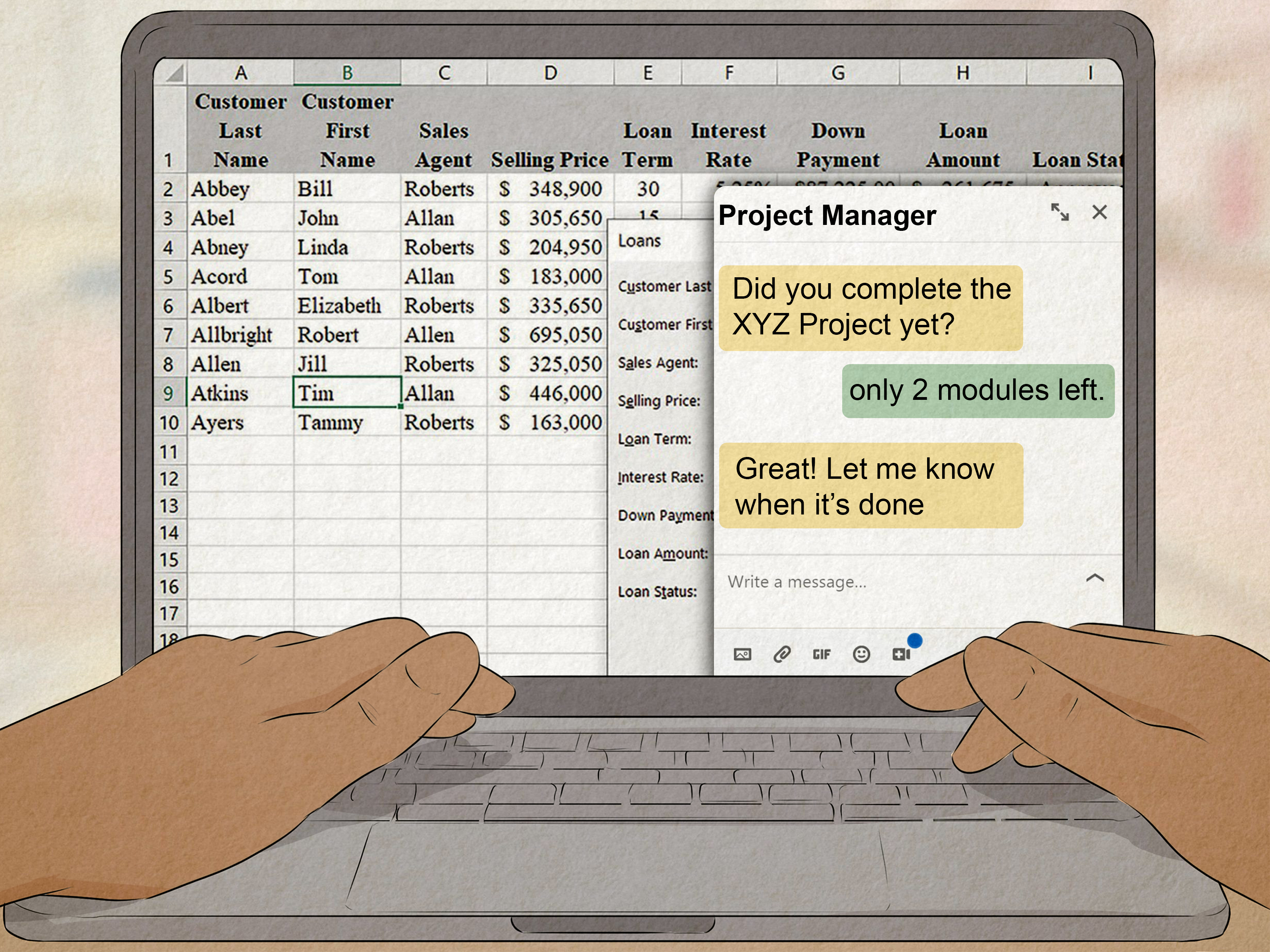
Microsoft Excel and Google Sheets are among the most useful tools for remote data entry. Learn how to enter and edit information, freeze headers, format dates, resize columns, remove duplicates, sort records, filter lists, create tables, and use basic formulas.
Useful functions include SUM, COUNT, COUNTA, IF, TRIM, LEFT, RIGHT, CONCAT, and simple lookup functions. You do not need to become a spreadsheet sorcerer on day one, but you should understand how structured data behaves.
Practice with data validation and dropdown menus because they help prevent inconsistent entries. For example, a controlled dropdown can stop one employee from entering “California,” another from entering “CA,” and a third from typing “Cali, probably.” Keyboard shortcuts can also reduce repetitive mouse movements and improve efficiency.
Microsoft and Google documentation supports the use of tables, shortcuts, sorting, validation, protection, and cleanup tools.
Step 4: Build a Reliable Home Office
You do not need a walnut executive desk overlooking the Pacific Ocean. You do need a stable internet connection, dependable computer, comfortable keyboard, accurate mouse, and distraction-controlled workspace.
A second monitor can be extremely helpful because you can display the source document on one screen and the destination database on another. A full-size keyboard with a numeric keypad is useful when entering financial or inventory data. Headphones help with transcription and reduce background noise during meetings.
Arrange your chair, monitor, keyboard, and desk so your body remains in a neutral position. Poor ergonomics may not cause trouble during the first hour, but after several weeks your shoulders may begin filing formal complaints. Keep your head facing forward, support your back, place your feet securely, and avoid bending your wrists sharply while typing.
OSHA recommends arranging computer workstations to support neutral posture and a comfortable working position.
Step 5: Create a Data-Entry-Focused Resume
Your resume should show evidence of accuracy, organization, computer knowledge, confidentiality, and deadline management. Include relevant software such as Excel, Google Sheets, Microsoft Word, database platforms, accounting tools, or customer management systems.
Whenever possible, quantify your experience. Instead of writing “entered customer information,” write something more specific, such as “processed approximately 250 customer records per week while checking required fields for completeness.” Never invent numbers, but do not hide real achievements behind vague language.
Transferable experience matters. Cashiers enter product codes and payment information. Receptionists update contact records. Online sellers manage product listings. Volunteers maintain membership databases. Office assistants organize documents. These activities can demonstrate relevant skills even when your previous title did not include the words “data entry.”
Step 6: Prepare a Small Skills Portfolio
A simple portfolio can help when you lack formal experience. Create fictional sample projects using invented information, never real customer data. You might clean a messy spreadsheet, standardize addresses, organize a mock product catalog, or convert a pretend invoice list into a structured table.
Include a short explanation of the task, the problems you corrected, and the quality checks you performed. Remove personal details and label every example as sample work. The portfolio does not need fireworks, animations, or a dramatic soundtrack. It needs to prove that you can organize information without turning the spreadsheet into digital soup.
Step 7: Search Using Multiple Job Titles
Search major employment sites, remote-work platforms, staffing agencies, and company career pages. Use several keyword combinations, including:
- Remote data entry clerk
- Work-from-home data entry specialist
- Remote records assistant
- Virtual document processor
- Remote order entry representative
- Remote database assistant
- Remote administrative support
Set alerts for new listings and apply promptly when a suitable position appears. Remote entry-level jobs can attract many applicants. An organized, early application has a better chance than one submitted after the listing has spent two weeks collecting resumes like autumn leaves.
Step 8: Research the Employer Before Applying
Visit the employer’s official website and locate its career page. Confirm that the company has a real business presence, working contact information, identifiable leadership, and a description of its products or services. Search the company name together with terms such as “scam,” “complaint,” or “review.”
Compare the recruiter’s email domain with the employer’s official domain. A message supposedly from a major corporation but sent from a random free email account deserves serious suspicion. Also check whether the same position appears on the company’s career page.
A missing career-page listing does not automatically prove fraud because staffing firms sometimes recruit confidentially. However, it means you should verify the recruiter through an independently obtained company phone number or email address.
Step 9: Recognize Work-from-Home Job Scams
Remote data entry is frequently used as bait in employment scams. Be cautious when a recruiter offers unusually high pay for extremely simple work, hires you without a meaningful interview, communicates only through an encrypted messaging app, or pressures you to act immediately.
Never pay an employer for the promise of a job. Be suspicious of requests to purchase equipment from a specific “vendor,” deposit a check and send part of the money elsewhere, buy gift cards, transfer cryptocurrency, or receive packages for reshipping.
Do not provide sensitive identity or banking information before verifying the employer and reaching the legitimate onboarding stage. Real employers may eventually need tax and payroll information, but fake recruiters ask for it before you have confirmed that the job exists.
The FTC warns that scammers impersonate legitimate employers, advertise remote data-entry roles, request money or personal information, and use fake-check schemes.
Step 10: Tailor Every Application
Read the entire job description and mirror its legitimate terminology naturally in your resume. When a posting emphasizes database accuracy, document review, Excel, confidentiality, and time management, show where you have demonstrated those abilities.
Write a brief cover letter explaining why your background fits the assignment. Mention your home-office readiness, schedule availability, software experience, and attention to detail. Avoid sending a generic letter addressed to “Dear Respected Hiring Human.” It is technically polite but memorable for all the wrong reasons.
Keep a spreadsheet tracking the employer, position, application date, source, contact person, interview status, and follow-up date. Managing your search like a data project also demonstrates the habits required for the job.
Step 11: Prepare for Tests and Interviews
Employers may give you a typing test, spreadsheet exercise, proofreading task, or sample database assignment. Follow every instruction carefully. A candidate who ignores the requested date format or filename may be rejected even when the entries are otherwise correct.
During interviews, expect questions about repetitive work, competing deadlines, confidential information, mistakes, and unclear source documents. Prepare examples showing how you checked your work, corrected an error, or asked for clarification instead of guessing.
You may also be asked how you stay focused at home. Give a concrete answer describing your workspace, schedule, task list, communication habits, and method for reducing interruptions.
Step 12: Clarify Pay, Hours, and Employment Status
Before accepting an offer, determine whether you will be an employee or an independent contractor. Ask how compensation is calculated: hourly, per record, per page, per project, or by completed batch. Confirm the expected workload and whether meetings, training, corrections, and quality reviews are paid.
Employees and independent contractors can have different tax obligations, protections, benefits, and levels of control over how work is completed. A contract label alone does not necessarily determine the legal relationship; the actual working arrangement matters.
Independent contractors should track income and business expenses and understand their federal, state, and local filing obligations. In the United States, self-employed workers may need to report business income and make estimated tax payments. Consult a qualified tax professional when your situation is unclear.
IRS and Department of Labor guidance distinguishes employees from independent contractors and explains that self-employed individuals may have filing and estimated-tax responsibilities.
Step 13: Protect Company and Customer Data
Remote data entry may expose you to names, addresses, account details, medical information, internal records, or other confidential material. Follow the employer’s security procedures exactly. Use approved devices, networks, storage locations, and communication tools.
Create strong, unique passwords and enable multifactor authentication wherever available. Lock your screen when stepping away. Avoid public Wi-Fi unless the employer has approved a secure connection method. Do not upload company files to personal cloud accounts or send them to your private email simply because it seems convenient.
Be alert for phishing messages, especially unexpected login links, password-reset notices, and urgent requests for files. When uncertain, contact the employer through a known channel rather than replying to the suspicious message.
CISA recommends multifactor authentication, strong passwords, phishing awareness, and approved security practices for remote access and sensitive information.
Step 14: Develop a Quality-Control Routine
Accuracy should be a repeatable process rather than a hopeful feeling. Review entries in small batches instead of waiting until the end of a massive assignment. Check totals, dates, decimal placement, spelling, required fields, and unusual values.
Use a two-pass method. In the first pass, enter the information. In the second, compare the completed record with the original source. For large spreadsheets, use filters, duplicate detection, validation rules, and formulas to locate suspicious entries.
Keep an error log for recurring problems. If you repeatedly confuse similar product codes or date formats, create a checklist that forces you to verify them. The goal is not to achieve mystical perfection. It is to design a system that catches normal human mistakes before the client does.
Step 15: Build Toward Higher-Value Work
Basic data entry can be an entry point rather than a permanent destination. As you gain experience, learn data cleaning, document management, customer relationship software, bookkeeping, medical terminology, reporting, spreadsheet automation, or database administration.
You can also move toward quality assurance, virtual assistance, operations support, research, payroll processing, inventory coordination, or administrative management. These roles reward judgment and problem-solving in addition to typing speed.
Keep records of completed projects, positive feedback, software used, and measurable improvements. Each assignment should provide both income and evidence that helps you qualify for the next opportunity.
How to Stay Productive While Doing Data Entry at Home
Create defined work hours, even when the schedule is flexible. Begin each session by identifying your expected output, deadlines, and priority batches. Work in focused intervals and take brief movement or eye-rest breaks between them.
Reduce avoidable decisions. Keep frequently used files in consistent folders, use approved templates, prepare standard email responses, and maintain a checklist for starting and ending each shift. Small routines prevent wasted time and reduce errors.
Communicate early when instructions are incomplete. If a client provides three possible date formats and no explanation, asking one question is faster than entering 2,000 records incorrectly and spending Saturday conducting an archaeological restoration of your spreadsheet.
Experience-Based Lessons: What Remote Data Entry Really Feels Like
A realistic first week in work-from-home data entry is often less glamorous than online advertisements suggest. You may receive a folder containing hundreds of records, a 14-page instruction manual, and a message saying the process is “fairly intuitive.” This usually means someone who has used the system for nine years believes every button is obvious.
The first useful lesson is to process a small test batch. Enter five or ten records, review them carefully, and ask the supervisor to confirm that your formatting is correct. This prevents a minor misunderstanding from multiplying across an entire project. A five-minute check can save several hours of corrections.
The second lesson is that unclear source material is normal. A scanned form may be crooked, a customer may use handwriting that resembles abstract art, or an invoice number may contain both the letter O and the number zero. Experienced workers do not invent answers. They flag uncertain records, add an approved comment, or request clarification.
The third lesson is that speed grows naturally after repetition. At the beginning of a project, you may need to check the instructions constantly. After several batches, the fields become familiar and keyboard shortcuts begin saving time. Trying to force speed too early usually creates more mistakes, which then destroys the time supposedly saved.
Distractions are another surprise. Home can be quieter than an office, but it contains laundry, deliveries, pets, social media, television, and relatives who interpret “working from home” as “available to solve every household mystery.” Establishing visible work hours and a dedicated space helps other people understand when you should not be interrupted.
Long sessions also reveal the importance of physical comfort. A dining chair may feel perfectly acceptable for 20 minutes and transform into medieval furniture by hour three. Adjusting monitor height, adding back support, and using a comfortable keyboard can improve both endurance and concentration.
Another experience-based lesson is to record your own performance. Track the number of records completed, time spent, corrections requested, and types of errors found. These numbers help you estimate future projects and identify weak points. They also provide useful achievements for your resume, provided you do not disclose confidential company information.
Finally, reliable communication can distinguish you from faster typists. Clients value workers who confirm receipt of an assignment, report genuine problems promptly, meet deadlines, and explain what has been completed. Silence creates uncertainty. A brief status update such as “Batch one is complete, and I flagged four unreadable account numbers for review” shows control of the project.
Remote data entry becomes easier when treated as a professional workflow rather than effortless online income. The strongest workers combine careful typing with judgment, security awareness, organization, and communication. Those qualities make repetitive projects manageable and create opportunities to move into more valuable administrative or data-support roles.
Conclusion
Learning how to work from home with data entry begins with realistic expectations. The job requires more than typing quickly. You need dependable equipment, spreadsheet knowledge, careful quality control, professional communication, and the ability to recognize fraudulent job offers.
Begin by measuring your current skills, practicing with spreadsheets, preparing a focused resume, and searching for several related job titles. Verify every employer, understand the payment arrangement, protect sensitive data, and ask questions when instructions are unclear. Once you have experience, add complementary skills that can move you beyond basic data entry and into better-paying operations, records, research, or administrative work.
The formula is refreshingly unmagical: enter accurate information, meet deadlines, communicate clearly, and never send gift cards to a recruiter named “Mr. Hiring Department.”
Note: Job availability, compensation, tax obligations, employment classification, and equipment requirements vary by employer and location. Verify offers independently and seek qualified legal or tax advice when necessary.