
Buying a Tesla already feels a little like buying a smartphone with wheels. It receives software updates, streams music, plots charging stops, shows camera feeds, and occasionally surprises owners with features they did not have the day they picked up the car. But then comes the tiny question hiding in the touchscreen: should you pay for Tesla Premium Connectivity?
The short answer is that Tesla Premium Connectivity is Tesla’s paid data subscription for in-car entertainment, map upgrades, live traffic visualization, satellite-view maps, internet browsing, streaming media over cellular, Caraoke, and certain app-based camera features. In the United States, Tesla lists Premium Connectivity at $9.99 per month plus tax or $99 per year plus tax. That is not exactly “skip lunch for a month” money, but it is also not nothingespecially in a world where every company seems to want a monthly subscription for the privilege of breathing near a touchscreen.
This guide breaks down the cost, features, Standard vs. Premium differences, trial rules, hotspot workarounds, and whether Tesla Premium Connectivity is actually worth it for everyday drivers.
What Is Tesla Premium Connectivity?
Tesla Premium Connectivity is a subscription that lets eligible Tesla vehicles use more connected features through the car’s built-in cellular connection. Think of it as the difference between having basic internet-powered car functions and turning the center screen into a rolling entertainment, navigation, and security command center.
All Tesla vehicles come with some level of connectivity. That standard package covers important basics such as maps, navigation, Bluetooth music, over-the-air software updates, traffic-based routing, Trip Planner, and Supercharger information. Premium Connectivity adds the extras that make the screen feel more alive: satellite maps, live traffic colors, in-car streaming over cellular, the internet browser, Caraoke, and certain live camera functions.
The key phrase is over cellular. Some entertainment features may work over Wi-Fi or a mobile hotspot, but Premium Connectivity gives the vehicle direct access through its built-in cellular modem. That means less fiddling with your phone hotspot every time you want music, maps, or a parked Netflix session. Your car becomes less “please connect to Wi-Fi” and more “yes, boss, already handled.”
How Much Does Tesla Premium Connectivity Cost?
In the United States, Tesla Premium Connectivity currently costs:
- $9.99 per month plus applicable tax
- $99 per year plus applicable tax
The annual plan saves about $20 compared with paying monthly for a full year. If you already know you want the service year-round, the annual option is the better value. If you only want it for a summer road trip, holiday travel, or a month of testing, the monthly plan is more flexible.
Is Tesla Premium Connectivity Charged Per Vehicle?
Yes. Premium Connectivity is tied to a specific vehicle, not simply to the owner’s Tesla account. If your household has two Teslas, you generally need two subscriptions if you want Premium Connectivity in both cars. It is like having two gym memberships, except one gym can do 0–60 mph very quickly.
Can You Cancel Tesla Premium Connectivity?
You can cancel the subscription in the Tesla app. Tesla does not generally prorate refunds when you cancel mid-cycle, so if you cancel after paying for a month or year, you should expect the features to continue until the current billing period ends.
Standard Connectivity vs. Premium Connectivity
The most confusing part of Tesla connectivity is that Standard Connectivity is not useless. In fact, it includes many important driving features. You do not lose basic navigation just because you skip Premium Connectivity.
| Feature | Standard Connectivity | Premium Connectivity |
|---|---|---|
| Basic maps and navigation | Yes | Yes |
| Traffic-based routing | Yes | Yes |
| Trip Planner and Supercharger availability | Yes | Yes |
| Bluetooth music | Yes | Yes |
| Live traffic visualization on the map | No | Yes |
| Satellite-view maps | No | Yes |
| Music streaming over built-in cellular | No | Yes |
| Video streaming over built-in cellular while parked | No | Yes |
| Internet browser over built-in cellular | No | Yes |
| Caraoke over cellular | No | Yes |
| Sentry Mode Live Camera from the app | No | Yes, on supported vehicles and app versions |
What Features Are Included With Tesla Premium Connectivity?
Premium Connectivity is not one single feature. It is a bundle of small conveniences that add up, especially if you spend a lot of time in the car.
1. Live Traffic Visualization
Standard Connectivity can still use traffic information for routing, but Premium Connectivity displays live traffic colors directly on the map. This makes congestion easier to understand at a glance. If a highway looks like a glowing red snake of regret, you know what you are dealing with before your arrival time starts crying.
This is especially useful in metro areas such as Los Angeles, Dallas, Atlanta, Miami, Seattle, Chicago, and New York, where one wrong merge can turn a 20-minute drive into a podcast marathon.
2. Satellite-View Maps
Premium Connectivity adds satellite imagery to Tesla’s navigation map. It does not make the car drive better, but it can make the screen easier to interpret when you are near shopping centers, large parking lots, rural roads, campuses, or unfamiliar neighborhoods.
Some drivers love satellite maps because they provide more visual context. Others switch them on once, say “neat,” and go back to the standard map. This is one of those features where personal taste matters.
3. Music Streaming Over Cellular
Premium Connectivity allows in-car music, podcasts, and audio streaming apps to work through the vehicle’s built-in cellular connection. However, the subscription does not necessarily include paid accounts for third-party music services. If a streaming app requires its own paid plan, you still need that account.
That distinction matters. Premium Connectivity gives the car the data connection; it does not magically pay for every entertainment subscription on Earth. Sadly, the car does not also cover your rent, coffee habit, or questionable late-night online shopping.
4. Video Streaming While Parked
Tesla vehicles with supported hardware can use video streaming apps while parked. This is handy at Superchargers, school pickup lines, ferry terminals, campsites, and anywhere else you might be sitting still with time to kill.
The big safety detail is that video streaming is for parked use, not driving. Your Tesla may be smart, but it is not a movie theater with lane discipline. Use it when the vehicle is stationary.
5. Internet Browser
Premium Connectivity supports the in-car internet browser over cellular. The browser is useful for looking up restaurant menus, checking a destination, reading event details, or doing a quick search without pulling out your phone.
It is not a laptop replacement, and nobody should be writing a novel from the driver’s seat. But as a convenience tool, it fits the Tesla experience well.
6. Caraoke
Caraoke in a car sounds ridiculous until you try it with passengers who have no shame. Tesla’s Caraoke feature displays lyrics on the center screen and turns the cabin into a small, battery-powered concert venue. Premium Connectivity lets it work over the car’s cellular connection on supported vehicles.
Is Caraoke essential? Absolutely not. Is it fun on a road trip? Unfortunately for everyone’s vocal cords, yes.
7. Sentry Mode Live Camera
On supported vehicles and Tesla app versions, Premium Connectivity is required for Sentry Mode Live Camera access from the mobile app. This lets owners remotely view live feeds from the vehicle’s cameras when Sentry Mode is active and the feature is enabled.
This is one of the most practical Premium Connectivity features. If your car is parked on a street, in an airport lot, or outside a restaurant and you receive a security alert, being able to check the cameras from your phone can offer peace of mind. It does not prevent every problem, but it gives you more visibility.
What Does Standard Connectivity Include?
Standard Connectivity is included for eligible Tesla vehicles at no additional cost for eight years, beginning from the first day the vehicle was delivered as new or first put into service, whichever comes first. For many current Tesla owners, Standard Connectivity already covers the features they need most.
Standard Connectivity generally includes basic maps and navigation, traffic-based routing, Trip Planner, Supercharger stall availability, over-the-air software updates, Bluetooth music, FM radio where available, USB media playback, and core Tesla app functions. In plain English: the car still works like a Tesla without Premium Connectivity.
You can navigate, plan charging stops, receive important software updates, and pair your phone for audio. That is why Premium Connectivity should be viewed as a comfort and convenience upgrade rather than a mandatory driving expense.
Can You Use a Phone Hotspot Instead?
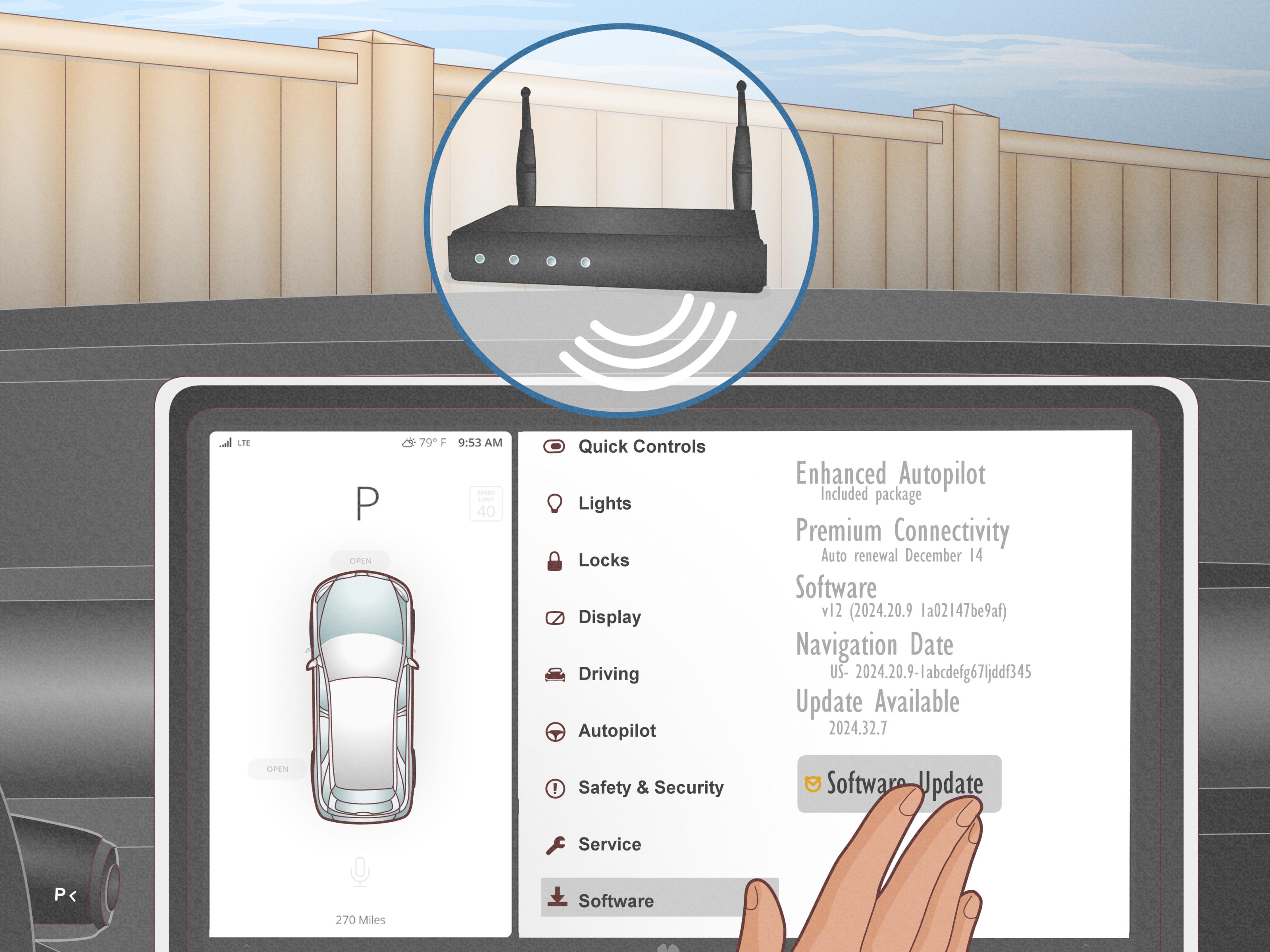
Yes, in many cases you can use a mobile hotspot to access certain internet-based features, depending on your phone plan, Tesla software, region, and vehicle hardware. For example, streaming media or browsing may work when the car is connected to Wi-Fi or a phone hotspot.
However, a hotspot is not a perfect replacement. Some Premium-only features, especially live traffic visualization and satellite-view maps, may still require Premium Connectivity. Hotspots also add friction: you must enable the hotspot, connect the car, watch phone battery drain, and hope your mobile carrier does not decide that unlimited data actually means “unlimited until we get annoyed.”
If you use streaming only once in a while, a hotspot can be a smart workaround. If you use connected features every day, Premium Connectivity is smoother.
Does Premium Connectivity Affect Full Self-Driving?
No. Tesla Premium Connectivity is separate from Full Self-Driving, often called FSD. Paying for Premium Connectivity does not improve, unlock, or change how FSD works. Likewise, subscribing to FSD does not automatically mean you have Premium Connectivity.
This is an important difference because Tesla sells several software-related products. Premium Connectivity is mainly about data-driven infotainment, map visuals, and connected convenience. FSD is a driver-assistance subscription. They live in the same Tesla universe, but they are not the same planet.
Who Gets a Premium Connectivity Trial?
New Tesla vehicles, including Model S, Model 3, Model X, Model Y, and Cybertruck orders, may receive a Premium Connectivity trial at delivery. Trial availability and length can vary by model, trim, order date, market, and Tesla’s current sales policies.
The best way to confirm your specific trial is to check your Tesla app or the vehicle order details. Tesla typically shows available software upgrades and subscription status inside the app under the Upgrades or Manage sections.
Used Tesla Vehicles: What Should Buyers Know?
Used Tesla connectivity can be a little tricky because older vehicles may have different connectivity terms based on original purchase dates, ownership transfers, and whether the vehicle was sold privately or through Tesla.
Some older Tesla vehicles may still have lifetime Premium Connectivity. Others may have lifetime Standard Connectivity. Many newer used vehicles include Standard Connectivity only for the remainder of the original eight-year period. If you are shopping for a used Tesla, do not rely on a seller’s casual “yeah, I think it has premium” comment. Check the vehicle’s account status, software screen, or Tesla app.
This is especially important because Premium Connectivity subscriptions do not simply transfer as personal subscriptions from one owner to another. Connectivity status depends on the vehicle’s eligibility and Tesla account assignment.
Is Tesla Premium Connectivity Worth It?
For many owners, yesbut not for everyone. The value depends on how you use the car.
Premium Connectivity Is Worth It If You:
- Drive daily in heavy traffic and want live map colors.
- Take frequent road trips and want easy streaming at charging stops.
- Use Sentry Mode Live Camera from the Tesla app.
- Prefer built-in apps instead of phone workarounds.
- Have passengers who use music, video, browser, or Caraoke features.
- Like the polished “everything just works” Tesla experience.
You Can Skip It If You:
- Mostly drive short local routes.
- Use Bluetooth audio from your phone.
- Do not care about satellite maps or traffic colors.
- Rarely sit parked long enough to stream video.
- Are comfortable using a phone hotspot when needed.
- Want to keep recurring subscriptions to a minimum.
The annual price works out to about $8.25 per month before tax. For an owner who uses the features often, that is reasonable. For an owner who only wants navigation and Bluetooth, it is an easy subscription to skip.
How to Subscribe to Tesla Premium Connectivity
You can subscribe through the Tesla app or the vehicle touchscreen if your car is eligible.
Using the Tesla App
- Open the Tesla app.
- Select your vehicle.
- Tap Upgrades.
- Choose Software Upgrades.
- Select Premium Connectivity.
- Choose monthly or annual billing.
- Confirm payment and complete checkout.
Using the Vehicle Touchscreen
- Tap Controls.
- Tap Upgrades.
- Look for Premium Connectivity if your vehicle is eligible.
- Follow the on-screen purchase instructions.
If the option does not appear, your vehicle may not be eligible, your app may need an update, or the vehicle may be managed by a company, fleet, or third-party lessor.
Common Problems and Quick Fixes
Premium Connectivity Is Active but Features Do Not Work
Start with the basics: check that the subscription is active, the vehicle has a stable cellular signal, and the software is up to date. If only one app is failing, the problem may be with that third-party service. If several features are down, restarting the touchscreen can help.
Music Streaming Does Not Work
Premium Connectivity supplies the data connection, but streaming services may still require separate accounts. Make sure you are signed in and that your music subscription is active.
Live Camera Does Not Work
Check that Sentry Mode is enabled, Live Camera access is turned on in the vehicle, the Tesla app is updated, the phone is paired as a key where required, and Premium Connectivity is active.
Real-World Experiences With Tesla Premium Connectivity
The easiest way to understand Tesla Premium Connectivity is to imagine a few normal ownership situations. On paper, the feature list looks like a bundle of map layers, media apps, and cellular access. In real life, it feels more like removing small annoyances from the day.
For a commuter, the biggest benefit is live traffic visualization. Standard navigation may still route around congestion, but seeing the actual colored traffic lines changes how you interpret the drive. You can glance at the screen and immediately understand why the car wants to take a strange side road. Without that visual layer, the route may still be smart, but it feels more mysterious. With Premium Connectivity, the map explains itself better.
For a road-trip family, the value often appears at charging stops. A 20-minute Supercharger session is not long, but it is long enough for kids to get restless, adults to check messages, and everyone to ask, “How much longer?” Video streaming while parked can turn charging into a break instead of a waiting room. Add music streaming and Caraoke, and suddenly the car becomes part travel tool, part entertainment pod, part rolling karaoke booth that may test the strength of family bonds.
For urban owners, Sentry Mode Live Camera can be the feature that makes Premium Connectivity feel worthwhile. Parking on the street, leaving the car in a crowded garage, or getting a security alert while away from the vehicle can be stressful. Being able to open the Tesla app and view the surroundings does not guarantee protection, but it gives useful information quickly. Sometimes peace of mind is worth more than another streaming app.
For minimalists, however, Premium Connectivity may feel unnecessary. If you mostly drive to work, charge at home, listen through Bluetooth, and rarely use the browser or video apps, the subscription can sit quietly in the background like a gym membership in February. In that case, canceling it and using a phone hotspot occasionally is perfectly reasonable.
The best experience-based advice is to use the trial period intentionally. Do not simply let it run while you forget it exists. Test satellite maps, traffic visualization, streaming, Caraoke, Sentry Live Camera, and hotspot alternatives. Try a week with everything. Then try a week pretending you do not have it. If you miss the features, keep the subscription. If you barely notice, save the money for charging, tires, or the inevitable accessory you will convince yourself is essential.
Tesla Premium Connectivity is not a must-have for every owner. It is a convenience package. But when it fits your routine, it makes the car feel more complete, more connected, and more like the software-first vehicle Tesla wants it to be.
Conclusion: Should You Pay for Tesla Premium Connectivity?
Tesla Premium Connectivity is one of the cleaner subscription decisions in the automotive world because the value is easy to test. You either use the features or you do not. At $9.99 per month or $99 per year plus tax in the United States, it is affordable compared with many car-related expenses, but it still needs to earn its place.
If you want live traffic visualization, satellite maps, streaming over cellular, in-car browsing, Caraoke, and Sentry Mode Live Camera, Premium Connectivity is worth serious consideration. If your Tesla life is mostly navigation, Bluetooth, charging, and local errands, Standard Connectivity may be enough.
The smartest move is simple: use the trial, pay attention to your habits, and decide based on real use rather than feature-list FOMO. Premium Connectivity is not what makes a Tesla great, but for the right driver, it makes daily ownership smoother, more entertaining, and a little more futuristic.