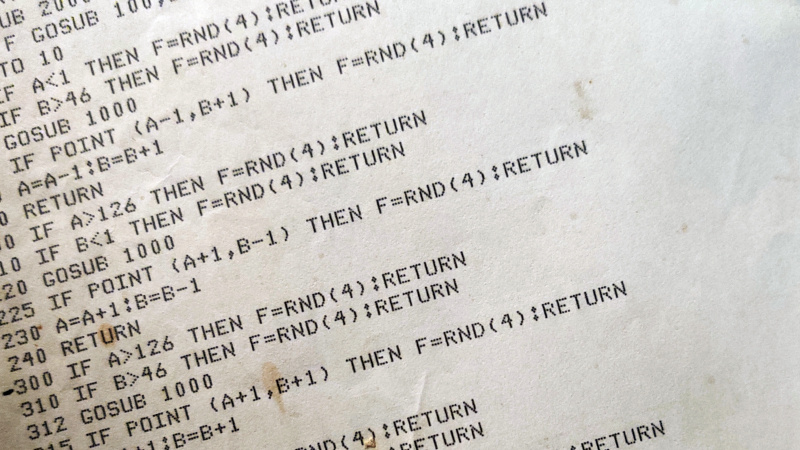

Somewhere in a beige office, behind a door nobody has opened since the printer jam of 2009, a piece of software is still humming along like it just heard disco was back. It has no dark mode. It does not know what a push notification is. It thinks “cloud migration” sounds like a weather problem. And yet, that same ancient system may be processing payroll, moving money, scheduling shipments, calculating taxes, or keeping a hospital department from turning into a clipboard festival.
Welcome to the strange, stubborn, oddly heroic world of legacy software. The title “1981 Called, Here’s Your Software” is funny because it feels exaggerated. Then you look around and realize: no, some of the software really does feel like it arrived with a dot-matrix printer and a motivational poster about teamwork.
But this is not simply a roast of old technology. Many older systems survived because they work. They were built for accuracy, stability, and boring reliabilitythe kind of boring that keeps bank balances correct and government forms from vanishing into the digital swamp. The problem is that business has changed, security threats have changed, users have changed, and “it still runs” is no longer the same thing as “it is safe, efficient, or ready for the future.”
What Does “1981 Software” Really Mean?
When people joke about software from 1981, they are usually talking about systems that feel frozen in time: green-screen interfaces, command-line workflows, rigid databases, hard-coded business rules, and documentation that may have retired before the original developer did. The phrase also points to a real turning point in computing history. In 1981, IBM introduced the IBM Personal Computer, a machine that helped standardize business computing and pushed software into offices at a new scale. Early PC software such as spreadsheet programs, word processors, operating systems, and business tools helped shape the way companies worked for decades.
That era gave us something powerful: practical digital tools for real business tasks. It also gave us a long tail of systems that were expanded, patched, wrapped, translated, migrated, and politely asked not to break for the next 40 years.
Why Old Software Refuses to Retire
Legacy software does not survive because companies enjoy suffering. It survives because replacing it is hard, risky, and expensive. A payroll system built in the 1980s might contain decades of rules about overtime, taxes, union agreements, employee classifications, and regional exceptions. A banking application may have millions of lines of business logic that nobody wants to rewrite unless absolutely necessary. A government benefit platform may connect to dozens of databases, outside agencies, batch jobs, audit logs, and reporting tools.
In other words, old software is rarely just software. It is institutional memory wearing a very unattractive user interface.
It WorksUntil It Doesn’t
The great defense of legacy systems is simple: “It works.” And often, that is true. Many older systems were engineered for transaction processing, high reliability, and predictable routines. COBOL, for example, remains common in banking, insurance, government, and administrative systems because it was designed for business data processing and has proven remarkably durable.
But durability can become a trap. A system can work beautifully on Monday and become a crisis by Friday when a vendor ends support, a security flaw appears, a key developer retires, or a new regulation requires a change that the old architecture resists like a cat being introduced to bathwater.
The Hidden Costs of Keeping Yesterday’s Software
Legacy systems often look cheap because the original investment has already been made. The servers are there. The code is there. The staff knows how to click the correct mysterious button labeled “F7.” But the real costs hide in maintenance, security risk, lost productivity, limited integration, and slow innovation.
1. Security Risks Grow Over Time
Unsupported software is a favorite target for attackers because it may no longer receive security patches. Old operating systems, outdated libraries, forgotten servers, and end-of-life devices create weak spots. Cybersecurity agencies regularly warn organizations to inventory, update, isolate, or replace unsupported technology because attackers do not need creativity when a known vulnerability is still sitting in the lobby with a name tag.
2. Talent Becomes Scarce
A 25-year-old developer may happily learn Rust, Python, Go, or TypeScript. Ask that same developer to maintain a decades-old COBOL system with sparse comments and a naming convention apparently invented during a power outage, and you may see their soul briefly leave their body.
This does not mean old languages are bad. Many are powerful and efficient. The challenge is staffing. As experienced developers retire, organizations can struggle to find people who understand older platforms, mainframe workflows, batch processing, and long-standing business rules. When only two people know how the billing system worksand one of them is on a fishing tripthe business has a problem.
3. Integration Gets Painful
Modern businesses want APIs, dashboards, mobile access, cloud services, automated workflows, analytics, and real-time reporting. Legacy systems were often built before these expectations existed. Connecting them to modern tools can require custom middleware, screen scraping, file transfers, nightly batch jobs, or heroic workarounds that make the IT department age three years per quarter.
4. User Experience Suffers
Employees today expect software to be intuitive. They use sleek apps in their personal lives, then arrive at work and face a system that requires memorizing 19 codes, three keyboard shortcuts, and a warning not to click “Submit” twice unless they enjoy chaos.
Poor user experience is not just annoying. It causes training delays, data entry mistakes, support tickets, slower service, and frustration. A clunky internal system can become a quiet tax on every employee who touches it.
Why “Rip and Replace” Is Usually a Bad First Move
When leaders finally get fed up with old software, the first instinct is often dramatic: “Let’s replace everything.” This sounds bold in a meeting and terrifying everywhere else.
Big-bang replacement projects are risky because legacy systems usually contain hidden dependencies. A company may think it is replacing an inventory application, only to discover that the finance department, warehouse scanners, vendor portals, tax reports, and three mysterious overnight jobs all depend on it. Pull one cable and the entire operation starts making the Windows error sound in your imagination.
A smarter approach is usually gradual modernization. Instead of demolishing the whole building while people are still working inside, organizations can renovate one floor at a time.
Smart Ways to Modernize Legacy Software
Modernization does not always mean rewriting everything from scratch. The right strategy depends on business risk, budget, technical complexity, security exposure, and the value of the system. Here are practical approaches organizations use.
Encapsulate the Old System with APIs
Sometimes the core system still performs well, but it needs a modern way to communicate. API layers can allow newer applications to interact with legacy functions without rewriting the entire platform. This is like giving your 1981 software a translator, a nicer jacket, and maybe a LinkedIn profile.
Refactor Critical Components
Refactoring means improving the internal structure of code without changing what it does from the user’s perspective. This can reduce technical debt, improve performance, and make future changes easier. It is not glamorous, but neither is brushing your teeth, and we all know how that turns out if ignored.
Replatform When Infrastructure Is the Problem
If an application still has useful business logic but runs on outdated hardware or unsupported operating systems, replatforming may help. The organization moves the application to a newer environment while preserving much of its functionality. This can improve reliability, security, scalability, and supportability.
Replace Only What No Longer Makes Sense
Some systems deserve retirement. If software is expensive to maintain, difficult to secure, poorly aligned with business needs, and painful for users, replacement may be the best option. The key is to replace thoughtfully, with clear requirements, strong data migration planning, and realistic testing.
Use AI Carefully, Not Magically
Artificial intelligence is becoming more useful in legacy modernization. AI tools can help analyze old code, summarize business logic, generate documentation, identify dependencies, and assist with code translation. That is exciting. It is not, however, a magic wand. Legacy systems carry business rules that may not be obvious from code alone. Human review, testing, governance, and domain expertise remain essential.
The Real Problem Is Not AgeIt Is Neglect
Not every old system is bad. Some older software is stable, secure, well-documented, and carefully maintained. Some brand-new software, meanwhile, behaves like it was assembled from panic and caffeine. Age alone is not the villain.
The real issue is neglect. A legacy system becomes dangerous when nobody owns it, nobody documents it, nobody tests it properly, and nobody knows what would happen if it failed. A 40-year-old system with active maintenance may be safer than a 4-year-old system built quickly and abandoned after launch.
Healthy technology management requires inventory, lifecycle planning, security updates, documentation, disaster recovery testing, and clear ownership. Boring? Absolutely. Important? Also absolutely. The most important technology work often looks dull right up until it saves the company from a very expensive Tuesday.
Signs Your Software Is Stuck in 1981
Your organization may have a legacy software problem if any of these symptoms sound familiar:
- The system only works in one old browser, on one specific machine, in one corner of the office.
- Users keep a laminated cheat sheet next to the keyboard like they are piloting a submarine.
- The vendor no longer supports the software, or the vendor no longer exists.
- Changing one field requires a meeting, a consultant, and a small act of faith.
- Reports are exported manually, cleaned in spreadsheets, and emailed around like office folklore.
- Only one employee understands the system, and everyone treats that person like a national treasure.
- The software cannot integrate easily with cloud tools, analytics platforms, mobile apps, or modern security controls.
How Businesses Can Move Forward Without Breaking Everything
The best modernization projects start with honesty. Before choosing tools, leaders need to understand what they have. That means building a full inventory of applications, servers, databases, integrations, vendors, licenses, data flows, and support timelines.
Next, teams should rank systems by business importance and risk. A rarely used archive tool does not deserve the same urgency as a payment platform, medical record system, tax engine, or customer-facing portal. Modernization should focus first on systems that are mission-critical, insecure, expensive, unsupported, or blocking growth.
Then comes the roadmap. A good roadmap separates quick wins from long-term transformation. Quick wins may include documentation, access control improvements, backups, monitoring, patching, and user interface enhancements. Longer-term work may involve APIs, database modernization, cloud migration, replacement platforms, or application rewrites.
Most importantly, modernization must involve the people who actually use the software. Employees know where the pain lives. They know which reports are essential, which buttons are dangerous, and which “temporary workaround” has been running since 2004. Ignore users, and the new system may look beautiful while failing at the job the old ugly system did surprisingly well.
Specific Example: The COBOL Wake-Up Call
COBOL is one of the most famous examples of old software that never really left. Created in the late 1950s for business computing, it became deeply embedded in government, finance, insurance, and administrative systems. During the COVID-19 pandemic, public attention returned to COBOL when some state unemployment systems struggled under massive demand and officials looked for programmers who could work with older systems.
The lesson was not simply “COBOL is bad.” That is too easy and not entirely fair. The better lesson is that critical systems need ongoing investment. A system can run well for decades, but if modernization is postponed year after year, the eventual crisis is not really a surprise. It is a calendar event wearing a fake mustache.
Specific Example: The IBM PC Legacy
The 1981 IBM PC helped make personal computing feel serious to businesses. It standardized expectations around hardware, operating systems, productivity software, and office workflows. That shift unlocked enormous productivity gains and helped create the software-driven workplace we know today.
But the same era also taught companies to build around systems that became deeply entrenched. Once an application becomes central to accounting, inventory, compliance, customer records, or operations, it is no longer just a tool. It becomes part of the organization’s nervous system. That is why replacing legacy software can feel less like upgrading a laptop and more like performing surgery while the patient is running a marathon.
What Modern Software Should Learn from Old Software
Here is the plot twist: modern software can learn from legacy software. Old systems often valued reliability, precise data handling, and long-term stability. Many were built to complete essential tasks without flashy distractions. They may not have had pretty dashboards, but they often had discipline.
Modern software teams should preserve that seriousness while improving flexibility, usability, security, and integration. The goal is not to laugh at the past and throw it away. The goal is to keep what works, fix what hurts, and stop pretending that “temporary” patches are not slowly forming a digital lasagna of risk.
Experiences Related to “1981 Called, Here’s Your Software”
Anyone who has worked around legacy software has a story. Maybe it was the inventory system that required all product names to be typed in capital letters because lowercase letters “made reports weird.” Maybe it was the accounting platform that could only print correctly if the printer was turned on before the application opened, because apparently the software needed emotional reassurance. Maybe it was the internal database with a login screen so old it looked like it should be accompanied by a cassette tape tutorial.
The experience is often funny at first. People joke about the green screen, the blinking cursor, the cryptic error messages, and the way the system rejects perfectly normal human behavior. You enter a date as 04/25/2026, and it demands 20260425. You click a field, and nothing happens because this software does not believe in mice. You ask whether there is a search function, and someone points to a printed binder large enough to qualify as office furniture.
But after the jokes, a more complicated feeling appears: respect. The old system may be ugly, but it has survived budget cuts, leadership changes, mergers, new regulations, hardware refreshes, and several waves of “next big thing” technology. It has been insulted by employees who still depend on it every day. It has watched modern apps come and go like trendy restaurants, while it continues processing transactions with the grim confidence of a diner waitress who has seen everything.
That said, respect should not become denial. Working with outdated software can be exhausting. Employees waste time on repetitive tasks that should be automated. New hires feel overwhelmed because the workflow is not intuitive. Managers wait for reports that should be available instantly. IT teams become nervous about making changes because one small update might affect a process nobody remembered existed. The system becomes both essential and fragile, like a glass bridge everyone has to cross while carrying invoices.
A common experience during modernization is fear. Users worry the new system will remove features they rely on. Developers worry the old code contains hidden logic that nobody documented. Leaders worry the project will run over budget. Customers worry only when something breaks, which is why nobody wants to modernize in public. The smartest organizations treat this fear as useful information. They test carefully, migrate data in stages, keep fallback plans, train users early, and document what they learn.
The best modernization experiences feel less like a dramatic rescue mission and more like cleaning a very old garage. At first, everything looks dusty and overwhelming. Then people start labeling boxes. They find valuable tools, strange leftovers, duplicate parts, and one cable nobody can identify but everyone is afraid to throw away. Eventually, the space becomes usable again. The organization can move faster, onboard employees more easily, improve security, and build new services without begging a 40-year-old program for permission.
That is the real meaning behind “1981 Called, Here’s Your Software.” It is not just a joke about old screens and ancient code. It is a reminder that every business inherits technology decisions from the past. Some of those decisions were brilliant. Some were temporary. Some were temporary in the same way a tattoo is temporary. The challenge is knowing which systems deserve preservation, which need renovation, and which should finally be thanked for their service and allowed to retire somewhere peacefulpreferably far away from the payroll department.
Conclusion
Legacy software is not automatically a disaster, and modern software is not automatically salvation. The real question is whether a system still serves the business safely, efficiently, and flexibly. If the answer is yes, maintain it with care. If the answer is no, modernization should become a priority before an emergency makes the decision for you.
“1981 Called, Here’s Your Software” works as a joke because everyone recognizes the feeling of being trapped by outdated technology. But beneath the humor is a serious business lesson: software ages, dependencies multiply, knowledge disappears, and risk grows quietly. Organizations that inventory their systems, reduce technical debt, plan modernization, and respect the people who use the tools every day will be far better prepared for the future.
And if your most important business process still depends on one old computer named “DO NOT TURN OFF,” consider this your friendly sign from 1981. It would like its software back.
Note: This article is original, written in standard American English, and synthesized from real information about legacy software, IBM PC history, COBOL, cybersecurity risk, federal IT modernization, application modernization, and software lifecycle management.