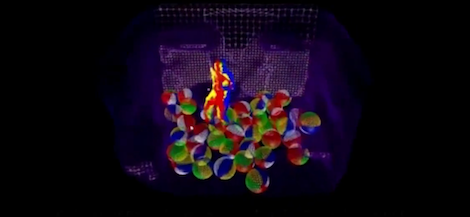

Every now and then, a hardware hack comes along that sounds like it was invented during a lunch break by someone staring at a junk drawer. “What if we made a Kinect better by taping a pager motor to it?” is exactly that kind of idea. It sounds unserious, almost rude to engineering. And yet, hidden inside that tiny vibrating motor is a surprisingly elegant solution to one of the Kinect’s most annoying problems: interference between multiple depth cameras.
The original Microsoft Kinect was designed as a living-room gaming accessory, but makers, researchers, robotics teams, digital artists, and 3D scanning enthusiasts quickly realized it was much more than a way to jump around in front of an Xbox. It was an affordable depth camera. It could see distance, detect bodies, map rooms, and turn real-world motion into data. In other words, it gave everyday experimenters a taste of computer vision without requiring a lab budget, a white coat, or a suspiciously expensive industrial sensor.
But Kinect had limits. When one Kinect watched a scene, it could do impressive work. When two or more Kinect sensors looked at the same area, things got messy. The infrared patterns they projected could overlap, confuse one another, and create depth holes, flickering noise, and unreliable point clouds. For applications like motion capture, multi-angle 3D scanning, robotics, or interactive installations, that was a big problem.
Then came the wonderfully strange idea: shake the Kinect. Not violently. Not “drop it down the stairs and call it science.” Just vibrate it slightly with a small eccentric rotating mass motorthe same basic kind of motor once used in pagers and common in phones, toys, and haptic devices. This approach, often associated with the Shake’n’Sense concept, turns mechanical motion into a signal-cleaning trick. It is simple, cheap, and clever enough to make engineers say, “Wait… why does that work?”
Why Kinect Was Such a Big Deal
Before smartphones casually recognized faces and robots wandered around warehouses, the original Kinect helped make depth sensing feel accessible. Released for the Xbox 360 era, it combined an RGB camera, an infrared depth system, a microphone array, and software that could interpret body movement. For gaming, that meant waving your arms instead of pressing buttons. For hackers, it meant something much more exciting: low-cost 3D vision.
The first Kinect used structured light. In simple terms, it projected an invisible infrared pattern into the room. An infrared camera observed how that pattern changed when it landed on people, furniture, walls, and objects. By comparing the expected pattern with the captured pattern, the system estimated depth. The result was a depth map, where each pixel represented distance from the sensor.
That depth map was the treasure. It could be converted into a point cloud, used for gesture recognition, fed into robotics software, or turned into a rough 3D scan. Suddenly, hobbyists had access to technology that once felt like it belonged only in research labs. The Kinect became a favorite tool for interactive art, education, robotics, medical visualization experiments, augmented reality prototypes, and motion tracking setups.
The Problem: Multiple Kinects Do Not Always Play Nice
One Kinect is charming. Two Kinects can become roommates who both insist on playing music at the same time. Because structured-light depth cameras project their own infrared patterns, overlapping fields of view can cause interference. Each sensor expects to see its own pattern. When another Kinect’s infrared pattern lands in the same scene, the sensor may misread the data.
The symptoms are familiar to anyone who has worked with noisy depth cameras: missing patches, shimmering edges, unstable surfaces, random holes in the depth image, and point clouds that look like they had too much coffee. In a single-sensor setup, these errors may be manageable. In a multi-camera rig, they can ruin the reason for using multiple sensors in the first place.
Multi-Kinect setups are tempting because they solve real problems. One sensor may miss body parts hidden behind other body parts. A front-facing Kinect might track a person’s torso but lose an arm when the user turns sideways. A 3D scanning rig may need more than one angle to capture an object. Interactive installations may need wider coverage than one device can provide. But adding more structured-light projectors creates more opportunities for optical chaos.
Enter the Pager Motor
A pager motor is a tiny vibration motor with an off-center weight. When the motor spins, the unbalanced mass creates vibration. The same principle makes a phone buzz on a table or a game controller rumble in your hand. It is not glamorous. It is not futuristic. It is a tiny wobbling metal lump doing its best.
In the Kinect hack, that wobble becomes useful. By attaching a small vibration motor to the Kinect body or a supported mount, the sensor and projector move together by a tiny amount. Because the Kinect’s own infrared projector and infrared camera are rigidly attached, the sensor still sees its own projected pattern as relatively stable. But the patterns from other Kinects, which are not moving in the same way relative to that sensor, become blurred over time.
That is the key idea. The Kinect’s own signal remains usable, while interfering signals from nearby sensors become less sharp and easier to reject. It is like trying to read your own handwriting while someone else waves a second page in the background. If the unwanted page is blurred enough, your page becomes easier to read.
Why Shaking Can Improve Depth Data
At first, vibrating a camera sounds like the opposite of improving accuracy. Photographers spend good money on stabilization. Engineers build rigid mounts. Nobody wants a camera rig that behaves like it drank an espresso and heard shocking news.
But depth sensing is not always the same as normal photography. The trick works because the projector and camera inside the same Kinect move together. From that Kinect’s point of view, its own structured-light pattern remains coherent. The interference from other devices, however, changes position relative to the moving sensor. Over several frames, those unwanted patterns smear out.
This is a mechanical form of interference reduction. Instead of rewriting the firmware, replacing the projector, changing the infrared wavelength, or synchronizing every camera electronically, the hack uses motion. That makes it appealing because it avoids internal modification. No need to redesign the Kinect’s optics. No need to ask Microsoft’s original engineering team for a secret handshake. A small motor and a thoughtful mount can create a measurable improvement.
The Beauty of a Low-Tech Fix
The best hardware hacks often feel obvious after someone else discovers them. A pager motor is cheap. Vibration is easy to create. The Kinect already contains a projector-camera pair that moves as one unit. The problem is optical interference. The solution is to blur only the unwanted optical information. Elegant? Yes. Fancy? Not really. Effective? That is the fun part.
This kind of approach is a reminder that better engineering does not always mean more complex engineering. Sometimes the winning move is not another algorithm, another chip, or another expensive sensor. Sometimes it is a tiny motor normally assigned to the noble task of making a phone buzz when your aunt sends a group text.
What “Better Kinect” Really Means
“Better” does not mean the motor turns a Kinect into a perfect laser scanner. It does not magically produce flawless 3D models, fix bad lighting, remove all edge noise, or make reflective objects behave. Kinect depth data still has limitations. Structured-light systems can struggle with sunlight, glossy surfaces, dark materials, distance, motion, and occlusion. The pager motor trick mainly targets a specific issue: interference in overlapping structured-light depth cameras.
That distinction matters. If you use one Kinect in a controlled indoor setup, a vibration motor may not add much value. If you use several Kinects pointed at the same scene, the trick becomes more interesting. The goal is not to make one sensor sharper. The goal is to make multiple sensors less annoying when they must share the same space.
How This Connects to Structured Light and Time-of-Flight
The Kinect family evolved over time. The original Xbox 360 Kinect used structured light. Later Kinect systems, including Kinect for Xbox One and Azure Kinect, moved toward time-of-flight depth sensing. Time-of-flight systems estimate distance by measuring how long light takes to travel to an object and return, often using phase-based methods. In practical terms, both technologies produce depth maps, but they behave differently and have different strengths, weaknesses, and interference patterns.
The pager motor idea is most closely tied to structured-light Kinect systems because structured light depends on recognizing a projected pattern. If multiple structured-light devices project similar infrared patterns into the same area, they can confuse one another. Time-of-flight systems have their own synchronization and interference issues, but the original Shake’n’Sense-style vibration trick is especially memorable because it attacks structured-light crosstalk with pure mechanical mischief.
Real-World Uses for a Multi-Kinect Setup
Why would anyone need multiple Kinects in the first place? Plenty of reasons. In motion capture, one camera angle often misses important movement. In 3D scanning, one viewpoint cannot capture the back side of an object. In robotics, a single depth camera may leave blind spots. In interactive installations, wider coverage can make the experience feel more natural. In education, multiple sensors can help students understand computer vision, geometry, calibration, and sensor fusion.
Imagine a small studio trying to capture a dancer’s motion from several angles. One Kinect sees the front, another sees the side, and a third watches from an elevated position. Without interference control, the depth maps may be full of holes. With mechanical vibration on selected units, the overlapping infrared patterns may become less destructive. The result is not Hollywood-grade motion capture, but it can be good enough for research, prototypes, art projects, and learning.
Or picture a maker building a DIY 3D body scanner. The dream is simple: stand in the middle, let the sensors capture geometry, and turn the data into a model. The reality is more dramatic: calibration problems, cable clutter, frame alignment, noisy depth edges, and at least one moment where someone asks, “Why is my left shoulder a cloud?” Reducing interference helps make the entire pipeline less chaotic.
What Makes the Pager Motor Approach So Maker-Friendly?
The appeal is not just that it works. The appeal is that it works without demanding permission from the device. Many hardware improvements require internal modification, special firmware, or custom electronics. This method can be implemented externally. The motor shakes the body or mount; the Kinect continues operating as it normally would.
That makes the idea especially attractive for students, artists, and tinkerers who want to experiment with depth sensing but do not want to destroy a sensor. External mechanical augmentation is reversible. If the setup does not help, remove the motor. If the vibration is too strong, reduce it. If the mount causes too much motion, redesign the mount. The experiment becomes approachable.
It also teaches a broader lesson: sensing is physical. Software people sometimes talk about cameras as if they simply output truth. They do not. Cameras output measurements shaped by optics, materials, lighting, motion, firmware, timing, noise, calibration, and geometry. A tiny mechanical change can alter the data before software ever sees it.
Practical Considerations Before Trying It
A pager motor is simple, but the setup still deserves care. The vibration should be small enough that the Kinect’s own depth stream remains stable. Too much motion can create blur, mounting problems, or mechanical wear. The motor should be mounted securely, and the sensor should sit on a stable support. Loose parts and dangling wires are not engineering; they are future troubleshooting content.
It is also important to test with intention. Compare depth maps with one Kinect, then multiple Kinects without vibration, then multiple Kinects with vibration. Look for changes in missing pixels, edge noise, depth stability, and point cloud consistency. Do not rely on vibes alone, even if the motor is literally providing vibes. Record sample data. Capture frames. Observe whether the improvement is meaningful for your actual application.
Calibration remains essential. Multiple depth cameras must still be spatially aligned if their data will be combined. A vibration motor does not solve extrinsic calibration, frame synchronization, object reflectivity, or poor scene geometry. It simply reduces one category of interference. That is valuable, but it is not magic dust.
The Bigger Lesson: Hacking Is Often About Reframing the Problem
The pager motor Kinect hack is delightful because it reframes the problem. A typical response to sensor interference might be, “We need better software.” Another might be, “We need synchronized projectors.” Another might be, “We need a more expensive camera.” Those answers may be valid, but they are not the only answers.
Shake’n’Sense asks a different question: what if the unwanted pattern could be made less readable? Not removed. Not decoded. Not negotiated with in a conference room. Just blurred until it stops being so disruptive. That is a very maker-style idea. It accepts the messy physical world and uses the mess strategically.
It also shows why the Kinect had such a long afterlife outside gaming. The device was never perfect, but it was affordable, accessible, and hackable. Open-source drivers and community projects helped people explore RGB data, depth data, motor control, accelerometer data, and more. Even after official Kinect hardware faded from the consumer spotlight, the lessons it taught continued into robotics, spatial computing, AR, body tracking, and low-cost 3D perception.
Experience Notes: What Building a Better Kinect Setup Teaches You
Working with a Kinect-style depth sensor is a humbling experience. On paper, it feels simple: plug in sensor, capture depth, build futuristic interface, accept applause. In practice, the sensor immediately introduces you to the ancient engineering ritual known as “why is this not working?” The floor may reflect oddly. A black shirt may disappear into the data like a magician leaving a dinner party. A glossy chair may become a depth-sensing villain. Then, just when you think one Kinect is under control, you add a second and the infrared patterns start arguing.
The pager motor approach teaches patience because it rewards careful observation. You cannot just attach a motor and declare victory. You need to watch the depth feed, compare before-and-after results, and think about what the sensor is actually seeing. Good results often come from small adjustments: changing the motor position, isolating the mount, testing different vibration strengths, moving the sensors slightly, or adjusting the capture angle. The process feels less like installing an upgrade and more like tuning an instrument.
One useful experience is learning to separate “cool demo” from “reliable system.” A vibrating Kinect may produce a visibly cleaner feed in one scene, then behave differently in another. A standing person in a controlled room is not the same as a moving crowd, a shiny object, or a sunlit window. Real-world depth sensing is full of exceptions. That is why testing matters. The more varied your test scenes, the less likely your project is to collapse during the first public demonstration, which is traditionally when all experimental hardware chooses to become dramatic.
Another lesson is that mechanical design matters even in a computer vision project. The motor, mount, sensor angle, cable strain, and support surface all affect the outcome. A wobbly table can ruin your data. A secure frame can improve consistency. Rubber bands, acrylic plates, foam isolation, and simple brackets may look low-tech, but they can shape the quality of the measurement. The camera does not care whether your mount looks fancy. It cares whether the geometry stays predictable.
Finally, this kind of project builds intuition. You begin to understand that depth cameras are not magic eyes. They are systems that project, receive, compare, calculate, and guess. You start noticing how lighting, surface texture, sensor placement, timing, and motion influence the output. That intuition is valuable far beyond Kinect. It applies to robotics, AR headsets, machine vision, 3D scanning, motion capture, and any project where software depends on imperfect measurements from the physical world.
The best part is that the pager motor hack keeps the spirit of experimentation alive. It proves that a small, inexpensive component can solve a problem that first appears to require expensive equipment. It also proves that engineering can have a sense of humor. Sometimes building a better Kinect is not about inventing a new sensor. Sometimes it is about making the old one buzz just enough to behave.
Conclusion
Building a better Kinect with a pager motor sounds like a punchline, but it is actually a smart lesson in practical engineering. By using tiny mechanical vibration, the Shake’n’Sense-style approach can reduce interference between overlapping structured-light depth cameras. It does not turn Kinect into a flawless 3D scanner, and it does not remove the need for calibration, stable mounting, or careful testing. But it does show how a simple physical trick can improve a complex sensing problem.
That is why the idea remains memorable. It sits at the intersection of computer vision, hardware hacking, and maker creativity. It reminds us that better data does not always start in software. Sometimes it starts with a motor small enough to hide in a pager, a problem annoying enough to deserve a weird solution, and a builder curious enough to ask, “What happens if we shake it?”
Note: This article is intended for educational web publishing. Any hands-on electronics experiment should be done with proper supervision, low-voltage components, stable mounting, and respect for device safety.