
Checking into a hotel room or vacation rental should begin with finding the Wi-Fi passwordnot wondering whether the alarm clock has a secret side hustle as a film director. Hidden cameras are uncommon, but miniature recording devices have become inexpensive and easy to disguise inside everyday objects.
Fortunately, you do not need to arrive with a spy-movie suitcase full of blinking equipment. A careful visual inspection, a flashlight, your smartphone, and a few optional detection tools can reveal many suspicious devices. No individual method catches every camera, so the most reliable approach combines several simple checks.
Understand What a Hidden Camera Needs
A tiny camera still has to obey physics. It needs a lens with a usable view, electrical power or a charged battery, and a way to store or transmit footage. These requirements create clues that can help you identify unusual objects.
Begin with one practical question: What could this object see? A camera blocked by furniture or pointed into a wall would be nearly useless. An unfamiliar device aimed directly at a bed, bathroom, shower, changing area, or work desk deserves closer attention.
Disguised cameras may resemble alarm clocks, smoke detectors, USB chargers, light bulbs, picture frames, power strips, pens, speakers, routers, air fresheners, or wall hooks. Some transmit video through Wi-Fi or another wireless signal. Others record silently to a memory card, which means a network scan alone cannot clear a room.
How to Check a Room for Hidden Cameras
1. Review Camera Disclosures
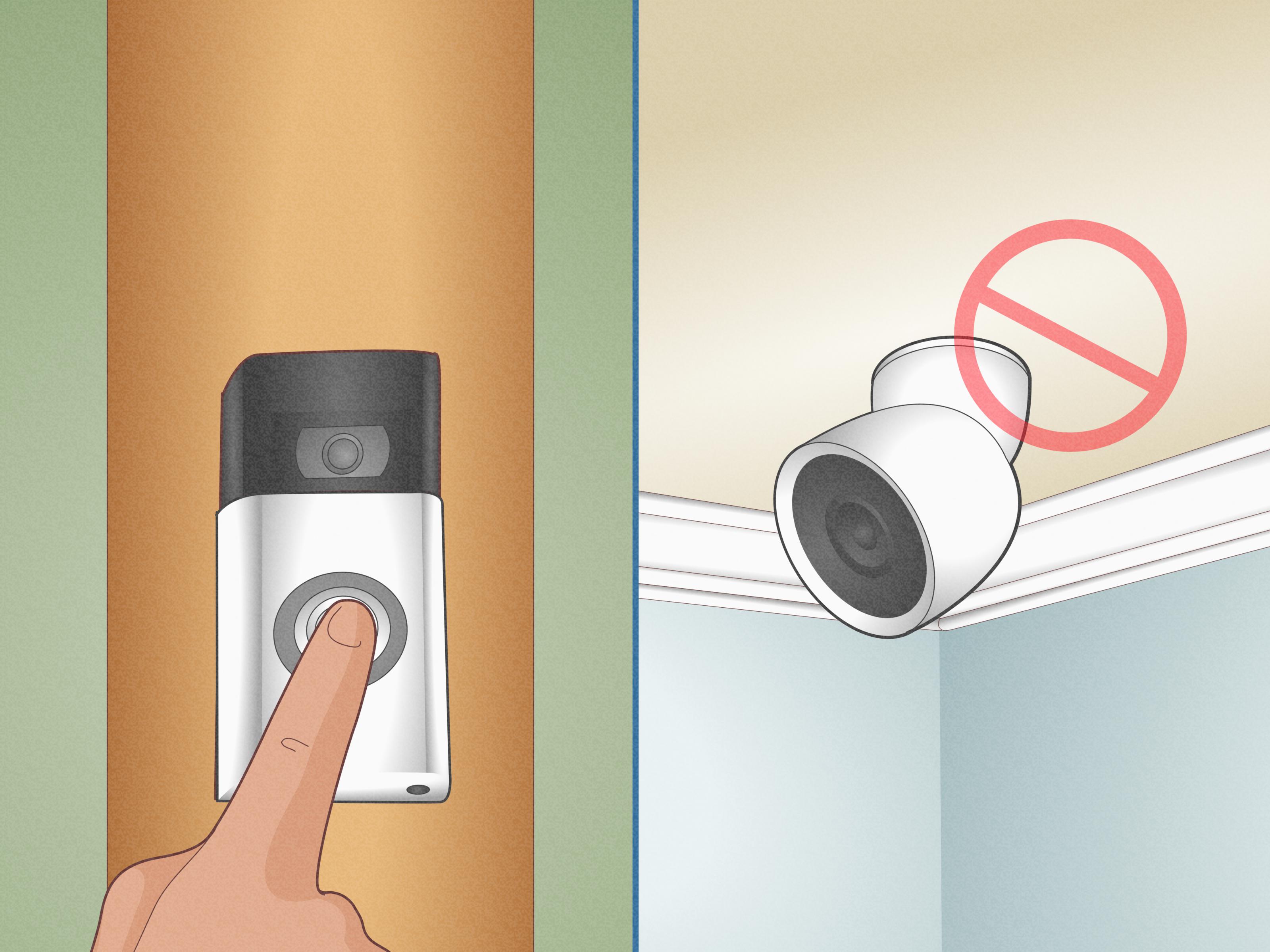
Before unpacking, check the property listing, house rules, and messages for disclosed surveillance equipment. Airbnb prohibits hosts from using security cameras or recording devices that monitor indoor spaces, even when the devices are turned off. Vrbo also prohibits surveillance devices inside vacation rentals and does not permit hidden or disguised cameras.
Exterior doorbell cameras may be allowed when properly disclosed and positioned. An indoor camera facing a sleeping or bathing area is an entirely different situation and should be reported immediately.
2. Perform a Line-of-Sight Inspection
Stand near the bed, bathroom doorway, shower, desk, and changing area. Look outward from each position and identify objects that have a clear view of you.
Watch for:
- Tiny black circles or glassy dots
- Unexplained pinholes
- Objects angled toward private areas
- Duplicate smoke detectors or sensors
- Unusual wires or memory-card slots
- Devices that appear modified or recently installed
- Electronics that serve no obvious purpose
A clock facing the bed is normal. A USB charger facing the bed but lacking a working charging port is considerably less charming.
3. Search for Lens Reflections With a Flashlight
Close the curtains and turn off the room lights. Hold a flashlight close to eye level and slowly sweep it across suspicious objects. Your phone flashlight can work, although a small, bright LED flashlight is easier to aim.
A camera lens may reflect a concentrated blue, purple, white, or silver pinpoint. Move slightly from side to side while watching the suspected opening. A lens-like reflection often remains sharp and appears to look directly back at yourather like a tiny cat with absolutely no respect for personal boundaries.
Screws, glossy plastic, glass decorations, and sensor covers can also sparkle. A reflection is therefore a reason to investigate, not automatic proof of a camera. Consumer safety and security guides commonly recommend combining the flashlight test with another detection method.
4. Use Your Phone to Look for Infrared Light
Many night-vision cameras use infrared LEDs. Human eyes usually cannot see infrared light, but some smartphone cameras display it as a flashing white, pink, or purple dot.
Test your phone first:
- Open the camera app.
- Point a television remote at the camera.
- Press several buttons on the remote.
- Repeat the test with both the front and rear cameras.
If the remote emitter appears on the screen, darken the room and scan suspicious areas with that phone camera. Look for unexplained points or clusters of infrared light.
This method is helpful but imperfect. Motion sensors, remote receivers, and other legitimate electronics may produce infrared light. Cameras without night vision will not appear at all. Some phones also filter infrared more aggressively than others.
5. Scan Devices on the Wi-Fi Network
A reputable network-scanner app can list devices visible on the same local network as your phone. Look for unfamiliar entries containing terms such as “camera,” “IPC,” “IP cam,” or the name of a surveillance-equipment manufacturer.
Unknown devices are not automatically sinister. Smart televisions, speakers, thermostats, routers, printers, and streaming boxes may appear under generic names. Hotels may also isolate guests from other connected devices, preventing the scan from finding anything useful.
A camera using cellular service, a separate network, wired Ethernet, or local memory storage will not necessarily appear. Network scans provide clues, not verdicts delivered by twelve tiny Wi-Fi jurors.
6. Check Nearby Bluetooth Devices
Open your Bluetooth settings and review discoverable devices. Some cameras advertise a Bluetooth name during setup or remain visible after installation.
This is a secondary check because hotels and rentals may contain legitimate Bluetooth televisions, locks, speakers, and appliances. An unknown device becomes more meaningful when its signal strengthens as you approach a suspicious object.
7. Use a Radio-Frequency Detector
A radio-frequency detector searches for wireless transmissions from cameras, microphones, trackers, routers, phones, and other electronics. Models with adjustable sensitivity can help you narrow a broad signal down to a particular object.
Before scanning, turn off or move known transmitters when practical, including your phone, smartwatch, laptop, portable hotspot, and Bluetooth earbuds. Sweep the room slowly. When the signal increases near an object, lower the sensitivity and scan again from several directions.
RF detectors may produce numerous false alarms in electronics-heavy rooms. They can also miss cameras that record locally, transmit intermittently, use a wire, or are currently powered off.
Never use a wireless signal jammer. In the United States, federal law prohibits the operation, marketing, or sale of equipment intended to interfere with authorized radio communications.
8. Try an Optical Camera-Lens Detector
A dedicated optical detector places bright flashing LEDs around a viewing port. When the light hits a camera lens at the proper angle, the reflected point becomes easier to see through the viewer.
Research into hidden-camera detection has similarly explored identifying the unusually strong optical reflections produced by camera lenses. These tools work best at close range and require slow scanning. Reflective screws and polished surfaces can still create false positives.
Practice on a known webcam before traveling. It is much easier to recognize a suspicious reflection after you have seen what a real camera lens looks like.
Common Hidden Camera Locations
Prioritize objects that have power, height, and a useful viewing angle:
- Alarm clocks, radios, and speakers facing the bed
- Smoke detectors, motion sensors, and ceiling fixtures
- USB chargers, power adapters, outlets, and power strips
- Televisions, routers, streaming boxes, and cable equipment
- Picture frames, books, plants, and decorative objects
- Bathroom hooks, mirrors, air fresheners, and shelves
- Desk lamps, pens, charging docks, and computer accessories
Do not dismantle smoke detectors, sprinklers, wall outlets, or hardwired equipment. You could disable a genuine safety device, damage the property, or expose yourself to electricity. Inspect externally and request professional help when disassembly would be necessary.
Hidden Camera Detection Myths
The Fingernail Mirror Test Is Inconclusive
A popular internet tip claims that touching a mirror with your fingernail identifies two-way glass. A visible gap supposedly indicates a normal mirror, while no gap supposedly reveals an observation mirror.
In reality, the result depends on where the reflective coating sits within the glass. The test may encourage further inspection, but it cannot prove that a mirror conceals a camera.
Instead, inspect the mirror’s edges, mounting, position, surrounding lighting, and the wall behind it. Do not attempt to remove a permanently mounted mirror yourself.
Camera-Detector Apps Cannot Guarantee Results
Some apps scan Wi-Fi or Bluetooth. Others use the camera, infrared sensitivity, or magnetometer. Those features may assist your search, but an app cannot identify every offline camera, see through solid objects, or determine whether every unfamiliar network device is dangerous.
Install apps only from an official app store and review their permissions. A colorful radar animation may look impressive, but so does a lava lamp, and neither should be treated as conclusive evidence.
Cameras Do Not Always Have Red Lights
A hidden camera does not need a visible recording indicator. Its LEDs may be disabled, covered, or absent. Modern recording devices can also operate without making buzzing, clicking, or interference sounds.
What to Do If You Find a Possible Hidden Camera
- Leave the room if you feel unsafe. Do not confront a host or suspected operator while alone.
- Do not destroy the device. It may contain evidence, and damaging it could complicate the investigation.
- Document its position. Photograph the object, viewing angle, nearby wires, room number, and surrounding area.
- Preserve booking records. Save the listing, disclosures, messages, receipts, and screenshots.
- Contact management or the rental platform. Use the company’s safety or emergency channel rather than relying only on ordinary customer service.
- Contact local law enforcement. This is especially important when a suspected camera faces a bedroom, bathroom, shower, or changing area.
- Request written confirmation. Document any relocation, cancellation, investigation, or refund arrangement.
Privacy and recording laws vary across the United States. Legal analysis frequently depends on whether the person being recorded had a reasonable expectation of privacy. Bedrooms, bathrooms, private homes, and dressing areas generally receive stronger protection than public spaces. Audio recording may involve additional state-specific consent laws.
How to Reduce Your Risk While Traveling
Choose accommodations with substantial review histories, clear management information, and specific surveillance disclosures. Search recent reviews for complaints about privacy, unexplained electronics, or unauthorized entry.
Complete your inspection before changing clothes or discussing private business. Frequent travelers may carry a compact flashlight and a reputable optical or RF detector. Families can have one adult inspect the room while everyone else keeps luggage packed.
Keep the process proportionate. A focused 10-minute sweep is more useful than spending half the night staring suspiciously at a thermostat that is simply trying to maintain 72 degrees.
Practical Experiences From Hidden Camera Checks
The following composite scenarios reflect common situations encountered during hotel and vacation-rental inspections. They demonstrate why confirmation is more useful than panic.
Experience 1: The Suspicious Alarm Clock
A traveler enters a rental and notices a digital alarm clock pointed directly at the bed. Beside its display is a small black circle that resembles a camera lens.
Rather than unplugging the clock and introducing it to the business end of a shoe, the traveler darkens the room and shines a flashlight at the circle. The spot creates a broad, dull reflection rather than a concentrated lens glint. An infrared scan reveals nothing.
The clock’s model number identifies the circle as an ambient-light sensor used to dim the display. The lesson is important: suspicious placement justifies inspection, but several detection methods can prevent harmless components from being misidentified.
Experience 2: The Unfamiliar Ceiling Sensor
In a hotel room, one ceiling device appears newer than the others and sits almost directly above the bed. A flashlight produces several bright reflections, while a phone camera shows a purple point near the device.
The guest tests the phone with a television remote and confirms that it can see infrared light. Instead of touching the ceiling device, the guest calls hotel engineering. The infrared source turns out to be part of an occupancy sensor connected to the climate-control system.
The concern was reasonable, and the response was appropriate. Ceiling-mounted devices may be smoke detectors, motion sensors, fire-system components, or cameras. Professional verification is safer than dismantling equipment based on appearance alone.
Experience 3: A Wi-Fi Scan Full of Mysteries
A traveler runs a network scan in a conference hotel and finds dozens of unknown devices. One name even contains the word “cam.” That sounds alarming until the traveler considers that the network supports lobby displays, conference equipment, printers, access points, televisions, staff devices, and legitimate exterior security cameras.
The scan cannot establish where a device is located or whether it can see the room. A careful physical inspection finds nothing suspicious. The lesson: network scans are more informative in small rentals with private routers than in large hotels with complex shared infrastructure.
Experience 4: The Charger That Did Not Charge
A USB adapter in a rental bedroom is aimed toward a changing area. A cable fits into it, but the adapter does not provide power. When examined with a flashlight, a sharp reflection appears inside a tiny opening. An unfamiliar wireless network also becomes strongest near the adapter.
Two independent clues now support concern: a possible lens reflection and nearby wireless activity. The guest photographs the object without moving it, leaves the rental, and contacts the platform’s safety team and local police.
The guest does not open the adapter, attempt to connect to it, or search for recorded files. Preserving the device in its original position gives investigators a better opportunity to determine what it is, who installed it, and whether it recorded anything.
Experience 5: The Inspection That Found Nothing
A family spends eight minutes checking a vacation rental. They review the listing, inspect objects facing the beds and bathroom, perform a flashlight sweep, test for infrared sources, and examine the local network.
They identify a disclosed exterior doorbell camera and a legitimate indoor motion sensor, but find no suspicious recording device. The inspection cannot mathematically guarantee that the property is camera-free, yet it reduces obvious risks and allows the family to relax.
The broader lesson is to use the same repeatable process every time: consider line of sight, inspect unusual objects, confirm findings with a second method, recognize false positives, and escalate only when the evidence becomes specific.
Conclusion
Learning how to spot hidden cameras is less about purchasing a flashy gadget and more about combining common sense with several imperfect tools. Inspect objects with useful viewing angles, search for lens reflections, test for infrared light, review nearby network devices, and use an RF or optical detector when additional scrutiny is appropriate.
No detection method is foolproof. A wired camera recording to local storage may be invisible to network scanners, while a harmless sensor may trigger an infrared or RF alert. Look for multiple supporting clues, avoid damaging suspected equipment, preserve evidence, leave unsafe spaces, and report serious concerns promptly.
Note: This guide provides general personal-safety information and does not replace a professional technical inspection or legal advice. Its recommendations were synthesized from current rental-platform policies, U.S. consumer guidance, security reporting, and camera-detection research.