
Public demonstrations are one of the most visible ways people express themselves in a democracy. They’re also one of the easiest places to accidentally overshare your life with strangers, apps, cameras, and data brokers. In other words: you may show up for a cause and leave behind a trail of metadata, location history, and a phone full of sensitive information.
This guide breaks down how to protect your privacy in a protest in a practical, non-paranoid, very-human way. Think of it as a “pack your bag, lock your phone, watch your surroundings” checklist for the digital age. We’ll cover what to do before, during, and after a protest, plus real-world experience-based scenarios so the advice actually sticks.
Quick note: This is general safety and privacy information, not legal advice. Local laws and conditions vary, so always use good judgment and prioritize your safety.
Why Protest Privacy Matters
When people think “privacy,” they usually think passwords. But at a protest, privacy is bigger than that. It includes:
- Your device data: messages, photos, contacts, notes, and saved logins
- Your location trail: cell towers, Wi-Fi, Bluetooth, app location services
- Your identity: face, tattoos, distinctive clothing, car plates
- Your media files: hidden metadata (EXIF) like time, device model, and sometimes location
- Your network: the people you communicate with before and during the event
That may sound like a lot, but it just means you want a simple plan. The goal is not to disappear into a spy movie. The goal is to reduce unnecessary exposure while still being able to communicate, stay safe, and document what you need to document.
Before the Protest: Set Yourself Up Smart
1) Use a strong passcode and turn off biometric unlock
If your phone is your entire life in rectangle form, protect it like it is. A strong passcode (preferably longer and alphanumeric) gives you better security than a short PIN. It also reduces the risk of easy guessing tools.
It’s also wise to disable Face ID, Touch ID, or fingerprint unlock before attending. Biometrics are convenient on regular days. During a high-stress situation, convenience can become a liability if someone tries to force an unlock.
Practical example: If you’re filming and your phone gets grabbed, a locked screen with a strong passcode buys you time. A face unlock may not.
2) Minimize what’s on your phone
You do not need your entire digital archive for a few hours outside. The less sensitive data you carry, the less risk you carry. Before you go:
- Log out of apps you won’t need
- Delete old screenshots with personal info
- Move sensitive files off-device
- Back up your phone
- Turn off lock-screen notification previews
This is not about panic-cleaning your phone at 6:58 PM while your friends are texting “where are you??” It’s about reducing the blast radius if the phone is lost, broken, or taken.
3) Review location, Wi-Fi, and Bluetooth settings
Your phone constantly talks to the world unless you tell it not to. A good privacy setup usually includes:
- Airplane mode when you don’t need connectivity
- Turning Wi-Fi and Bluetooth off (not just “not connected”)
- Turning off Location Services entirely or limiting app permissions
- Disabling Location History in your Google account if you use Android/Google services
Important nuance: even with airplane mode and location off, some apps may store location locally and send it later when you reconnect. If privacy risk is high, turning the phone off entirely is the strongest option.
4) Consider communication tools ahead of time
If you need to message people, use an encrypted messaging app and set expectations before you leave. A secure app helps, but it doesn’t solve everything. Communication metadata (who you contacted and when) can still be revealing, even when message content is protected.
Good prep habits include:
- Choose one messaging app for the group before the event
- Set a meet-up point in case you get separated
- Download an offline map of the area
- Enable disappearing messages for routine chat if appropriate
Disappearing messages can reduce what stays on your device, but don’t treat them like magic invisibility dust. People can still screenshot or photograph screens.
5) Write down important numbers
Phones die. Batteries disappear faster than your confidence when you realize you brought 12% charge and no power bank. Write down key numbers on paper (or even on your arm if needed):
- A trusted contact
- A lawyer or legal support number (if relevant)
- Emergency contact
- Any group coordinator number
This is one of the simplest protest safety tips and one of the most overlooked.
6) Dress for privacy without sacrificing safety
Clothing can identify people as much as faces can. Distinctive hats, bright shoes, unique jackets, visible tattoos, and uncommon hairstyles can make someone easy to spot in photos later.
Privacy-minded choices usually include neutral clothing and coverage for identifying features. If you choose to cover up, make sure you can still move safely, see clearly, and stay weather-appropriate. The goal is not “mystery ninja cosplay.” The goal is not being the easiest person in the crowd to identify from one screenshot.
During the Protest: Stay Connected, Stay Aware, Share Carefully
1) Use your phone intentionally
Every app open on your phone is a little privacy negotiation. During a protest, ask: Do I need this right now?
Best practice:
- Keep only the apps you need active (camera, maps, messages)
- Close social apps that constantly track location or refresh in the background
- Keep lock-screen notifications limited
- Use a screen-locking feature like Guided Access (iPhone) or app pinning/screen pinning (Android) if you need to hand your phone to someone for one task
That last one is underrated. If you need to show a photo, map, or one message, app-locking features help you avoid the “here, I’ll just swipe real quick” moment that nobody wants.
2) Be careful when recording photos and video
Recording can be important. In public spaces, people often document events for accountability and safety reasons. But privacy works both ways: your camera can protect people, and it can expose them.
If you film or photograph:
- Avoid capturing identifiable faces unless necessary
- Be extra careful with minors and bystanders
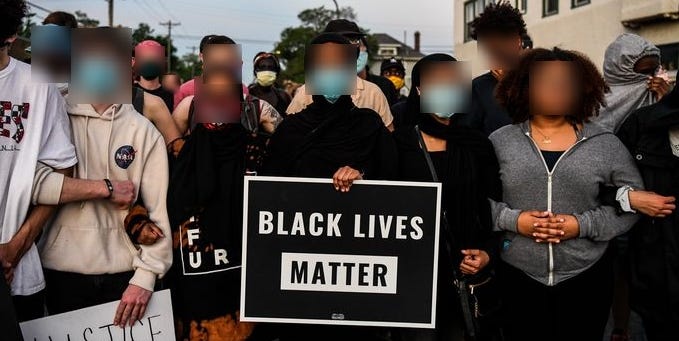
- Blur or block faces, tattoos, and unique clothing before posting
- Think twice before live-streaming crowds
A good rule: record what matters, not everyone’s identity.
3) Scrub metadata before posting images
Photos contain hidden data (metadata/EXIF) that can include the device used, exact timestamp, and sometimes location. That means a perfectly harmless photo can reveal more than you intended.
Safer sharing habits:
- Take a screenshot of the image and share the screenshot instead of the original (easy metadata reduction trick)
- Use built-in editing tools or trusted apps to blur identifying details
- Review location settings in your camera/photo apps before shooting
If you’re posting quickly, even one extra minute to check for faces and metadata can make a huge difference.
4) Understand the tradeoff with airplane mode
Airplane mode plus Wi-Fi/Bluetooth off reduces tracking risk, but it also reduces your ability to coordinate. This is where planning helps.
Smart compromise strategy:
- Use airplane mode while stationary or when you don’t need updates
- Reconnect briefly to send a message or check in
- Turn it back off again
- Use a preplanned meeting point if your group gets separated
Privacy is rarely all-or-nothing. It’s often about using the highest protection level that still lets you function.
5) Know your rights if you document police in public
In the U.S., the First Amendment generally protects your right to record law enforcement officers performing their duties in public. If you are not under arrest, officers generally need a warrant to confiscate your device or view its contents without your consent. If you are arrested, they may take the phone, but searching its contents still generally requires a warrant.
That said, rights on paper and real life can look different in the moment. Stay calm, avoid escalation, and prioritize your safety. If you choose to interact, keep it simple and respectful.
If Things Escalate: Privacy + Safety Checklist
1) Lock your device fast
If you need to quickly require your passcode again on iPhone, one practical option is using the Emergency SOS path (which can temporarily disable Face ID/Touch ID until your passcode is entered). Android users can use Lockdown mode, which disables fingerprint and face unlock and hides lock-screen notifications.
Set this up before you go so you’re not learning it in a stressful moment with shaky hands.
2) Don’t consent to searches of your phone
If someone asks to search your device, you can state clearly that you do not consent. Keep your language short and calm. If you are detained or arrested, ask for a lawyer and avoid arguing your entire constitutional law outline on the sidewalk. (Save the legal debate for people with bar licenses.)
3) Protect the people around you too
Privacy in a protest is not just personal. If your phone is full of group chats, contact names, and crowd photos, your device may contain information about others. That’s why encrypted messaging, limited notifications, and careful photo-sharing matter so much.
After the Protest: Clean Up Your Digital Trail
1) Review what your phone collected
After you get home, take 10 minutes for a digital cleanup:
- Turn location, Wi-Fi, and Bluetooth settings back to your normal preferences
- Check which apps accessed location
- Delete unneeded photos or duplicates
- Remove or edit images with identifiable people before posting
- Export and back up any footage you want to keep
2) Revisit message history and media sharing
If you used disappearing messages, confirm timers are set the way you want going forward. If you shared images, double-check what was posted publicly versus privately. This is the “clean your room before future-you hates present-you” step.
3) Change passwords if your device was lost, taken, or accessed
If your phone was confiscated, out of your control, or even just briefly unlocked around strangers, assume caution. Change important passwords, sign out of sessions where possible, and monitor account login history for anything unusual.
Common Mistakes to Avoid
- Relying only on a fingerprint unlock because it’s fast
- Live-streaming crowds without thinking about who appears in frame
- Leaving lock-screen notifications visible
- Using one giant group chat for everything (organize by need)
- Assuming encrypted chat means zero metadata
- Forgetting to back up your phone before you go
- Bringing a phone at 15% battery (we’ve all met this person)
A Simple Protest Privacy Plan You Can Actually Use
The night before
- Back up your phone
- Set a strong passcode
- Disable Face ID / fingerprint unlock
- Review location permissions
- Turn off lock-screen previews
- Install/update your messaging app
- Download an offline map
- Write down emergency numbers
- Charge your phone and power bank
At the protest
- Use airplane mode when possible
- Be selective with photos and video
- Avoid posting identifiable faces
- Use app-locking/screen-pinning when showing your phone
- Stay with your group or your preplanned meetup system
Afterward
- Review and clean up media
- Scrub metadata before posting images
- Restore normal settings
- Change passwords if anything seems off
Experience-Based Scenarios: What This Looks Like in Real Life (Added 500+ Words)
Scenario 1: “I only needed my camera for a minute.”
A college student goes to a peaceful downtown demonstration with friends. They plan to stay for an hour, take a few photos, and leave. Since it feels casual, they keep all their normal phone settings on: Face ID enabled, lock-screen notifications visible, social apps running in the background, and location services set to “Always” for a few apps they forgot about months ago.
Halfway through the event, the crowd shifts and everyone moves quickly to a different street. In the scramble, the student drops their phone. A stranger returns it (good news), but not before the lock screen lights up and displays message previews from family and a group chat with names visible (less good news). Nothing catastrophic happens, but it’s a perfect example of how privacy leaks are often boring, accidental, and avoidable. The student later changes settings so notifications don’t preview on the lock screen and disables Face ID for future events.
Scenario 2: The “helpful livestream” problem.
Another person decides to livestream because they want to document what’s happening in real time. Their intentions are good: transparency, accountability, and sharing updates. But when they rewatch the video later, they realize they captured dozens of clear faces, a unique jacket logo, and someone’s visible tattoo. They also panned across people who were not engaging with the camera at all.
The big lesson here is that documenting public events and protecting people’s privacy can both matter at the same time. The fix isn’t “never record.” It’s to record more intentionally. In later events, this person switches to short clips, keeps the camera angle tighter, and avoids sweeping crowd shots. Before posting, they blur faces and crop out identifying details. Same purpose, better privacy hygiene.
Scenario 3: Battery panic and the Sharpie solution.
A first-time protester arrives prepared with a passcode and airplane mode strategy, but forgets one basic thing: a charger. Two hours later, their battery is nearly dead. They can’t pull up a contact number, can’t check the group chat, and can’t navigate home easily. A friend asks, “Did you write down the meetup number?” They didn’t.
That small mistake creates a chain reaction of stress. Nothing dramatic happens, but the experience feels way harder than it needed to be. On their next outing, they bring a small power bank, write two phone numbers on paper, and set a predetermined meetup point. The privacy settings matter, but basic logistics matter just as much.
Scenario 4: Posting later, not faster.
One organizer takes strong photos and wants to post immediately. Instead, they wait until they’re home, on a trusted connection, and calm enough to review the images. They crop out bystanders, blur faces, and share only what supports the story. They also use a screenshot workflow for photo sharing to reduce metadata exposure. It takes an extra 15 minutes. The result is cleaner, safer, and more respectful to everyone involved.
Scenario 5: The “I thought encryption solved everything” moment.
A tech-savvy attendee uses an encrypted messaging app and assumes that means full privacy. Later, they learn an important distinction: encryption protects message content, but metadata can still matter. Who you contacted, when, and how often can still reveal a lot. This doesn’t mean encrypted apps are pointless (they’re extremely useful). It just means privacy is layered. Good protest privacy combines encrypted communication with thoughtful device settings, limited location sharing, and smart media habits.
Across all these scenarios, the pattern is the same: the best privacy plan is the one you can actually use under stress. Small habits win. A strong passcode, fewer notifications, better photo choices, and a backup plan with friends will take you much farther than a complicated setup you forget the second the crowd starts moving.
Conclusion
Protecting your privacy in a protest is not about fear. It’s about being prepared. A few smart settings and habits can help protect your phone, your identity, and the people around you while still letting you communicate, document, and move safely.
Start with the basics: strong passcode, no biometrics, fewer notifications, controlled location settings, careful photo sharing, and a written backup plan. If you do just those things, you’ll already be ahead of most people in the crowdand future-you will be very grateful.