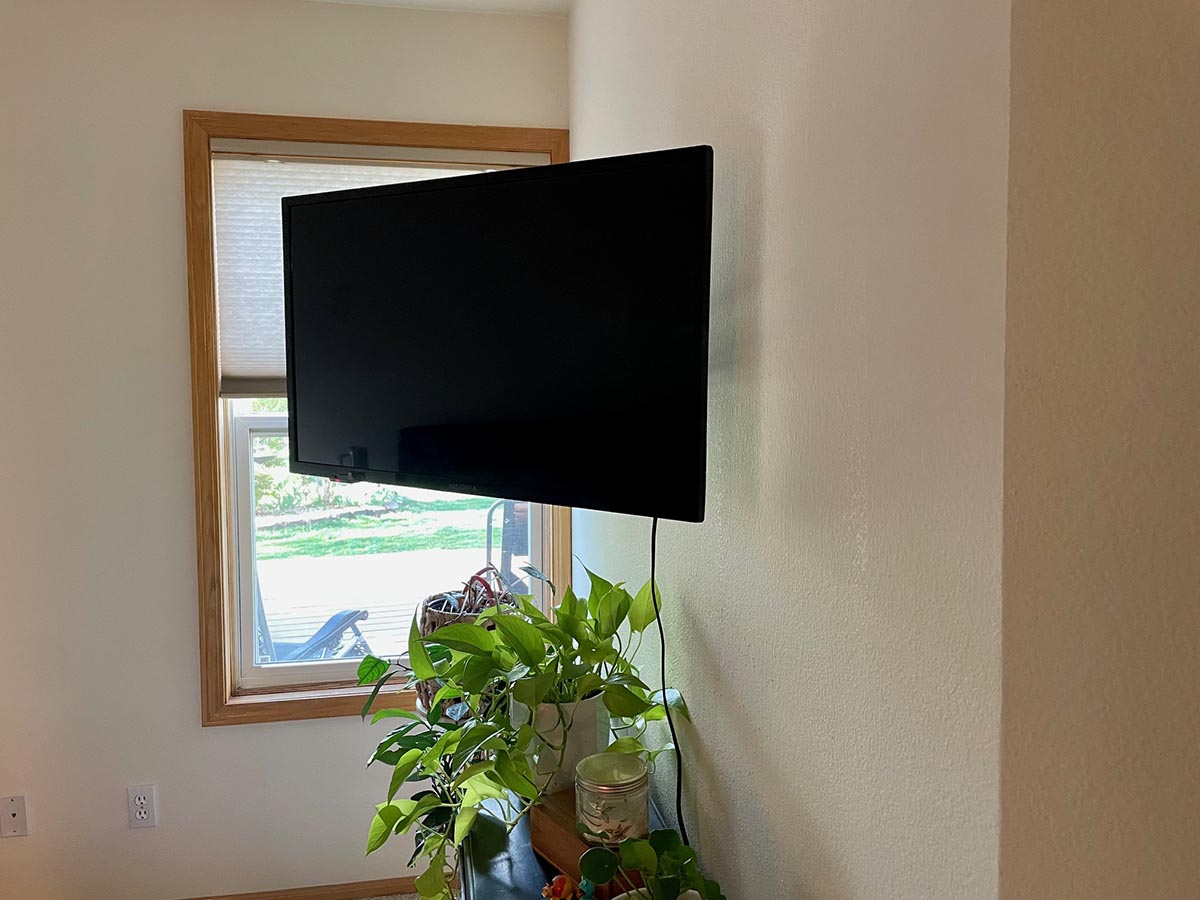

A flat-screen TV sitting on a stand is perfectly fineuntil you realize the stand is stealing half the room, collecting dust like a museum artifact, and making your beautiful television look like it is waiting for permission to be impressive. A good TV wall mount fixes all of that. It clears space, improves viewing angles, helps reduce glare, and gives your living room that clean “yes, an adult lives here” look.
But choosing the best TV wall mount for flat screens is not as simple as grabbing the first black metal bracket that says “universal” on the box. Your TV has a size, a weight, a VESA pattern, cable ports, and a personality. Your wall has studs, drywall, concrete, brick, or possibly secrets from the previous homeowner. The right mount brings those two worlds together safely.
This guide breaks down the best types of flat-screen TV wall mounts, what features matter, which models and styles are worth considering, and how to avoid the classic mistakes that turn a weekend upgrade into a wall-repair project with emotional damage.
What Makes a TV Wall Mount “The Best”?
The best TV wall mount is not always the most expensive one. It is the mount that fits your screen, supports the weight, matches your room layout, and allows the movement you actually need. A fixed mount may be perfect for a bedroom. A tilting mount may be ideal for a large TV mounted slightly above eye level. A full-motion mount may be the hero of an open-concept living room where people watch from the sofa, kitchen island, and that one chair everyone pretends is comfortable.
Before comparing brands, focus on four essentials: TV size compatibility, maximum weight capacity, VESA mounting pattern, and wall type. If those four boxes are not checked, nothing else matters. A mount can have smooth swivel arms, cable management, bubble levels, and enough hardware to open a small metal shopbut if it does not fit your TV or wall, it is not the one.
Types of TV Wall Mounts for Flat Screens
1. Fixed TV Wall Mounts
A fixed TV wall mount holds your flat screen close to the wall without tilt or swivel. It is the simplest, slimmest, and often most affordable option. Fixed mounts are great when the TV is installed at the correct eye level and directly in front of the main seating area.
The biggest advantage is the clean, low-profile look. Many fixed mounts place the TV close enough to the wall that the setup feels almost built in. The downside is limited flexibility. If sunlight hits the screen at 4 p.m., your mount will not help. You will be negotiating with curtains.
Best for: bedrooms, media rooms, small apartments, minimalist setups, and TVs mounted at eye level.
2. Tilting TV Wall Mounts
A tilting wall mount lets you angle the screen up or down. This is especially helpful when the TV must be installed higher than ideal, such as above a dresser, console, or fireplace. A slight downward tilt can reduce neck strain and glare.
Tilting mounts are a sweet spot for many homes because they stay relatively close to the wall while adding useful adjustability. They are usually easier to install than full-motion mounts and often support large TVs with impressive weight ratings.
Best for: large flat screens, rooms with bright windows, TVs mounted slightly above eye level, and buyers who want adjustability without a bulky arm.
3. Full-Motion TV Wall Mounts
A full-motion TV wall mount, also called an articulating mount, lets the TV extend, swivel, and tilt. It is the most flexible type and the best choice for rooms with multiple viewing positions. Want to pull the TV out and angle it toward the dining table during game day? Full-motion is your friend.
The trade-off is complexity. Full-motion mounts typically cost more, extend farther from the wall, and place more leverage on the mounting hardware. That means installation must be solid. This is not the category where you want to “eyeball it” and hope physics is in a generous mood.
Best for: open living rooms, corner installations, kitchens, gaming rooms, and spaces where people watch from different angles.
4. Ceiling TV Mounts
A ceiling TV mount is a specialty solution for rooms where wall mounting is difficult or impossible. These are common in commercial spaces, gyms, patios, garages, and rooms with unusual layouts. Some ceiling mounts rotate or tilt, while others use height-adjustable poles.
They are not the first choice for most homes, but they can solve tricky problems. If the only available wall is covered by windows, stone, shelving, or family photos that nobody is emotionally prepared to move, a ceiling mount may save the day.
Best for: garages, covered patios, kitchens, commercial spaces, and rooms with limited wall space.
Best TV Wall Mounts by Use Case
Best Overall: Full-Motion Dual-Arm Mount
For most living rooms, a strong dual-arm full-motion mount is the most versatile choice. Models in this category, such as popular options from ECHOGEAR, Sanus, Mounting Dream, and similar brands, usually support mid-size to large flat screens and offer tilt, swivel, and extension.
Look for a dual-arm design if your TV is 55 inches or larger. Dual arms improve stability when the screen is extended from the wall. They also help reduce wobble when adjusting the viewing angle. The best versions include post-installation leveling, which lets you correct a slightly crooked TV after it is hanging. That feature may sound small, but it is priceless if you are the kind of person who can spot a tilted picture frame from across the room.
Best Budget Pick: Tilting TV Wall Mount
If you want a secure, simple, affordable upgrade, choose a tilting TV wall mount. Budget-friendly tilting mounts often support a wide range of screen sizes and weights while keeping the TV close to the wall. This makes them ideal for families who want a safer, cleaner setup without paying for motion features they will rarely use.
Mounting Dream and other value-focused brands are well known for affordable tilting mounts that work for many common flat-screen sizes. Just remember: budget does not mean careless. Check the VESA pattern, confirm the weight limit, and make sure the included hardware matches your wall type.
Best Premium Pick: Sanus Advanced Tilt or Full-Motion Mount
Sanus mounts are often favored by people who want a refined installation experience, polished adjustment features, and strong build quality. Premium Sanus tilt mounts are especially useful for large TVs because they can hold heavy screens while offering smooth tilt and extra wall clearance for cable access.
A premium mount makes sense if your TV is expensive, oversized, or installed in a highly visible living space. The mount is not the place everyone stares at, but it is the thing quietly keeping your television from becoming modern floor art.
Best for Large Flat Screens: Heavy-Duty Tilt or Full-Motion Mount
For 75-inch, 85-inch, and 90-inch TVs, choose a heavy-duty mount with a high weight rating and wide VESA support. Larger screens need more than “it seems sturdy.” They need a mount designed for broad spacing, strong steel construction, and secure locking mechanisms.
For very large flat screens, a tilting mount is often easier and safer than full motion because it keeps the TV closer to the wall and reduces leverage. If you need full motion for a giant TV, choose a proven dual-arm model and consider professional installation.
Best for Small TVs: Single-Stud Full-Motion Mount
For smaller TVs in bedrooms, kitchens, offices, or dorm rooms, a single-stud full-motion mount can be a smart choice. These mounts are compact, affordable, and flexible. They usually fit screens in the 19-inch to 50-inch range, depending on the model.
A small full-motion mount lets you angle the screen toward a bed, desk, treadmill, or kitchen counter. Just do not assume a small TV means zero risk. Even lightweight screens need proper mounting, especially in homes with children, pets, or adults who trip over charging cables with Olympic-level commitment.
How to Choose the Right TV Wall Mount
Check the VESA Pattern
VESA is the standard spacing between the mounting holes on the back of your TV. Common patterns include 200×200, 300×300, 400×400, and 600×400 millimeters. Your TV manual or manufacturer product page should list the VESA pattern. The wall mount must support that pattern.
Many mounts are called “universal,” but universal does not mean magical. It means the mount fits a range of VESA patterns. Always compare the mount’s supported range with your TV’s exact pattern before buying.
Confirm the Weight Capacity
Your TV’s weight matters more than its screen size alone. A 65-inch OLED, LED, or QLED may weigh less than older displays, but large screens can still be heavy enough to demand serious hardware. Check your TV weight without the stand, then choose a mount rated above that number.
A smart rule is to leave a safety margin. If your TV weighs 78 pounds, do not buy a mount rated for 80 pounds just because the math technically works. Choose a stronger mount and sleep better.
Match the Mount to Your Wall
Most TV wall mounts are designed for wood studs, concrete, or brick. Drywall alone is not enough for standard TV mounting. The safest installation usually involves fastening the mount into studs or masonry using the correct anchors and bolts.
If you have metal studs, plaster walls, stone veneer, tile, or an older home with mysterious wall behavior, pause before drilling. Use the proper hardware or hire a professional. A flat-screen TV is not a shelf for decorative candles; when it falls, it falls with drama.
Think About Viewing Height
The ideal TV height usually places the center of the screen near seated eye level. In a living room, that often means lower than people expect. Mounting too high can create neck strain, especially during long movies or sports events.
There are exceptions. Bedrooms often need a slightly higher mount because viewers are reclined. Fireplaces may force a higher position, although this should be done carefully because heat, neck angle, and cable routing can all become issues.
Consider Cable Access
Before installing the mount, look at the back of your TV. Where are the HDMI ports? Where is the power input? Will the mount block anything? Low-profile fixed mounts can look fantastic, but they may make it harder to plug in a streaming device, gaming console, or soundbar cable later.
If you switch devices often, a tilting or full-motion mount may be worth it simply for easier access. Your future self will appreciate not having to wedge a hand behind a 75-inch screen while whispering things not suitable for a family website.
Installation Tips for a Safer, Cleaner Setup
First, gather the right tools: stud finder, level, drill, socket wrench, measuring tape, pencil, screwdriver, and a friend who can lift without turning the TV into a trust exercise. Read the mount instructions before drilling. Yes, actually read them. The wall is not the best place to discover you used the wrong spacer.
Second, locate the studs carefully. Mark both edges of the stud, then drill pilot holes in the center. A pilot hole helps prevent splitting wood studs and makes lag bolts easier to drive straight. Use masonry anchors only when mounting into concrete or brick, not regular drywall.
Third, attach the brackets to the TV using the correct screws and spacers. TVs often require different bolt lengths depending on whether the back is flat, curved, or recessed. If a screw feels too short or bottoms out too quickly, stop and check the hardware chart.
Finally, lift the TV onto the wall plate with help. Secure the locking screws, pull cords, or safety tabs according to the mount design. After installation, gently test the mount by moving the TV within its intended range. Do not hang from it. You are not testing playground equipment.
Common Mistakes to Avoid
Buying by TV Size Only
Screen size is only part of the story. A mount may claim to fit 32-inch to 70-inch TVs but still fail to match your VESA pattern or weight. Always check all three: size, VESA, and weight.
Mounting Too High
The “sports bar height” looks exciting until your neck sends a formal complaint. For everyday viewing, keep the center of the screen close to seated eye level whenever possible.
Ignoring Wall Type
Drywall anchors may be fine for picture frames, but a flat-screen TV needs real support. Use studs, concrete, brick, or approved specialty hardware for unusual walls.
Forgetting Future Devices
Plan for streaming sticks, HDMI cables, game consoles, antennas, soundbars, and power access. A beautiful mount is less beautiful when you have to remove the TV every time you plug in a new device.
Fixed vs. Tilting vs. Full-Motion: Which One Should You Buy?
Choose a fixed mount if your TV will sit directly in front of your main seating area and at the right height. It is clean, simple, and cost-effective.
Choose a tilting mount if the TV is above eye level or if glare is a problem. It is the best balance of price, strength, and practicality for many large flat screens.
Choose a full-motion mount if your room has multiple seating zones or if you need to pull the TV away from the wall for angled viewing. It costs more, but it solves layout problems that fixed and tilt mounts cannot.
In short: fixed is sleek, tilting is practical, and full-motion is flexible. The best one depends on your room, not your ego. Though yes, full-motion does feel fancy.
Real-World Experience: What It Is Actually Like Living With a Wall-Mounted TV
After helping with several TV mounting projects, one lesson becomes obvious: the mount is only half the job. The other half is planning. The smoothest installations happen when people measure twice, check the TV manual, lay out the hardware, and think about how the room is actually used. The most stressful installations begin with someone saying, “This should only take twenty minutes.” That sentence has personally caused more home-improvement chaos than almost any power tool.
In a living room with a 65-inch flat screen, a tilting mount often feels like the best everyday choice. It keeps the TV close to the wall, looks neat, and gives enough downward angle to avoid glare from lamps or windows. It is also easier to live with than people expect. You do not constantly adjust the TV. You set the tilt once, admire your work, and then forget the mount existswhich is exactly what a good mount should do.
Full-motion mounts are more noticeable in daily use. They are fantastic when the room has odd seating angles. For example, in an open-plan apartment, a full-motion mount can aim the TV toward the couch during movie night, then swing slightly toward the kitchen while someone cooks. This sounds like a small luxury until you are chopping onions while watching the final minutes of a close game. Suddenly, swivel becomes a lifestyle feature.
However, full-motion mounts demand more respect during installation. When a TV is extended 18 or 22 inches from the wall, the force on the wall increases. That does not mean full-motion mounts are unsafe; it means they must be installed properly. A solid dual-arm mount fastened into studs feels reassuring. A questionable mount attached with random screws from a kitchen drawer feels like a suspense movie.
Cable management also matters more than most people think. A wall-mounted TV with dangling cables can look like a robot sneezed behind your entertainment center. Simple cable raceways, in-wall rated cable kits, short HDMI cables, and right-angle adapters can make the whole setup look professional. The trick is to plan cable paths before the TV goes up. Once a large screen is mounted, every cable change becomes a two-person negotiation.
Another experience-based tip: do not mount the TV based only on how it looks while standing. Sit in your usual viewing spot. Measure your eye height. Watch for reflections from windows. Think about where the soundbar will go. Consider whether the TV will block wall decor, outlets, light switches, or thermostat access. A TV can be perfectly level and still be wrong for the room if nobody wants to watch it from that angle.
For renters, wall mounting can still be possible, but permission matters. Some landlords allow it if holes are repaired later; others do not. In that case, a freestanding TV stand with an integrated mount can give a similar floating look without drilling into the wall. It is not as sleek as a true wall mount, but it avoids awkward conversations during move-out inspection.
The biggest benefit of a wall-mounted flat screen is the feeling of space. The room looks cleaner. The TV feels intentional. Furniture placement becomes easier. If children or pets are in the home, mounting the TV can also reduce tip-over risk compared with placing it unsecured on furniture. It is one of those upgrades that seems cosmetic at first, then becomes practical every day.
In the end, the best TV wall mount is the one that disappears into your routine. It holds the screen securely, gives the viewing angle you need, keeps cables controlled, and lets the TV feel like part of the room instead of a giant black rectangle balancing on a wobbly table. Choose carefully, install patiently, and your flat screen will finally look as modern as the technology inside it.
Conclusion
The best TV wall mounts for flat screens are not chosen by brand name alone. They are chosen by fit, safety, movement, wall type, and real-room comfort. A fixed mount is perfect for clean, low-profile installations. A tilting mount is the best all-around pick for many large TVs. A full-motion mount is ideal when flexibility matters. Heavy-duty mounts are essential for oversized screens, while compact single-stud mounts work beautifully for small TVs in secondary rooms.
Before buying, check your TV’s VESA pattern, weight, and screen size. Then match those numbers to a mount designed for your wall and your viewing habits. With the right choice, your flat-screen TV will look better, feel safer, and make your room work harderwithout adding another piece of furniture to dust.
SEO Tags