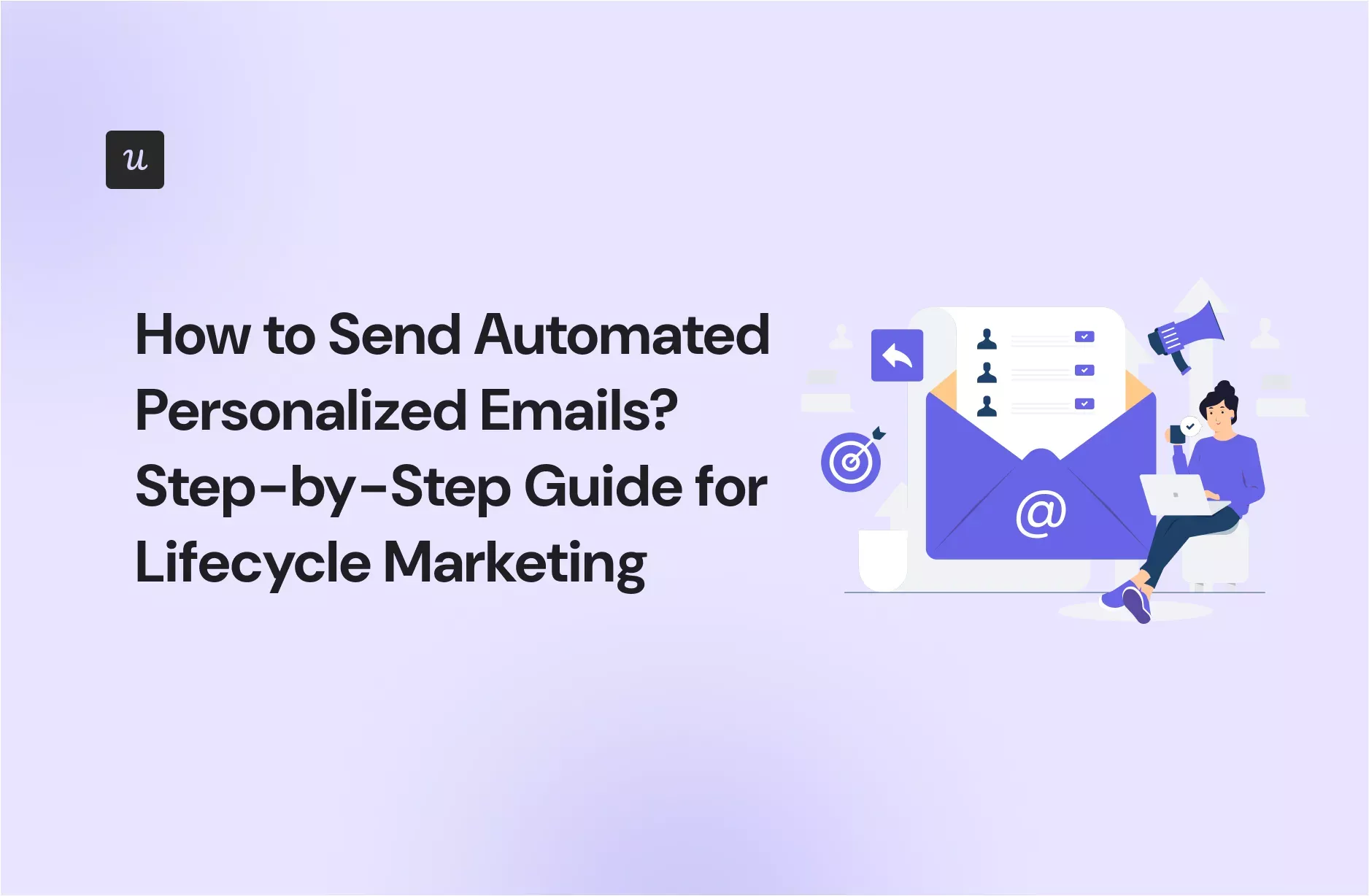

Automated personalized emails are the friendly little robots of modern marketing: they show up on time, remember what customers did, and never ask for a lunch break. But when they are done badly, they feel like a robot wrote them while wearing a fake mustache. The goal of lifecycle email marketing is simple: send the right message to the right person at the right stage of the customer journey without making your team manually click “send” 900 times a week.
In plain English, lifecycle email marketing means creating automated email journeys that match where someone is in their relationship with your brand. A new subscriber needs a warm welcome. A hesitant shopper may need education or social proof. A customer who just bought something needs confirmation, support, and maybe a gentle nudge toward a second purchase. A loyal customer deserves appreciation, not another generic “Hey valued customer” message that feels like it was pulled from a dusty filing cabinet.
This guide explains how to send automated personalized emails throughout the customer lifecycle, from planning and segmentation to triggers, content, testing, deliverability, and real-world examples. Consider it your map for building email automation that feels helpful, human, and revenue-friendly.
What Are Automated Personalized Lifecycle Emails?
Automated personalized lifecycle emails are messages triggered by customer data, behavior, timing, or lifecycle stage. Instead of sending one blast to everyone, you create workflows that respond to what people actually do. For example, someone downloads a guide and receives a short educational sequence. A shopper leaves a cart behind and receives a reminder. A customer becomes inactive and gets a re-engagement email before they disappear into the digital fog.
Personalization can be simple, such as using a first name, or more advanced, such as recommending products based on browsing history, purchase behavior, location, subscription plan, or engagement level. The best personalization does not scream, “We have your data!” It quietly says, “We understand what you probably need next.” That is a much better vibe.
Why Lifecycle Email Automation Matters
Email remains one of the most controllable digital marketing channels because you own the relationship with your subscriber list. Social platforms change algorithms. Search rankings shift. Paid ad costs can rise faster than a teenager’s phone bill. Email gives businesses a direct, measurable way to nurture leads, support customers, and increase customer lifetime value.
Lifecycle automation matters because timing matters. A welcome email sent five minutes after signup is useful. A welcome email sent three weeks later feels like someone found your form submission under a couch cushion. Automated workflows help brands respond quickly, consistently, and at scale.
Personalized lifecycle emails can also improve engagement because they are more relevant. People are more likely to open, click, and act when the message reflects their current needs. A new lead does not need a loyalty reward yet. A loyal customer probably does not need a beginner’s guide. A lapsed buyer may need a reminder, a fresh offer, or simply proof that your brand still has something valuable to say.
The Main Stages of the Email Lifecycle
Before building automations, map the lifecycle. Most businesses can start with five practical stages: acquisition, onboarding, engagement, conversion, retention, and reactivation. Some companies add advocacy or expansion, especially SaaS and subscription businesses.
1. Acquisition: Turning Visitors Into Subscribers
The acquisition stage begins when someone first enters your orbit. Maybe they signed up for a newsletter, downloaded a checklist, joined a webinar, created a free account, or used a discount code. Your job is not to immediately chase them around the inbox waving a coupon like a tiny flag. Your job is to confirm their interest and begin building trust.
Useful acquisition emails include lead magnet delivery, newsletter confirmation, event registration confirmation, and first-touch educational content. Keep these messages clear and direct. Tell people what they requested, what happens next, and why they should keep opening your emails.
2. Onboarding: Helping New People Get Value Fast
Onboarding emails are where many brands either shine or trip over their own shoelaces. A subscriber, trial user, or new customer has just raised their hand. Now you need to guide them toward a successful first experience.
For SaaS, onboarding might include account setup tips, feature tutorials, and “first win” prompts. For ecommerce, it might include brand story, bestsellers, sizing help, shipping expectations, or care instructions. For service businesses, it may include consultation preparation, FAQs, or case studies.
A strong onboarding sequence usually includes three to five emails spaced over several days. Each email should have one job. Do not cram your entire company brochure into email number one. Nobody wants to open an email and discover it has chapters.
3. Engagement: Keeping the Relationship Alive
Engagement emails keep subscribers interested between major buying moments. These messages may include educational content, product tips, personalized recommendations, surveys, customer stories, or helpful reminders. The key is relevance. If every engagement email is secretly just a sales pitch wearing a fake educational hat, customers will notice.
Use engagement scoring to identify who is active, cooling down, or highly interested. For example, a subscriber who clicks three product links in one week may be ready for a stronger offer. A subscriber who has not opened anything in 90 days may need a lighter re-engagement path or a pause in frequency.
4. Conversion: Helping People Make a Decision
Conversion emails are designed to help leads or shoppers take action. Common examples include abandoned cart emails, browse abandonment emails, free trial upgrade prompts, limited-time offers, demo follow-ups, comparison guides, and testimonials.
Good conversion emails do not beg. They clarify value. A cart reminder can show the item, answer common objections, and include a clear call to action. A SaaS upgrade email can show what the user has already accomplished and what they can unlock next. A service business follow-up can recap the customer’s goal and suggest the next step.
5. Retention: Making Customers Want to Stay
Retention emails are often more profitable than constant acquisition because existing customers already know you. They just need reasons to continue. Retention campaigns may include post-purchase education, replenishment reminders, loyalty updates, renewal reminders, product usage summaries, birthday offers, and customer appreciation notes.
The best retention emails feel useful after the sale. For example, if someone buys a coffee grinder, send brewing tips. If someone subscribes to project management software, send a report showing team progress. If someone buys skincare, send usage guidance before suggesting the next product. Helpful first, promotional second. Your revenue will survive the manners.
6. Reactivation: Winning Back Quiet Customers
Reactivation emails target people who have stopped opening, clicking, buying, or logging in. The goal is to find out whether the relationship can be revived. A good reactivation campaign might include a “still interested?” message, a personalized offer, a reminder of unused benefits, or a preference center where people can choose what they want to receive.
Be respectful. If someone ignores multiple reactivation attempts, reduce frequency or suppress them from regular promotional sends. Continuing to email inactive contacts can hurt deliverability and make your metrics look like they need a nap.
How to Build Automated Personalized Email Workflows
Step 1: Define the Goal of Each Workflow
Every automation should have a measurable purpose. Do you want to increase first purchases, reduce trial churn, recover abandoned carts, improve product adoption, increase renewals, or win back inactive subscribers? A workflow without a goal is just a digital hamster wheel.
Start with one high-impact lifecycle gap. For many businesses, that is the welcome sequence, abandoned cart flow, onboarding series, or reactivation campaign. Build one well before building twelve mediocre workflows that require a spreadsheet, three coffees, and emotional support.
Step 2: Collect the Right Data
Personalization depends on data. Useful data may include email signup source, lifecycle stage, purchase history, browsing behavior, location, preferences, industry, company size, plan type, last activity date, and engagement level.
However, more data is not always better. Collect what you can use responsibly. Make sure subscribers understand what they are signing up for. Use clear forms, preference centers, and consent practices. Clean your data regularly so your emails do not say “Hi [First Name]” or recommend the exact item someone already purchased yesterday. Nothing says “we care” like forgetting what happened 24 hours ago.
Step 3: Segment Your Audience
Segmentation is the backbone of lifecycle personalization. Instead of one giant list, divide contacts by meaningful characteristics. Examples include new subscribers, first-time buyers, repeat customers, high-value customers, inactive subscribers, trial users, product category interest, location, or content preference.
Dynamic segments are especially powerful because people move automatically as their behavior changes. A lead becomes a customer. A customer becomes inactive. An inactive customer comes back. Your email system should update those stages without someone manually dragging names around like digital furniture.
Step 4: Choose Triggers and Timing
Triggers decide when an automated email begins. Common triggers include form submission, account creation, cart abandonment, product view, purchase, subscription renewal date, inactivity period, birthday, anniversary, webinar attendance, or support interaction.
Timing should match the customer’s context. A cart reminder might go out within a few hours. A post-purchase education email might wait until the product has arrived. A renewal reminder might begin 30 days before expiration. A reactivation campaign might start after 60, 90, or 120 days of inactivity, depending on your buying cycle.
Step 5: Write Emails That Sound Human
Personalized automation should not sound like it was assembled by a vending machine. Write like a helpful person. Use clear subject lines, short paragraphs, specific benefits, and one primary call to action. Add personality where it fits, but do not force jokes into serious messages like billing notices or password resets. Nobody wants comedy during account recovery.
Personalization should support the message. Mention the product they viewed, the guide they downloaded, the plan they use, or the goal they selected. Use fallback content for missing data. For example, if you do not know a subscriber’s industry, use a general version instead of creating an awkward blank space.
Step 6: Use Dynamic Content Carefully
Dynamic content allows one email template to show different blocks to different people. A clothing store can show men’s, women’s, or kids’ product recommendations. A software company can show beginner tips to new users and advanced workflows to power users. A local service business can show location-specific offers.
The trick is to keep it simple at first. Do not build an email with 46 conditional blocks unless you enjoy debugging at midnight. Start with one or two dynamic sections, test them thoroughly, and expand as your strategy matures.
Examples of Automated Personalized Lifecycle Emails
Welcome Email Example
Subject: Welcome! Here’s where to start
Personalization: Signup source and stated interest
Message idea: Thank the subscriber, deliver what they requested, explain what kind of emails they will receive, and point them to one helpful next step.
Abandoned Cart Email Example
Subject: Still thinking it over?
Personalization: Product left in cart, image, price, reviews, shipping note
Message idea: Remind the shopper what they left behind, answer a likely objection, and include a direct checkout button.
Trial Onboarding Email Example
Subject: Your first quick win is waiting
Personalization: User role, plan type, feature usage
Message idea: Suggest one action that helps the user experience value quickly, such as importing contacts, creating a project, or scheduling a demo.
Reactivation Email Example
Subject: Should we save your spot?
Personalization: Last purchase, last login, favorite category, or unused benefit
Message idea: Acknowledge the absence politely, offer a reason to return, and give the subscriber a simple choice: stay, update preferences, or unsubscribe.
Deliverability and Compliance: The Not-So-Boring Part
Even the most beautifully personalized email is useless if it lands in spam. Deliverability depends on sender reputation, authentication, list quality, complaint rates, engagement, and compliance.
Use a sending domain you control. Set up SPF, DKIM, and DMARC authentication. For bulk senders, Gmail and Yahoo requirements make authentication and easy unsubscribe practices especially important. Include a clear unsubscribe link in promotional emails, and use one-click unsubscribe where required. Keep spam complaints low by sending relevant emails to people who actually want them.
For U.S. commercial email, follow CAN-SPAM basics: do not use deceptive headers or subject lines, identify promotional messages when required, include a valid physical postal address, provide a clear opt-out method, and honor unsubscribe requests promptly. Compliance is not glamorous, but neither is being blocked, fined, or roasted by your own subscribers.
Metrics to Track in Lifecycle Email Automation
Do not judge lifecycle email success by open rates alone. Opens can be useful, but privacy changes and image loading behavior make them less reliable than deeper engagement metrics. Track clicks, conversions, revenue, trial activation, repeat purchase rate, churn, unsubscribe rate, spam complaint rate, bounce rate, and customer lifetime value.
Each workflow should have its own success metric. A welcome series might focus on first click or first purchase. An onboarding sequence might measure activation. A retention campaign might track repeat purchase or renewal. A reactivation flow might measure recovered subscribers and suppression rate.
Testing and Optimization
Automated does not mean “set it and forget it until the internet retires.” Review workflows regularly. Test subject lines, preview text, send timing, calls to action, offers, email length, design, and segmentation rules. Look for drop-off points. If email one performs well but email two gets ignored, the problem may be timing, relevance, or a message that sounds like it was written by a committee trapped in a conference room.
Use A/B testing carefully. Test one major variable at a time so you know what caused the difference. Also, give tests enough volume and time before declaring a winner. Choosing a winner after 17 clicks is not optimization; it is fortune-telling with a dashboard.
Common Mistakes to Avoid
Sending Too Many Emails
Automation makes it easy to send more, but more is not always better. Use frequency caps so subscribers do not receive a welcome email, sale email, cart reminder, review request, and newsletter all in one day. That is not lifecycle marketing. That is inbox dodgeball.
Personalizing With Bad Data
Wrong personalization is worse than no personalization. Clean your lists, validate important fields, and use fallback copy. If you are not confident in the data, do not build the message around it.
Ignoring Customer Intent
Someone reading beginner content should not immediately receive an advanced enterprise pitch. Someone who just bought should not receive an abandoned cart email for the same product. Align automation with real behavior, not wishful thinking.
Forgetting Mobile Readers
Many people read emails on phones, usually while doing three other things. Use responsive templates, short paragraphs, large buttons, clear hierarchy, and subject lines that do not need a telescope.
A Practical Workflow Blueprint
Here is a simple lifecycle automation blueprint for a growing business:
- Welcome sequence: Send immediately after signup, then follow with two to four educational emails.
- Lead nurture sequence: Segment by interest and send helpful content, case studies, or comparison resources.
- Conversion sequence: Trigger based on cart abandonment, pricing page visits, demo requests, or trial behavior.
- Post-purchase sequence: Confirm the order, explain next steps, provide support, and recommend relevant add-ons later.
- Retention sequence: Send usage tips, loyalty rewards, replenishment reminders, renewal notices, and personalized recommendations.
- Reactivation sequence: Target inactive contacts with a thoughtful return offer or preference update option.
This structure is flexible enough for ecommerce, SaaS, education, professional services, and content businesses. Start with the flows that match your biggest revenue or retention opportunity. Then improve based on data, not guesswork.
Experience-Based Tips for Sending Automated Personalized Emails in the Lifecycle
After working with lifecycle email strategies, one lesson becomes obvious very quickly: the best automation feels invisible. Customers should not think, “Wow, this is an automated workflow.” They should think, “That was useful.” The difference usually comes down to timing, context, and restraint.
A strong experience is to begin with the customer’s question at each stage. A new subscriber is asking, “Can I trust this brand?” A trial user is asking, “Can this solve my problem?” A first-time buyer is asking, “Did I make a good choice?” A loyal customer is asking, “Do they still value me?” A lapsed customer is asking, “Is there any reason to come back?” When your email answers the real question, the message becomes naturally personal even before you add fancy dynamic fields.
Another practical experience: short emails often win, especially in automated sequences. Marketers love to explain everything. Customers love to get the point. A lifecycle email should usually focus on one action: finish setup, read the guide, complete checkout, book a call, review the product, renew the plan, or update preferences. When an email has seven buttons, three offers, two banners, and a quote from the founder’s dog, the reader has to work too hard.
It also helps to build automation in layers. Start with basic segmentation, then add behavioral triggers, then add dynamic content, then add predictive or AI-assisted personalization if your data quality supports it. Many teams try to jump straight to advanced personalization before their customer data is clean. That is like installing a chandelier in a house with no roof. Fancy, but damp.
One of the most useful habits is reviewing automated emails as if you were the subscriber. Sign up for your own list. Abandon your own cart. Start your own trial. Buy your own product if possible. Watch what happens. You may discover awkward timing, duplicate emails, broken personalization, missing unsubscribe links, or messages that made sense in a planning document but feel strange in the inbox.
Finally, remember that lifecycle email automation is not only about selling. It is about reducing confusion, building confidence, and making the customer feel guided. The sale often follows when the experience is clear. Helpful emails create trust. Trust creates clicks. Clicks create conversions. And conversions create the beautiful sound of your marketing dashboard quietly doing its job.
Conclusion
Automated personalized lifecycle emails help businesses communicate with customers in a smarter, more human way. The winning formula is not complicated: map the customer journey, segment your audience, collect useful data, trigger emails based on behavior, write clear messages, follow deliverability rules, and optimize continuously.
The best lifecycle emails do not feel like mass marketing. They feel timely, relevant, and helpful. Whether you are welcoming a new subscriber, guiding a trial user, recovering a cart, retaining a customer, or reactivating a quiet contact, your goal is to make the next step obvious and valuable.
Build slowly, test often, and respect the inbox. When automation and personalization work together, your emails stop feeling like noise and start feeling like a well-timed conversation. That is how lifecycle email marketing earns attention, trust, and revenue without shouting into the digital void.
SEO Tags
Note: This HTML includes only the body content for easy publishing. Review brand-specific claims, legal requirements, and email platform settings before using the article on a live website.